
Quiver — Marketplace de Skills Multiplataforma
evilbotnet/skills-marketplace
Marketplace unificado de skills para múltiplas ferramentas de IA com sync automático
Ver no GitHubLauncher de skills, agents e plugins que unifica um marketplace Git com múltiplas ferramentas de IA (Claude Code, OpenAI Codex, OpenCode, Pi). Permite que equipes compartilhem uma biblioteca centralizada de customizações, gerenciem perfis de modelo para endpoints customizados e sincronizem atualizações via canais curados.
Instalação
npx convez-ai evilbotnet/skills-marketplace1 comando no terminal: detecta o formato do repositório (marketplace ou plugin avulso) e instala via Claude Code. Requer Node 18+ e o Claude Code instalado.
Métricas
Casos de uso
- Centralizar biblioteca de skills entre equipes usando diferentes TUIs de IA
- Distribuir e versionar agentes customizados via Git com canais curados
- Gerenciar perfis de modelo (endpoints locais, proxies, custom) em um único lugar
Veredito

Ferramenta bem construída em Go para equipes que usam múltiplas plataformas de IA coding. A abordagem Git-first para marketplace é sólida, mas o público-alvo é nicho (requer Claude Code + compatíveis e fluxo Git).
README
A tradução para o português deste README ainda está na fila.
quiver — AI skills marketplace launcher
One team, many AI coding tools. quiver lets everyone share a single git-hosted library of skills, agents, and plugins and use it from whichever TUI they prefer — Claude Code, OpenAI Codex CLI, OpenCode, or Pi — with shared model profiles for custom endpoints, proxies, and local models.
brew install go   # 1.22+
make build        # → bin/quiver
Quick start
# point quiver at your team's marketplace repo (or this repo's template)
quiver market add git@github.com:your-org/skills.git

# browse, install, and launch interactively
quiver
In the TUI: enter shows an item's summary, usage instructions, and example
prompts · i installs it (pick tool, pick global/project scope) · p
manages model profiles · L launches a tool with a profile applied.
A look around
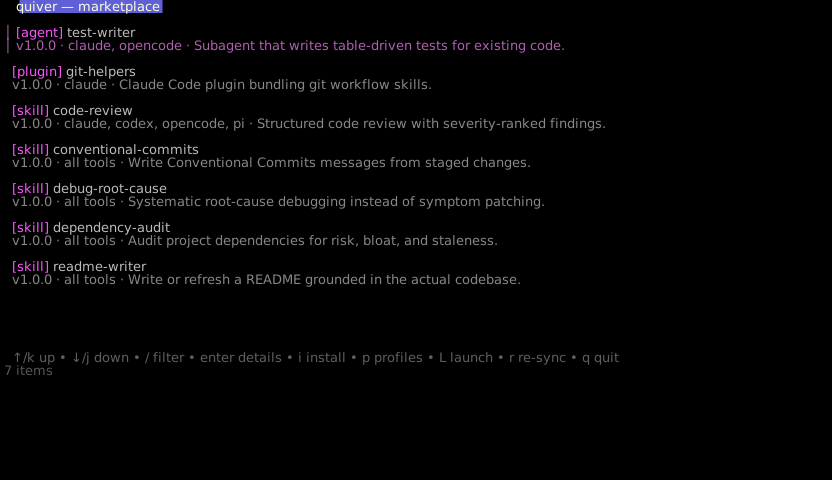
Browse the marketplace — every item carries a version, compatible tools, and a one-line summary:
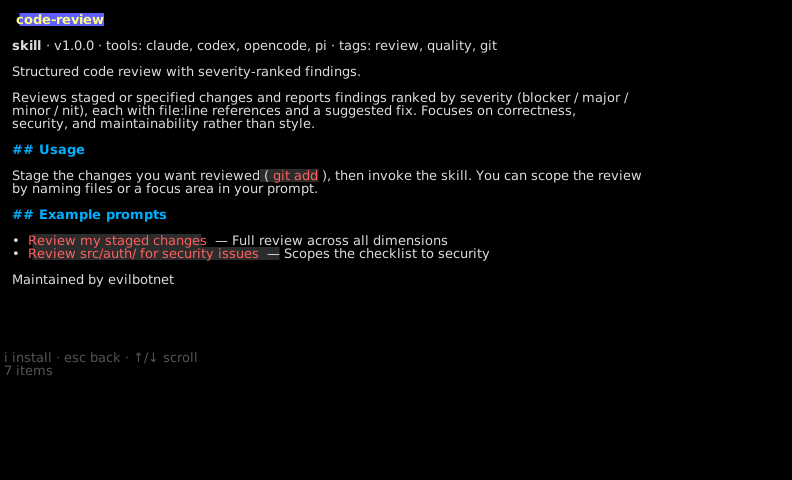
enter opens the detail view with usage instructions and copyable example
prompts:
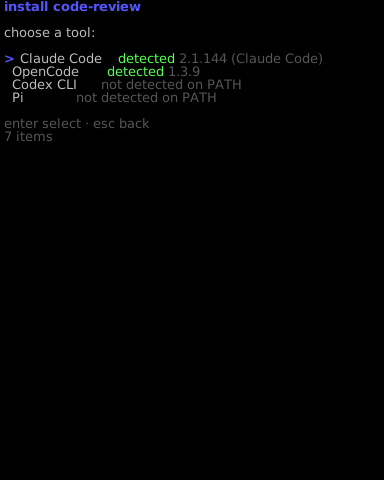
i installs — quiver shows which tools are actually on your PATH and only
offers compatible ones:
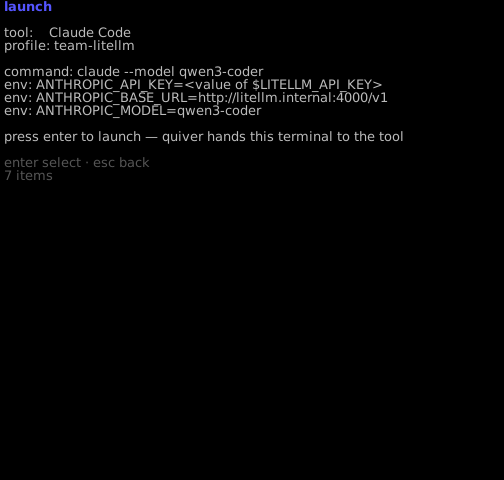
L launches: pick a tool and a profile, review the exact command and
environment (secret values are never displayed), confirm:
Channels & subscriptions
Channels are curated categories defined in the marketplace
(channels/<id>.yaml) — this template ships development, security,
documentation, and git-workflow. Subscribing pins a channel to a
tool; from then on quiver keeps you current, RSS-style, with git as the
feed:
quiver channels                                  # what can I subscribe to?
quiver subscribe development --tool claude       # auto=updates (default)
quiver subscribe security --tool opencode --auto all
On quiver sync and before each launch (hourly TTL; --no-sync to skip):
- updates to installed items apply automatically — unless you modified
your local copy, which is never clobbered (you'll be nudged toward
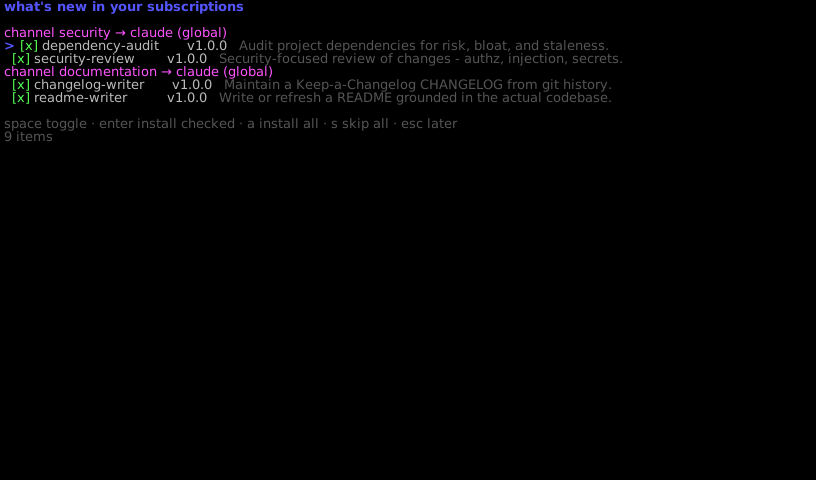
quiver publishinstead) - new channel members show up in a what's-new digest at TUI startup —
accept, pick, or skip (skipped items aren't re-offered); with
--auto allthey install hands-off
Unsubscribing never uninstalls anything. Because subscriptions act on
merge, channel edits deserve the same review rigor as code — consider
CODEOWNERS on channels/ in your marketplace repo.
Everything is also scriptable:
quiver list
quiver install code-review --tool opencode --scope project
quiver profiles add --name team-litellm --kind openai-compat \
  --model qwen3-coder --base-url http://litellm.internal:4000/v1 \
  --api-key-env LITELLM_API_KEY
quiver launch claude --profile team-litellm        # env-injected, zero config writes
quiver launch codex --profile team-litellm --print-env   # preview without launching
quiver doctor                                      # detect drifted/missing installs
How it works
All four supported tools read the same Agent Skills
SKILL.md format, so artifacts install verbatim — quiver only knows
where each tool looks and how each tool takes model settings:
| Tool | Skills (global / project) | Profile mechanism |
|---|---|---|
| Claude Code | ~/.claude/skills / .claude/skills | env vars only |
| OpenCode | ~/.config/opencode/skills / .opencode/skills | OPENCODE_CONFIG_CONTENT (ephemeral) |
| Codex CLI | ~/.codex/skills / .agents/skills | managed block in config.toml + --profile |
| Pi | ~/.pi/agent/skills / .pi/skills | CLI flags; models.json merge for custom endpoints |
Safety rules: API keys are referenced by env var name and resolved only
at launch; config writes are additive, namespaced, previewed, idempotent,
and backed up to ~/.config/quiver/backups/; modified installs are never
silently overwritten or deleted (doctor reports drift, --force to
override).
Contributing skills back
The marketplace is a feedback loop, not a one-way feed. When you improve an
installed skill locally, quiver doctor notices the drift and suggests
publishing; quiver publish validates the skill, bumps its version, commits
it to a branch in the marketplace repo, regenerates the index, and opens a
pull request (gh) — or pushes the branch with instructions when it can't.
quiver publish code-review              # propose your local improvement upstream
quiver publish ./my-new-skill --summary "One-line description"
New items get a scaffolded marketplace.yaml (summary derived from the
SKILL.md description when possible) with a TODO header for usage/examples.
CI on the marketplace repo (quiver registry check) gates malformed
submissions; humans review the rest — skills instruct agents, so review
before merge is the security boundary.
The marketplace
marketplace/ is a working reference marketplace and the
template for your team's repo — each item ships a marketplace.yaml with a
summary, usage docs, and example prompts that render in the TUI. See
docs/marketplace-spec.md. Claude Code users can
also consume the same repo natively:
claude plugin marketplace add <repo-url>.
More docs: architecture · model profiles