
Engram
engram-app/Engram
Suas notas como memória de IA, sincronizadas e consultáveis via MCP
Ver no GitHubSistema RAG de conhecimento pessoal que indexa vaults do Obsidian e oferece busca vetorial via MCP server. Sincroniza bidireccionalmente suas notas markdown com assistentes de IA, transformando-as em memória persistente e consultável. Construído em Elixir/Phoenix com suporte a auto-hospedagem via Docker.
Instalação
npx convez-ai engram-app/Engram1 comando no terminal: detecta o formato do repositório (marketplace ou plugin avulso) e instala via Claude Code. Requer Node 18+ e o Claude Code instalado.
Métricas
Casos de uso
- Integrar Obsidian com Claude e outros assistentes de IA
- Criar camada de memória persistente para agentes de IA
- Buscar semanticamente dentro de bases de conhecimento pessoais
- Sincronizar bidireccionalmente notas entre múltiplas interfaces
Veredito

Engram é uma solução madura e bem-documentada para quem quer conectar Obsidian com IA via MCP, oferecendo busca vetorial e sincronização bidirecional. Requer familiaridade com Docker e auto-hospedagem, mas o setup é direto e a documentação é excepcional.
README
A tradução para o português deste README ainda está na fila.
Engram
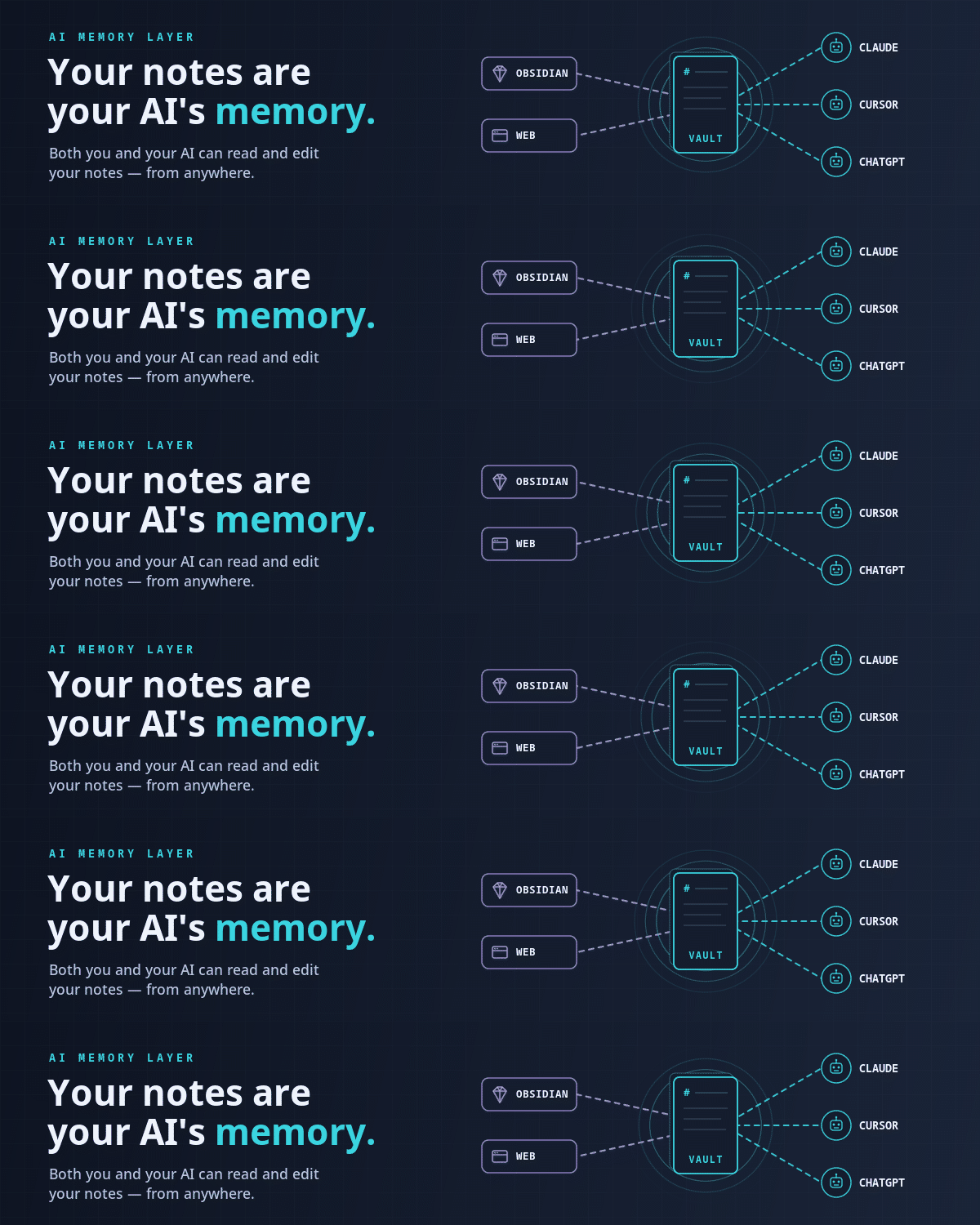





Your notes are your AI's memory.
The AI memory layer where your notes are the storage — markdown you and your AI assistants both read and write to via MCP. Built with Elixir/Phoenix. Pairs with the Engram Obsidian Sync plugin for real-time bidirectional sync.
Self-Host (Docker Compose)
Don't want to run the commands yourself? Open the Quickstart docs, select the whole page, and paste it into your AI assistant — it's written top-to-bottom as imperatives the AI can execute in order.
Otherwise:
git clone https://github.com/engram-app/Engram.git
cd Engram
cp .env.example .env       # then fill in the three secrets at the top
docker compose up -d
App at http://localhost:4000. Migrations run on boot. Only port 4000 is host-exposed; everything else stays on the private Docker network.
Large vaults? Enable MinIO for S3-style attachments:
docker compose --profile s3 up -d — see
storage docs.
Better embeddings? Switch to Voyage AI in .env — see
embeddings docs.
Full self-host documentation
| Topic | Link |
|---|---|
| Quickstart | https://engram.page/docs/self-host/quickstart/ |
| Environment vars | https://engram.page/docs/self-host/environment-variables/ |
| Encryption & keys | https://engram.page/docs/self-host/encryption/ |
| Backup & restore | https://engram.page/docs/self-host/backup-restore/ |
| Upgrades | https://engram.page/docs/self-host/upgrade/ |
| Troubleshooting | https://engram.page/docs/self-host/troubleshooting/ |
| Architecture | https://engram.page/docs/self-host/architecture/ |
| MCP setup | https://engram.page/docs/mcp/ |
| HTTP API | https://engram.page/docs/api/ |
Contributing
Local dev setup, tests, and PR rules: see CONTRIBUTING.md.
License
Dual-licensed:
- PolyForm Small Business 1.0.0 — free for organizations under $1M USD prior-year revenue and < 100 employees + contractors.
- Commercial License — required for larger orgs. See
LICENSE-COMMERCIAL.md or email
support@engram.page.
External contributions sign the Engram CLA. See CONTRIBUTING.md.
Security
See SECURITY.md for vulnerability disclosure. Self-host LAN deployments are out of scope of our published SLA — security depends on the operator's network and infra.
Copyright (c) 2026 Rasbandit Software Solutions LLC d/b/a Engram.