
LangStage CLI
dkedar7/langstage-cli
Terminal interativo para agentes LangGraph com aprovação humana
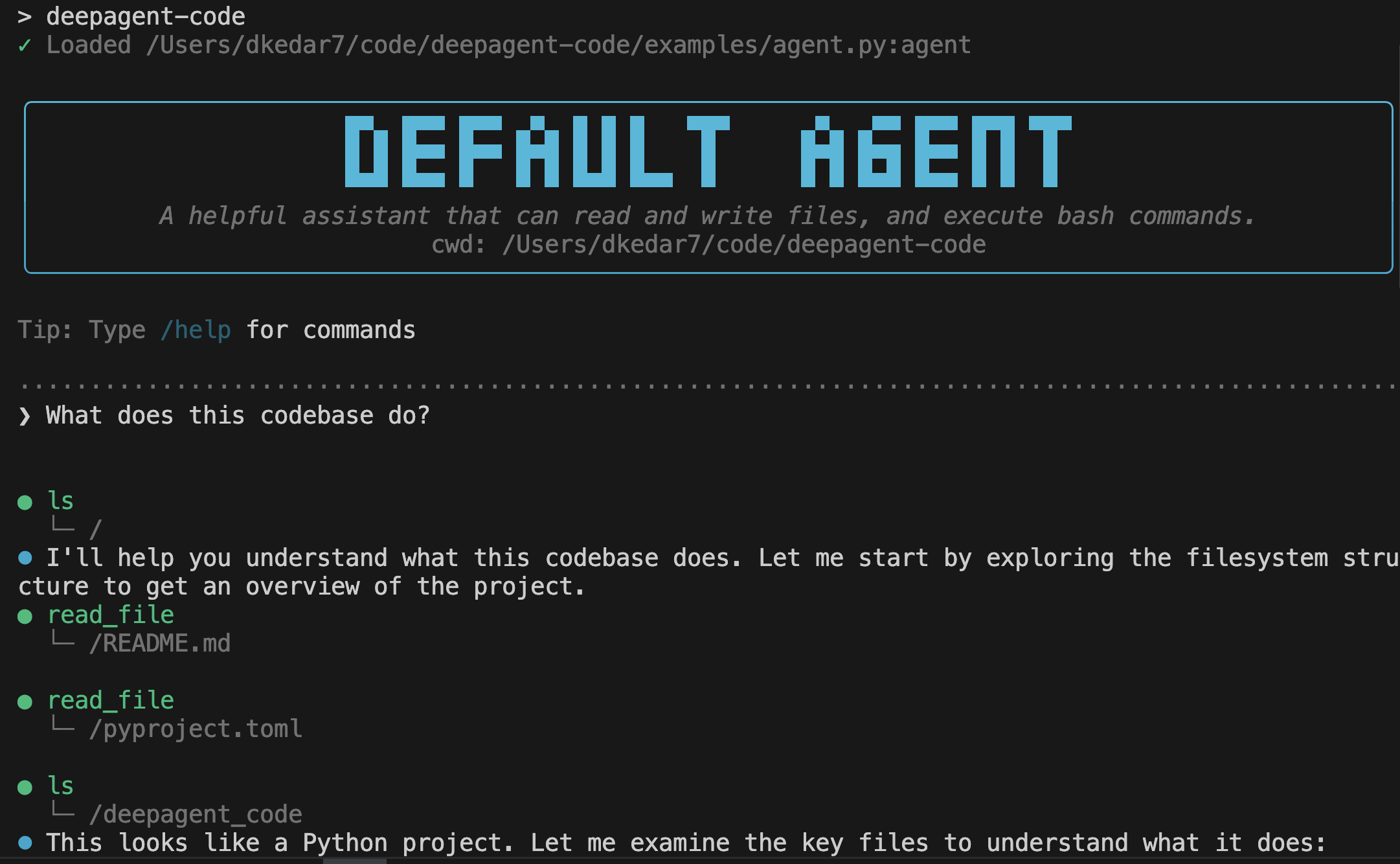
Ver no GitHubCLI estilo Claude Code para executar agentes LangGraph direto do terminal com streaming, renderização de tool calls e aprovação interativa. Faz parte da família LangStage, permitindo rodar o mesmo agente em múltiplas plataformas (web, Jupyter, VS Code) com configuração unificada.
Instalação
npx convez-ai dkedar7/langstage-cli1 comando no terminal: detecta o formato do repositório (marketplace ou plugin avulso) e instala via Claude Code. Requer Node 18+ e o Claude Code instalado.
Métricas
Casos de uso
- Desenvolver e testar agentes LangGraph localmente
- Executar agents com interação humana no loop para aprovação de tool calls
- Integrar agentes em fluxos de automação CLI
Veredito

Ferramenta sólida para quem já trabalha com LangGraph e quer um ponto de entrada terminal profissional. A integração com o ecossistema LangStage (web, Jupyter, VS Code) é seu maior diferencial — não é apenas um CLI, é uma camada unificada. Útil em produção para orquestração e testes.
README
A tradução para o português deste README ainda está na fila.
langstage-cli
The terminal stage for your LangGraph agent. A Claude Code-style CLI that runs any LangGraph CompiledGraph — yours, not a bundled one — with streaming, tool-call rendering, and human-in-the-loop approval.
Renamed from deepagent-code (the old package name now just installs this one, and the
deepagent-codecommand still works).
Every stage for your LangGraph agent
langstage-cli is the terminal stage of the LangStage family: write your agent once — any LangGraph CompiledGraph — and run it on every stage with the same spec string (module:attr or path/to/file.py:attr), the same langstage.toml config file, and the same LANGSTAGE_* environment variables.
| Stage | Package | Try it |
|---|---|---|
| Web app | langstage | langstage run --agent my_agent.py:graph |
| JupyterLab | langstage-jupyter | pip install langstage-jupyter, then the chat sidebar in jupyter lab |
| Terminal | langstage-cli | you are here |
| VS Code | langstage-vscode | chat participant + stdio sidecar |
| Reference agent | langstage-hermes | LANGSTAGE_AGENT_SPEC=langstage_hermes.agent:graph on any stage |
| Shared core | langgraph-stream-parser | typed events + config resolver behind every stage |
📖 Full documentation: https://dkedar7.github.io/langstage-docs/
Serve over AG-UI
This surface's agent — any LangGraph CompiledGraph — can also be served over the AG-UI protocol:
pip install "langgraph-stream-parser[agui]"
langstage-agui --agent my_agent.py:graph
Installation
pip install langstage-cli
Or install directly from GitHub:
pip install git+https://github.com/dkedar7/langstage-cli.git
Quick Start
No agent or API key yet? See the CLI working in one command:
langstage-cli --demo "hello"
Run with the default agent (requires ANTHROPIC_API_KEY):
export ANTHROPIC_API_KEY="your_api_key"
langstage-cli
Or specify your own agent:
langstage-cli -a path/to/your_agent.py:graph
This launches an interactive conversation loop with your agent.
Usage
# Use the default agent
langstage-cli

# Send a message directly
langstage-cli "Hello, agent!"

# Specify a custom agent file
langstage-cli -a my_agent.py:graph

# Use a module path
langstage-cli -a mypackage.agents:chatbot

# Read message from a file
langstage-cli -f ./prompt.md

# Non-interactive mode (auto-approve tool calls)
langstage-cli --no-interactive

# Verbose output
langstage-cli -v

# Keyless demo agent (no API key needed)
langstage-cli --demo

# Print the resolved configuration: each value, its source, and the
# env var / langstage.toml key that sets it
langstage-cli --show-config
Commands
In the interactive loop:
/qor/quit- Exit/c- Clear conversation history/hor/help- Show help
Environment Variables
# Agent location (path/to/file.py:variable_name or module:variable)
# (DEEPAGENT_AGENT_SPEC / DEEPAGENT_SPEC still accepted as deprecated aliases)
export LANGSTAGE_AGENT_SPEC="my_agent.py:graph"
langstage-cli

# Working directory
export LANGSTAGE_WORKSPACE_ROOT="/path/to/workspace"

# Stream mode (updates or values)
export LANGSTAGE_STREAM_MODE="updates"
Configuration Files
langstage-cli reads TOML config from two locations and merges them
(project overrides global):
- Global:
~/.langstage/config.toml - Project:
langstage.tomlin the current directory or any ancestor
Legacy locations (~/.deepagents/config.toml, deepagents.toml) are still
read as fallbacks; move your config when convenient — ~/.deepagents/ now
belongs to LangChain's dcode.
Precedence: CLI args > env vars > project TOML > global TOML > defaults.
Example langstage.toml:
[agent]
spec = "my_agent.py:graph"
workspace_root = "."

[ui]
verbose = true
async_mode = false
stream_mode = "updates"

[configurable]
# seeds LangGraph RunnableConfig.configurable
thread_id = "my-thread"
CLI Options
Usage: langstage-cli [OPTIONS] [MESSAGE]

Arguments:
  MESSAGE  Optional input to send to the agent immediately

Options:
  -a, --agent TEXT                Agent spec (path/to/file.py:graph or module:graph)
  -g, --graph-name TEXT           Graph variable name (default: "graph")
  -f, --file PATH                 Read message from a file (any extension)
  --interactive/--no-interactive  Handle interrupts (default: interactive)
  --async-mode/--sync-mode        Async streaming (default: sync)
  --stream-mode TEXT              Stream mode (updates or values)
  -v, --verbose                   Verbose output
Creating Your Own Agent
Your agent file should export a compiled LangGraph graph:
# my_agent.py
from deepagents import create_deep_agent
from langgraph.checkpoint.memory import MemorySaver

agent = create_deep_agent(
    name="My Agent",
    model="anthropic:claude-sonnet-4-20250514",
    checkpointer=MemorySaver(),
)
Then run it:
langstage-cli -a my_agent.py:agent
Programmatic Use
from langstage_cli import stream_graph_updates, prepare_agent_input

input_data = prepare_agent_input(message="Hello!")

for chunk in stream_graph_updates(graph, input_data):
    if chunk.get("chunk"):
        print(chunk["chunk"], end="")
License
MIT License - see LICENSE file for details.