
Claude Code Dashboard
developer-hasm/claude-code-dashboard
Dashboard local para monitorar uso, custos e gerenciar recursos do Claude Code
Ver no GitHubPainel web local que monitora limites de taxa, gerencia agentes/skills/hooks/servidores MCP e rastreia histórico de sessões no Claude Code. Oferece visualização de custos API por modelo, atividade diária e rankings de uso, com suporte a busca full-text em sessões e detecção de dependências faltantes.
Instalação
npx convez-ai developer-hasm/claude-code-dashboard1 comando no terminal: detecta o formato do repositório (marketplace ou plugin avulso) e instala via Claude Code. Requer Node 18+ e o Claude Code instalado.
Métricas
Casos de uso
- Monitorar consumo de API e custos por agente/skill em tempo real
- Gerenciar inventário de agentes, skills, hooks e servidores MCP
- Rastrear histórico de sessões com visualização de conversas completas
- Analisar atividade diária e identificar recursos mais utilizados
Veredito

Ferramenta essencial para quem usa Claude Code em produção, oferecendo visibilidade completa sobre consumo de API, custos e gestão de recursos. Implementação técnica sólida com SQLite incremental, suporte a i18n e interface responsiva — pronto para uso via marketplace.
README
A tradução para o português deste README ainda está na fila.
Claude Code Dashboard
Local web dashboard for Claude Code — monitor rate limits, manage agents/skills/hooks/MCP servers, browse session history, track daily activity and usage rankings.


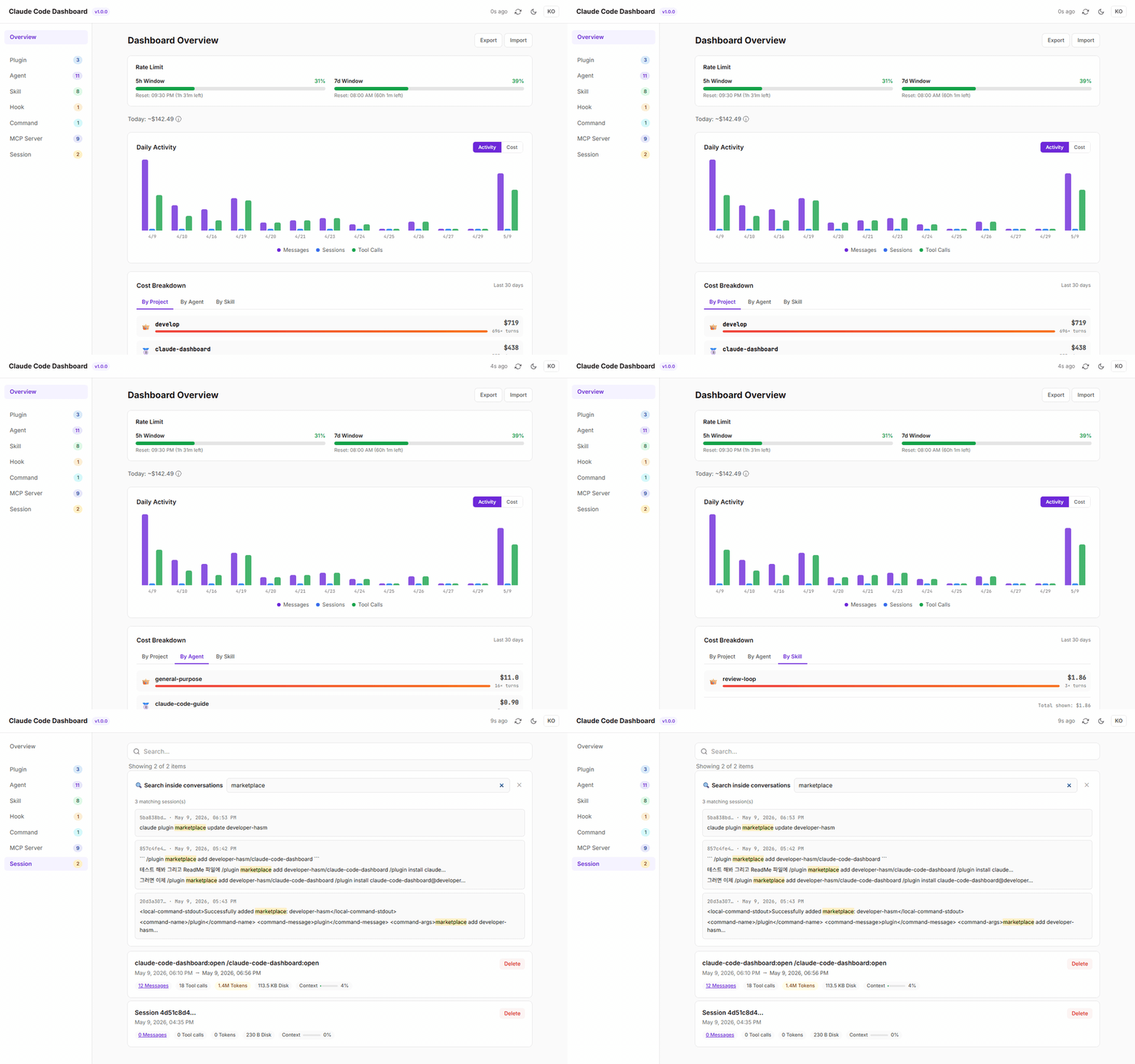
Screenshots
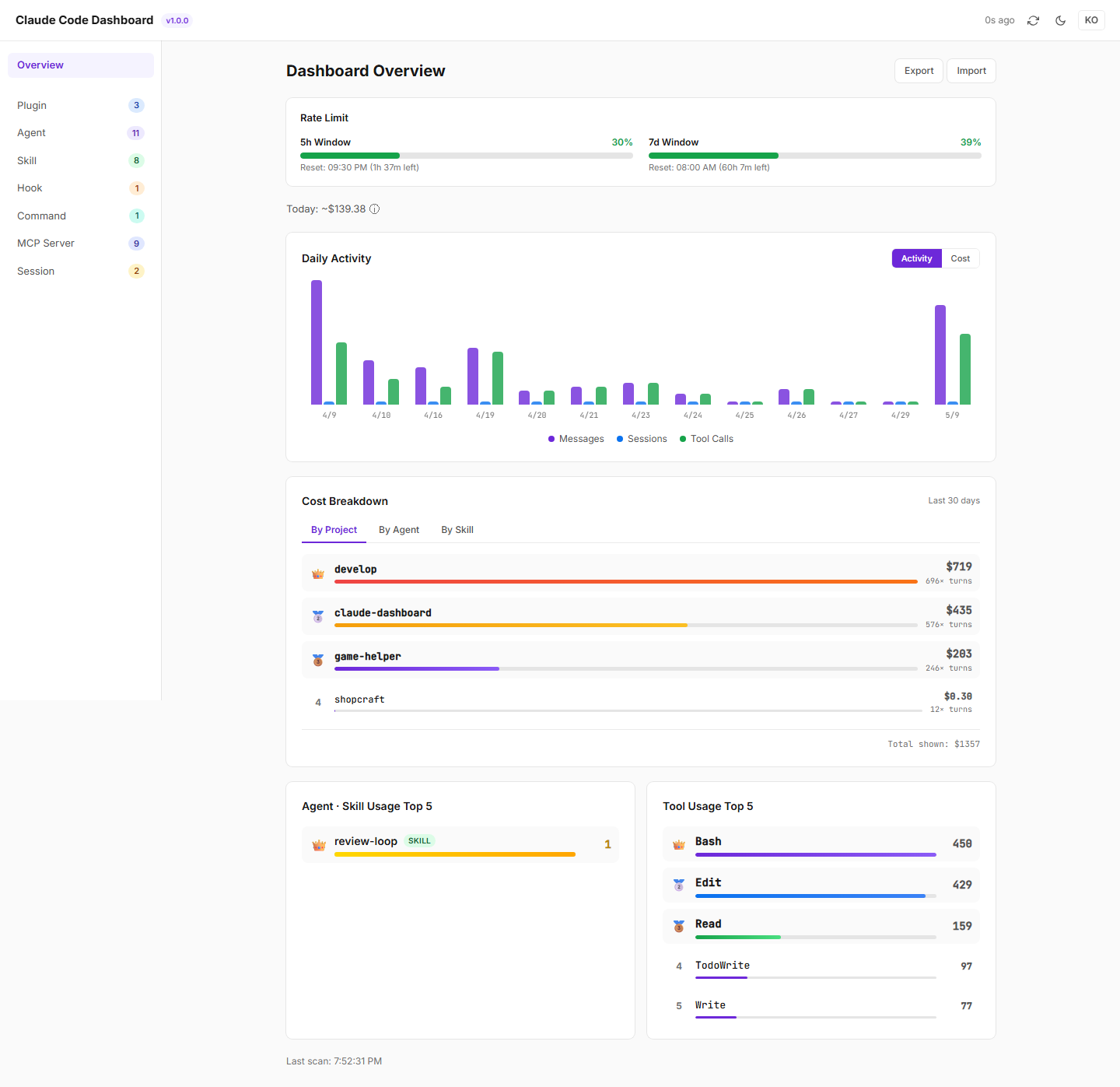
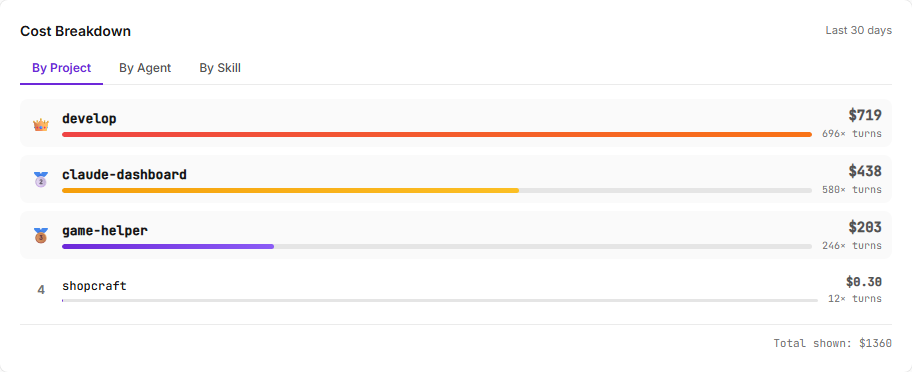
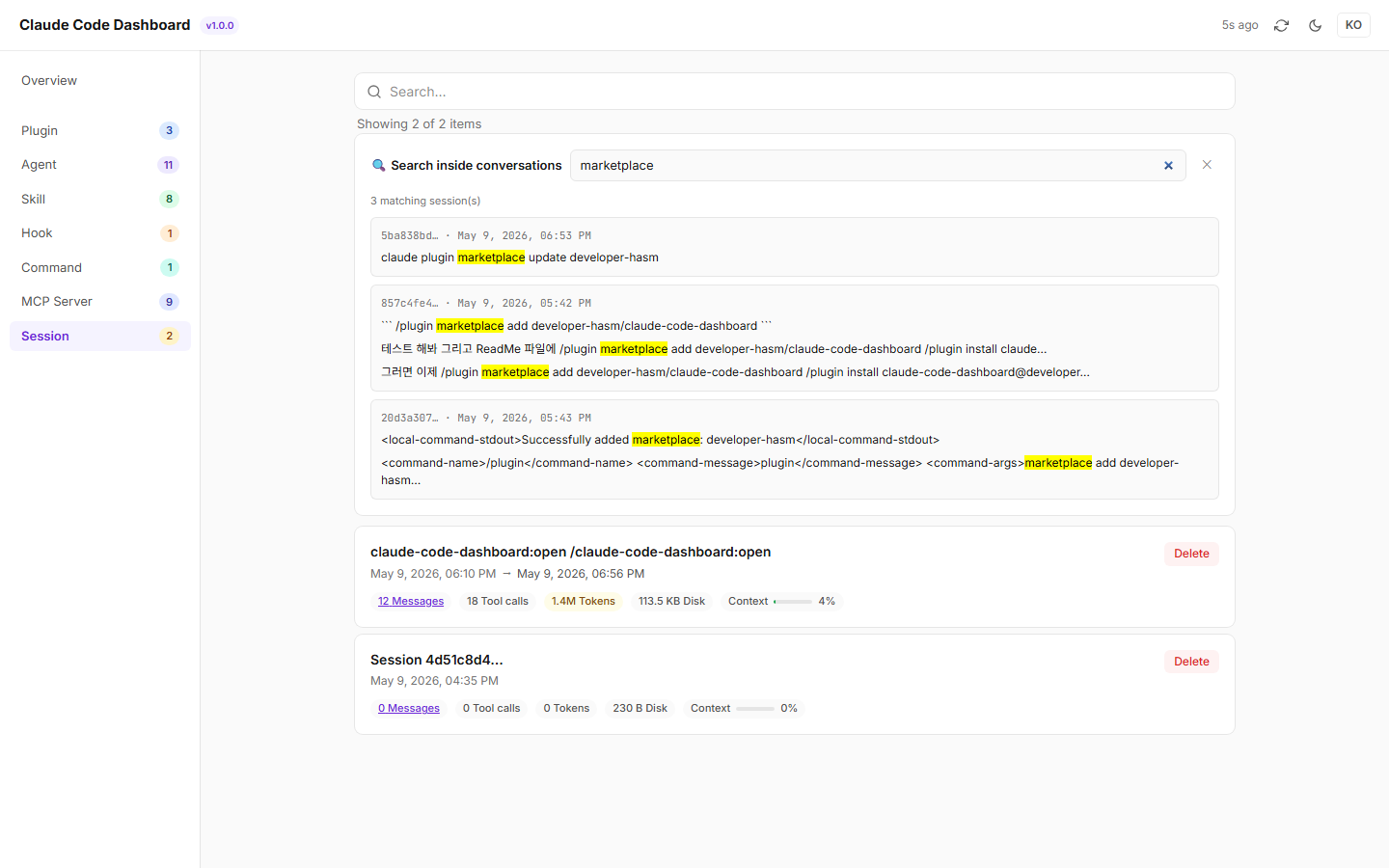
| Cost Breakdown by project / agent / skill | Full-text session search |
|---|---|
 |  |
Features
Overview
- Rate Limit Monitor — Real-time 5h / 7d window usage from Anthropic OAuth API
- Cost Estimator — Today's API-equivalent cost by model (Opus / Sonnet / Haiku)
- Daily Activity Chart — Per-day messages, sessions, tool calls (Activity / Cost toggle)
- Top 5 Rankings — Most-used agents, skills, and tools (with crown badges)
- Missing Required Items — Detects skills referenced by agents but not installed
Inventory Management
| Category | Source |
|---|---|
| Plugin | installed_plugins.json + marketplace plugin.json |
| Agent | .claude/agents/*.md (frontmatter parsed) |
| Skill | .claude/skills/*/SKILL.md |
| Hook | settings.json hooks section |
| Command | .claude/commands/*.md |
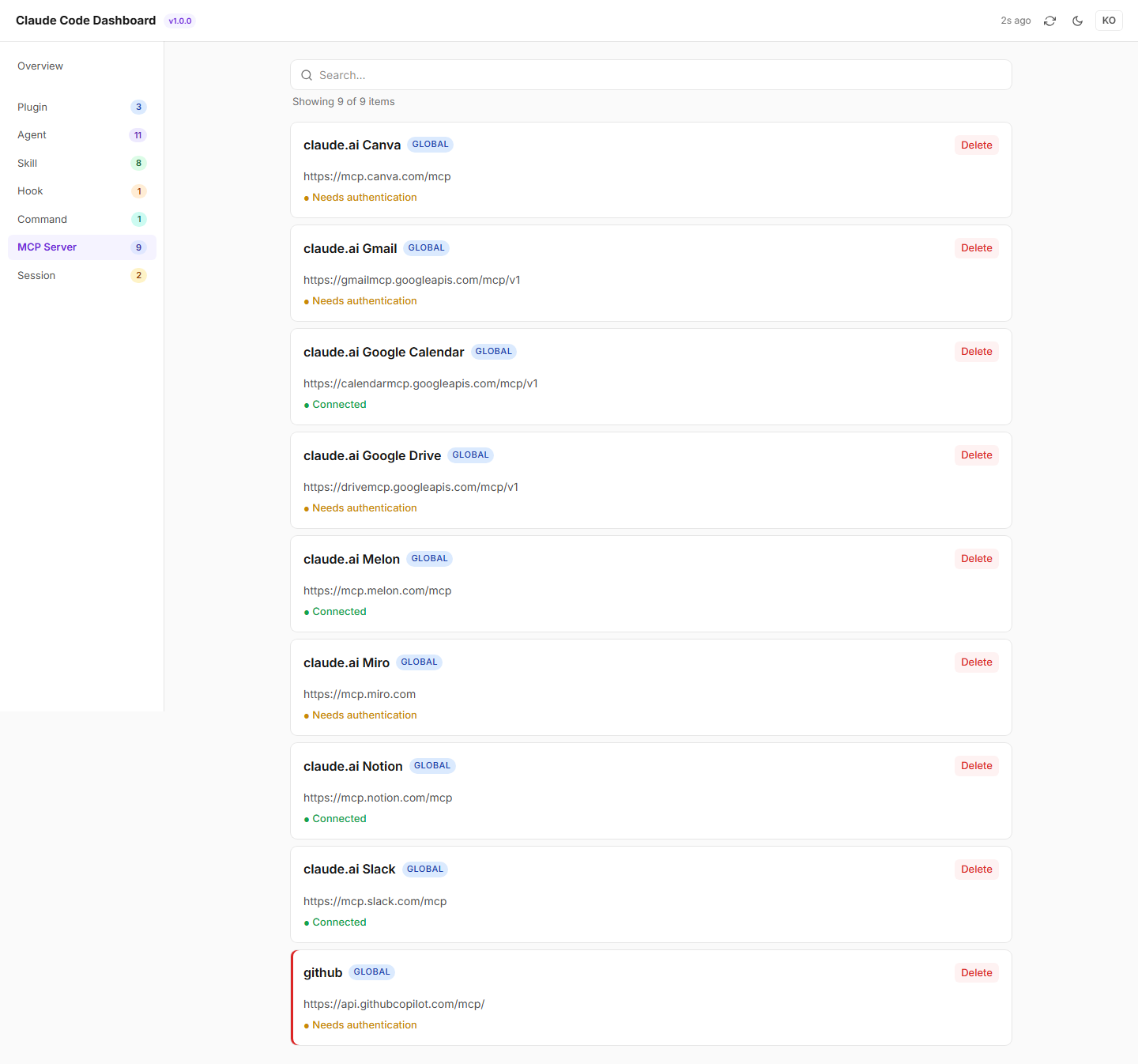
| MCP Server | claude mcp list CLI output |
| Session | sessions/*.json + JSONL transcripts |
Each item card shows: name, scope (PROJECT/GLOBAL), description, created/last-used dates, delete button. Sort order: last used DESC → created DESC → name ASC. Delete shows dependency warnings (bidirectional dependents/dependencies).
Session Browser
- Session cards with first prompt, token counts, cost, context saturation
- "Messages" click → full conversation modal
- Scheduled-task badges, start/end times
v1.1 — SQLite Incremental Scanner
better-sqlite3with WAL mode- Incremental scan via
mtime+file_sizecomparison — only new lines parsed message_id-based deduplication (UPSERT)- Per-model cost estimation stored in
turns.cost_usd - Schema migration framework
UX
- Dark mode, EN/KO i18n
- Responsive layout (768px breakpoint)
- Vercel-style design (CSS custom properties)
Quick Start
Prerequisites
- Node.js ≥ 20
- Claude Code CLI installed
Install via Claude Code Plugin Marketplace (recommended)
Inside Claude Code, run:
/plugin marketplace add developer-hasm/claude-code-dashboard
/plugin install claude-code-dashboard@developer-hasm
Then use these slash commands inside Claude Code:
| Command | Description |
|---|---|
/claude-code-dashboard:open | Open the dashboard in the browser (starts the server if not running). Idempotent. On cold start (server not already up) it also checks for new releases — best-effort, silent on network failure. |
/claude-code-dashboard:stop | Stop the running dashboard server |
/claude-code-dashboard:status | Show running status, PID, port, uptime |
/claude-code-dashboard:update | Pull the latest released version via the marketplace, stop the running server, and print restart instructions |
The first :open will run npm install and npm run build in the plugin's install directory (one-time, ~1 minute), then launch the server and open your browser. Subsequent invocations just refocus the existing dashboard.
Updating
On cold start, :open prints a notice when a newer release is available (the exact wording is in commands/open.md):
📦 Update available: 1.0.0 → 1.1.0
   To update, run /claude-code-dashboard:update
   (this dashboard will keep working on the current version until you do)
The check only runs on cold start (when :open actually launches the server) and is best-effort — silent on network failure. When the server is already running, :open skips the version check entirely to keep re-open sub-second.
:update runs claude plugin marketplace update + claude plugin update, stops the current server gracefully (with a forced fallback after 2s), and tells you to restart Claude Code so the new slash commands and install path are picked up.
Install from source
git clone https://github.com/developer-hasm/claude-code-dashboard.git
cd claude-code-dashboard
npm install
npm run build
npm start
The dashboard auto-opens at http://127.0.0.1:19280 (port range 19280–19289).
Usage
The server walks up from the current working directory to find a .claude/ folder. Run npm start from inside (or above) your Claude Code project to see its inventory.
cd /path/to/your/project    # has .claude/ subfolder
npm start --prefix /path/to/claude-code-dashboard
CLI flags:
--no-open— don't auto-launch browser
Tech Stack
- Framework: Next.js 15 (standalone), React 19, TypeScript 5
- Styling: Tailwind CSS v4 (CSS custom properties)
- Database: better-sqlite3 (WAL mode)
- Parsing: gray-matter (YAML frontmatter)
- Testing: Playwright (25 E2E tests)
Architecture
server.mjs                  → singleton/PID + port allocation + Next standalone fork
src/app/api/*/route.ts      → REST endpoints (inventory, health, token, sessions, ...)
src/lib/scanner.ts          → category scanners (agents, skills, hooks, MCP, etc.)
src/lib/incremental-scanner → SQLite-backed JSONL incremental ingestion
src/lib/cost-estimator      → per-model token-to-USD pricing
src/lib/claude-oauth        → rate-limit fetch via .credentials.json token
src/components/             → React UI (sidebar, ItemCard, modals, charts)
Testing
npm start &           # start server in background
npm run test:e2e      # run Playwright suite
25 E2E tests covering:
- Smoke (page load, sidebar, API endpoints)
- Modals (Export, Import)
- Theme/language toggles
- Each category page (Plugin, Agent, Skill, Hook, Command, MCP, Session)
- Item card rendering, dates display
- Delete dependency warnings
Known Limitations
- Cold scan: First run with no SQLite cache is slow (mitigated by background scan)
- MCP last-used: Cloud MCP servers don't log to JSONL, so last-used can't be tracked
- Cost estimation: API-equivalent pricing — actual Pro/Max plan billing differs
License
MIT — see LICENSE