
LLM Observatory
DavidAucancela/llm-observatory
Observabilidade em tempo real para APIs Claude e OpenAI, sem overhead
Ver no GitHubDashboard de observabilidade open-source para monitorar uso da API Claude (e OpenAI) em tempo real. Rastreia tokens, custos e latência com um SDK wrapper drop-in que não adiciona overhead. Inclui gestão de orçamentos, alertas Discord, análise multi-modelo e exportação de dados.
Instalação
npx convez-ai DavidAucancela/llm-observatory1 comando no terminal: detecta o formato do repositório (marketplace ou plugin avulso) e instala via Claude Code. Requer Node 18+ e o Claude Code instalado.
Métricas
Casos de uso
- Monitorar custos e consumo de tokens em produção
- Rastrear latência e performance de diferentes modelos
- Configurar alertas de orçamento e limite de gastos
- Analisar padrões de uso entre equipes e projetos
- Auto-hospedar solução de monitoramento privada
Veredito

Ferramenta robusta e open-source para observabilidade de LLMs, com dashboard em tempo real via WebSocket e zero-latency async SDK. Supera concorrentes (Helicone, Langfuse) em simplicidade e performance, ideal para equipes que querem controle total sobre monitoramento de custos e latência de APIs de IA.
README
A tradução para o português deste README ainda está na fila.
LLM Observatory
Multi-tenant SaaS observability platform for Claude API (and OpenAI) usage. Track tokens, cost & latency in real-time with a drop-in SDK wrapper that adds zero overhead to your requests.





Live Demo
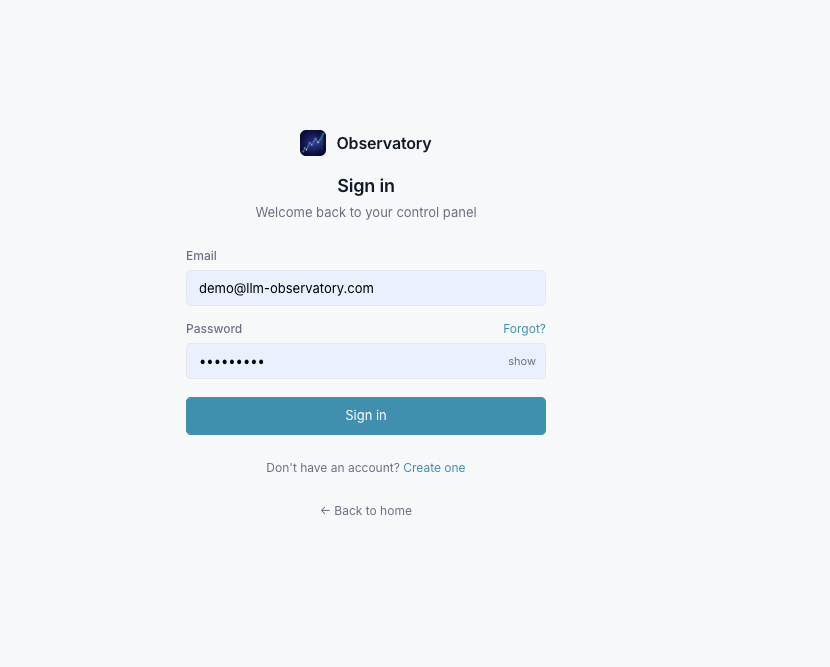
Try it instantly — no registration required:
🔗 https://llm-web-production.up.railway.app
Email:    demo@llm-observatory.com
Password: Demo1234!
Read-only account with 30 days of pre-loaded data across Anthropic and OpenAI models.
Preview
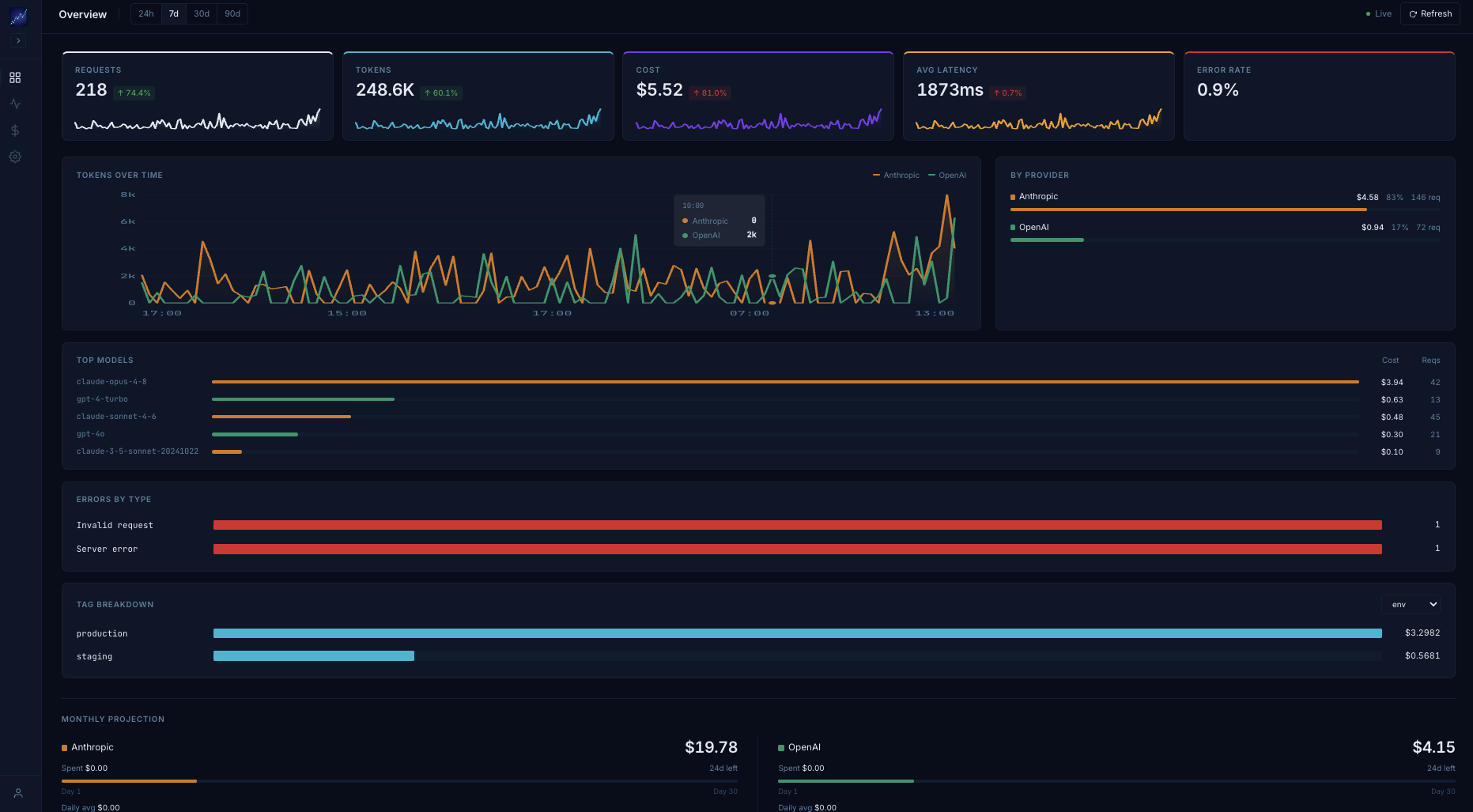
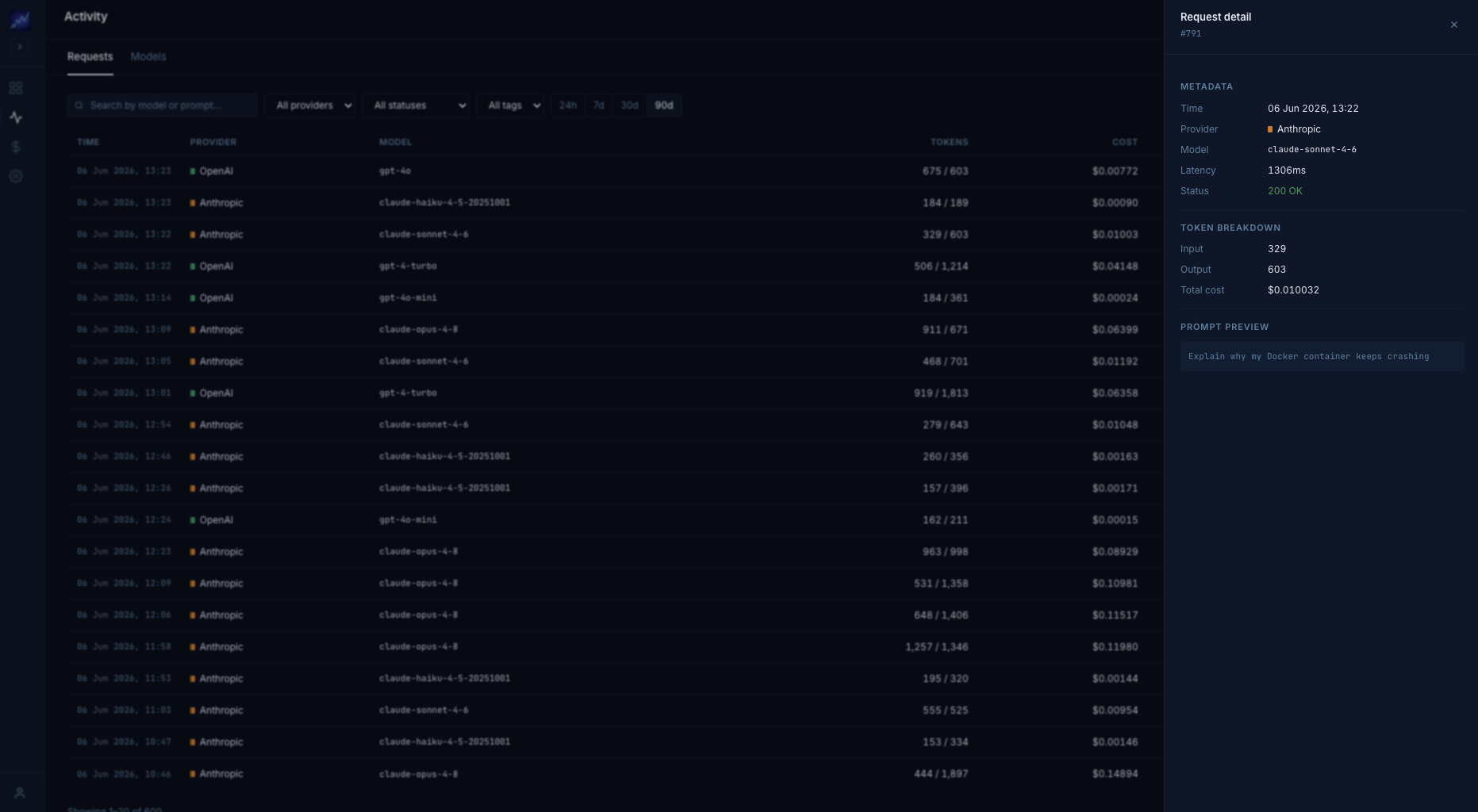
Activity — request log with detail drawer
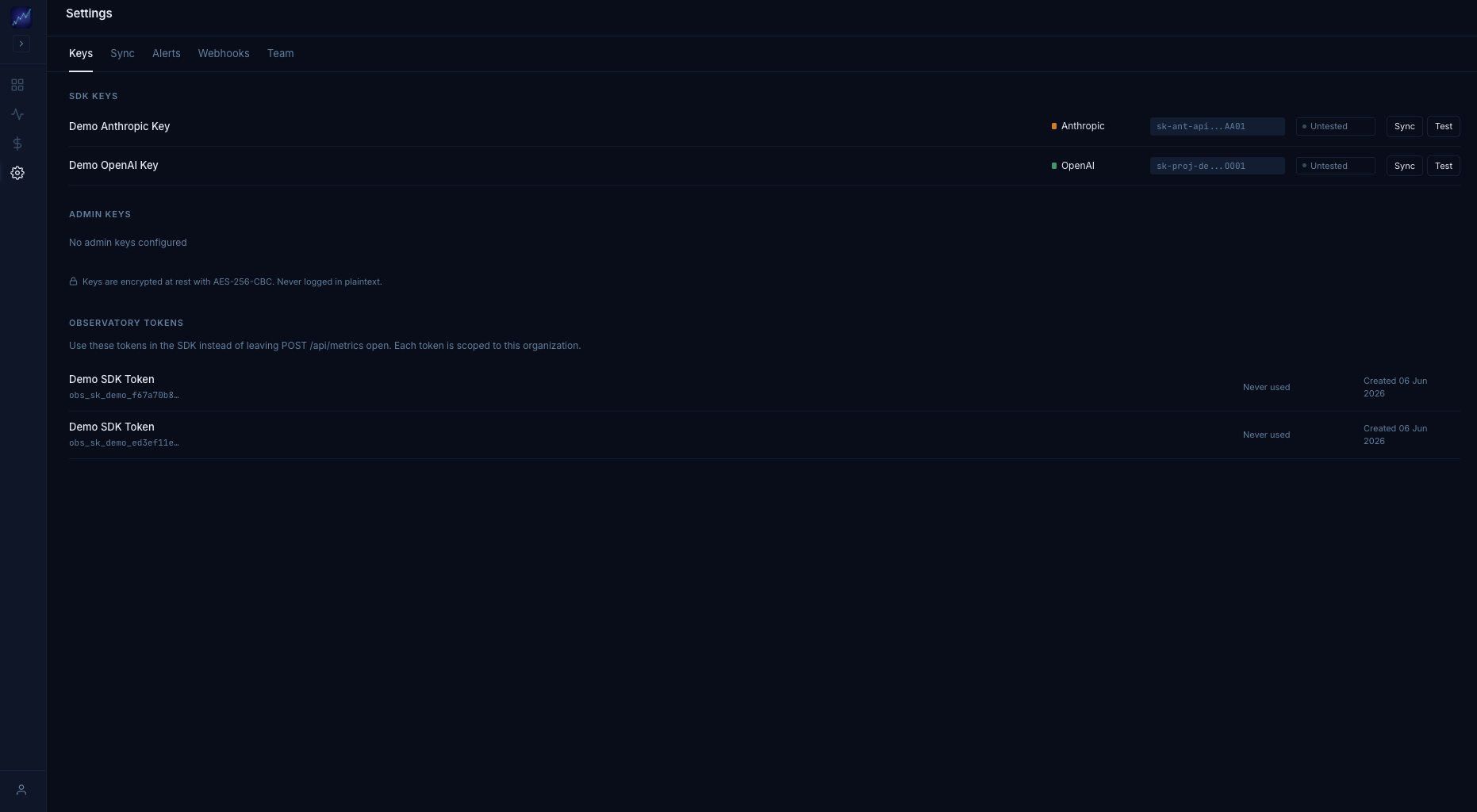
Settings — API keys & Observatory tokens
Login
Features
- Drop-in SDK Wrapper — Replace
new Anthropic()withnew MonitoredAnthropic(). Zero code changes elsewhere. - Multi-tenant — Each organization gets isolated data, team members, and Observatory tokens. Self-registration creates an org automatically.
- Real-time Dashboard — Live metric updates via WebSocket. No page refresh required.
- Cost Tracking — Per-request cost calculation using model-aware pricing tables for Anthropic and OpenAI.
- Monthly Projections — Forecast end-of-month spend per provider based on current usage trends.
- Model Analysis — Compare cost, latency, and token usage across all models.
- Budget Management — Set daily, weekly, or monthly spending limits with visual progress bars.
- Discord Alerts — Hourly automated checks against configurable alert rules with webhook notifications.
- Provider Sync — Pull historical usage data from Anthropic Admin API or OpenAI Organization API.
- Balance Tracking — Record and visualize provider balance recharges.
- CSV Export — Download filtered request logs with all metrics included.
- Team Management — Invite teammates by email, manage roles (admin/member), cancel invitations.
- Observatory Tokens —
obs_sk_tokens authenticate SDK metric ingestion and link calls to your org. - Authentication — Self-registration with email activation, password reset, and JWT sessions.
- Dark Mode — Full dark/light theme toggle.
- OpenAI Support — Full parity with
MonitoredOpenAIwrapper for multi-provider monitoring. - Outbound Webhooks — HMAC-signed
POSTto your own endpoints on every metric event. - Cache Hit Tracking — Anthropic prompt cache read/write tokens tracked per request.
- Error Classification — Captures
error_typeanderror_messagefor failed API calls.
vs. Helicone / Langfuse
| Feature | LLM Observatory | Helicone | Langfuse |
|---|---|---|---|
| Open source (MIT) | ✅ | ✅ | ✅ |
| Self-hosted | ✅ | ✅ | ✅ |
| Zero-latency (async SDK, no proxy) | ✅ | ⚠️ proxy | ✅ |
| Anthropic + OpenAI support | ✅ | ✅ | ✅ |
| Node.js SDK | ✅ | ✅ | ✅ |
| Python SDK | ✅ | ✅ | ✅ |
| Real-time WebSocket dashboard | ✅ | ❌ | ❌ |
| Cost & token tracking | ✅ | ✅ | ✅ |
| Budget alerts | ✅ | ✅ (cloud) | ⚠️ limited |
| Discord notifications (native) | ✅ | ❌ | ❌ |
| Outbound webhooks (HMAC-signed) | ✅ | ✅ | ✅ |
| Provider balance tracking | ✅ | ❌ | ❌ |
| Historical sync from provider API | ✅ | ❌ | ❌ |
| Prompt cache hit tracking | ✅ | ✅ | ❌ |
| Multi-tenant with team roles | ✅ | ✅ | ✅ |
| CSV export | ✅ | ✅ | ✅ |
| Usage-based cloud pricing | ❌ (self-host = free) | ✅ | ✅ |
| LLM evals / tracing spans | ❌ | ⚠️ limited | ✅ |
When to choose LLM Observatory: you want a self-hosted, zero-overhead cost dashboard with real-time updates and no per-request cloud fees. When to choose Langfuse: you need deep LLM evaluation pipelines and tracing spans. When to choose Helicone: you want a managed cloud with minimal setup.
Quick Start
1. Clone and install
git clone https://github.com/DavidAucancela/llm-observatory
cd llm-observatory
npm install
2. Configure environment
cp .env.example .env
Edit .env with the required values:
DATABASE_URL=postgresql://postgres:changeme@localhost:5432/llm_observatory

# Generate with: node -e "console.log(require('crypto').randomBytes(32).toString('hex'))"
ENCRYPTION_KEY=<32-byte hex>

# Generate with: node -e "console.log(require('crypto').randomBytes(64).toString('hex'))"
JWT_SECRET=<64-byte hex>

# Email (Resend) — required for account activation and invitations
RESEND_API_KEY=re_xxxxxxxxxxxxxxxxxxxx
EMAIL_FROM=onboarding@resend.dev   # safe default; change once you verify a custom domain in Resend
APP_URL=http://localhost:5173
3. Start with Docker (recommended)
docker-compose up -d --build
Open http://localhost — you'll be redirected to the register page to create your first account and organization.
4. Manual setup
Requirements: Node.js 20+, PostgreSQL 16
npm run dev
- Web: http://localhost:5173
- API: http://localhost:3001
SDK Integration
1. Create an Observatory token
In the dashboard → Settings → Team tab → Observatory Tokens → New token.
Copy the full obs_sk_... value — it's shown only once.
2. Use the SDK
Anthropic:
const { MonitoredAnthropic } = require('@llm-observatory/sdk');

const client = new MonitoredAnthropic({
  apiKey: process.env.ANTHROPIC_API_KEY,
  observatoryUrl: 'http://localhost:3001',
  observatoryToken: process.env.OBSERVATORY_TOKEN  // obs_sk_...
});

// Use exactly like the official Anthropic SDK
const response = await client.messages.create({
  model: 'claude-opus-4-8', // or your preferred model
  max_tokens: 1024,
  messages: [{ role: 'user', content: 'Hello!' }]
});
OpenAI:
const { MonitoredOpenAI } = require('@llm-observatory/sdk');

const client = new MonitoredOpenAI({
  apiKey: process.env.OPENAI_API_KEY,
  observatoryUrl: 'http://localhost:3001',
  observatoryToken: process.env.OBSERVATORY_TOKEN
});

const response = await client.chat.completions.create({
  model: 'gpt-4o',
  messages: [{ role: 'user', content: 'Hello!' }]
});
Metrics are sent asynchronously — your API call returns immediately with zero latency overhead.
Multi-tenancy
Each organization is fully isolated:
- All data (metrics, budgets, credentials, alerts) is scoped to
org_id. - Tenants never see each other's data — enforced at the database query level.
- Observatory tokens (
obs_sk_xxx) are how the SDK identifies which org a metric belongs to. Store them in your app's environment variables. - Team members are managed per-org. Admins can invite by email, manage roles, and revoke tokens.
Registration flow:
- User registers at
/register(email + optional org name + password). - Email activation link is sent (or check server terminal in development).
- On first login the user lands in their org's dashboard.
- Admin invites teammates via Settings → Team → Invite.
- Invited user receives email → opens
/accept-invite?token=xxx→ sets password → joins org.
Credential system
Settings manages two types of keys:
SDK Keys
Keys your projects use with MonitoredAnthropic / MonitoredOpenAI to register metrics.
- Anthropic SDK Key: starts with
sk-ant-api03- - OpenAI SDK Key: starts with
sk-proj-
Admin Keys
Keys with elevated permissions needed for the history sync feature. Not the same as SDK keys.
- Anthropic Admin Key: generate at console.anthropic.com → Settings → Admin Keys. Requires admin role in the Anthropic org. Starts with
sk-ant-admin- - OpenAI Organization Key: key with organization permissions to read usage via
/v1/organization/usage
All keys are stored encrypted with AES-256-GCM (authenticated encryption). They are never shown in full in the UI.
Architecture
User Application
  └─► MonitoredAnthropic / MonitoredOpenAI   (SDK)
      │   Authorization: Bearer obs_sk_xxx    ← org identity
      ├─► Claude / OpenAI API                (real request, awaited)
      └─► Observatory API                    (async metric POST, fire & forget)
          ├─► org_id resolution              (token hash → org)
          ├─► PostgreSQL                     (persists all metrics, scoped by org_id)
          ├─► Socket.io                      (broadcasts to connected dashboards)
          └─► React Dashboard                (WebSocket real-time updates)
Stack
| Layer | Technology |
|---|---|
| Frontend | React 18, Vite 5, Tailwind CSS 3, Socket.io Client |
| Backend | Node.js 20, Express 4, Socket.io 4, Zod, node-cron, bcrypt, jsonwebtoken |
| Database | PostgreSQL 16 — shared schema multi-tenancy with org_id scoping |
| Real-time | Socket.io WebSocket (auto-reconnect) |
| Auth | JWT (1h expiry, server-side revocation) + bcrypt (cost 12) + Observatory tokens (SHA-256 hashed) |
| Resend (account activation, password reset, team invitations) | |
| Encryption | AES-256-GCM (authenticated) for stored provider API keys |
| Deployment | Docker Compose, Railway |
Operational Limits
Rate limits (per IP)
| Endpoint | Window | Limit |
|---|---|---|
| All API routes | 60 s | 300 req |
POST /api/metrics (SDK ingest) | 60 s | 1 000 req |
Configure via express-rate-limit in packages/api/src/index.js.
Data retention
- Default: 90 days (records auto-deleted daily at 02:00 UTC)
- Override: set
DATA_RETENTION_DAYS=<n>in your.env(minimum 1)
JWT expiry
- Default: 1 hour — change with
JWT_EXPIRES_IN=8h(any ms string) POST /api/auth/logoutrevokes the token server-side immediately (JTI blacklist, cleaned every 15 min)
Backups
Railway free tier does not include automatic backups. Run scripts/backup.sh via cron or GitHub Actions (see .github/workflows/backup.yml) to push daily pg_dump archives to S3/R2.
License
MIT