
WATNEY: Personal AI-OS Kit
DanJoachimn/WATNEY-Personal-Ai-OS-Kit
Assistente IA pessoal no seu Mac, instalado por conversa, que aprende sua voz
Ver no GitHubKit completo para instalar um assistente IA pessoal nativo no seu Mac usando Claude, totalmente configurável via conversa. Funciona como um chief of staff 24/7 que aprende sua voz, seus projetos e padrões de trabalho, sem SaaS ou gestão de dados em servidor externo.
Instalação
npx convez-ai DanJoachimn/WATNEY-Personal-Ai-OS-Kit1 comando no terminal: detecta o formato do repositório (marketplace ou plugin avulso) e instala via Claude Code. Requer Node 18+ e o Claude Code instalado.
Métricas
Casos de uso
- Criar um assistente IA personalizado que entende seu contexto e voz únicos
- Automatizar tarefas administrativas e pesquisa sem terceirizar dados
- Coordenar múltiplos especialistas IA (conteúdo, pesquisa, código, ops) via um chief of staff
- Manter continuidade de memória e contexto entre sessões de trabalho
Veredito

WATNEY é uma solução sólida e bem pensada para quem quer IA pessoal de verdade — não genérica. A instalação por conversa reduz barreiras técnicas, e o modelo de propriedade local (sem SaaS) é honesto. Merece atenção de quem já usa Claude e busca ter agentes IA integrados ao fluxo real de trabalho.
README
A tradução para o português deste README ainda está na fila.
WATNEY: Personal AI-OS Kit
Give yourself a Partner AI. From first paste to your AI knowing your voice, your projects, and your taste — installed entirely by talking to it like a nerdy friend.
"Mate, explain this to me like we're back in 8th grade."
What's WATNEY?
WATNEY is the kit's name — homage to The Martian (the Mark Watney you'd want stranded on your Mac instead of Mars: practical, resourceful, doesn't quit, makes the best of what's there).
It's not the name of your AI. The AI you install with this kit gets whatever name you pick during kick-off — Em, Jarvis, Maya, Sage, whatever feels right. You name the partner; WATNEY is the kit that ships it.
If you've heard the kit referred to as "Partner AI Kit (Personal)" anywhere — same thing, new name. We renamed it to WATNEY after the first real install proved the pattern works.
Why this exists
Staying current on AI is a full-time job. New models, new tools, new patterns every week. Most people fall behind, then the catch-up feels like a mountain.
This kit does the staying-current part once, so you don't have to. Claude Code-native, lives on your Mac, and you own it forever. No SaaS, no monthly seat, no vendor managing your data. Open-source. Yours.
And it doesn't stay generic. It learns your work — your voice, your projects, your taste, your patterns. After a few weeks it stops feeling like a tool and starts feeling like the chief of staff you've been meaning to hire. One who's on duty 24/7, wearing the exec assistant, researcher, content drafter, and ops coordinator hats you've been wanting to bring on.
Is this safe to install?
Fair question. The kit is an "outfit" your main AI (Claude, in most cases) puts on to work inside your world — your files, your voice, your projects, your scheduled tasks. Without it, Claude is generic. With it, Claude is yours.
Three things you should know about safety:
The kit checks itself before doing anything. When you paste the install prompt, your AI first reads every file and tells you in plain English whether it's safe. If anything looks off, it stops. You don't have to know what to look for. Your AI does.
Your passwords stay on your Mac. They live in a file on your computer, not on someone else's server. Want to remove access? Delete the file.
You can stop it any time. It's just files on your Mac. No subscription to cancel. Uninstall is drag the folder to the trash.
What this is
A complete install pack for setting up a Personal AI on your Mac using Claude Code. Free to install for your own use. Built and open-sourced by Daniel Joachim Nielsen — given away because the world is better with more people who have a real AI partner instead of a generic chatbot.
What you walk away with:
- A named AI partner with a real personality you defined — not a generic chatbot
- A second brain that remembers across sessions, so you never re-explain context
- Voice notes both ways — talk to your AI, hear it talk back
- An always-on body reachable from your phone via Telegram
- Four digital employees — one for content/drafting, one for research, one for code, one for daily admin. You talk to the chief of staff; they dispatch the right one.
- Anti-AI writing discipline baked in — every public-facing draft (emails, posts, captions, replies, anything you'd send to another person) auto-runs through a 24-rule AI-tell removal pass + 250-word banned list + the POP framework. Separate from your voice (which gets captured via interview later) — this is the cleanup filter that runs on top of your voice rules so public output never reads as AI-generated.
- A learnings loop that makes your AI sharper every week from your feedback
You install it by talking. No terminal, no command line, no editing files. The AI does all of that for you.
How to install
You need three obvious things plus two that aren't obvious — but the two non-obvious ones are half the magic. Don't skip them.
What it costs (honest numbers, upfront)
The kit is free, forever — it's files you own. The stack it runs on isn't, so here's the full picture before you start:
| Cost | Required? | Why | |
|---|---|---|---|
| Claude subscription | $20/mo (Pro) — $100+/mo (Max) for heavy use | Required | The intelligence. Pro covers the install + daily use; upgrade only when you feel the ceiling. |
| Telegram | Free | Required for voice channel | Your AI in your pocket |
| Granola (meeting capture) | ~$18/mo, first 25 meetings free | Optional (Part 2) | Your AI remembers every meeting |
| ElevenLabs (premium voice) | Free tier, ~$5/mo+ for more | Optional (Part 2) | Nicer voice than Mac's built-in |
| fal.ai (image generation) | Pay-per-image, pennies | Optional | Design employee's image tools |
| 1Password | ~$3/mo | Optional | Upgraded key security |
| External drive (Time Machine) | ~$60 one-time | Strongly recommended | Backup that survives a dead Mac |
Realistic minimum: $20/mo. Realistic full stack: $40-50/mo. For an always-on chief of staff that compounds every week, that's the cheapest hire you'll ever make — but you should see the number before you start, not discover it mid-install.
Disclosure: some optional-tool links in this kit may become affiliate links — same price for you, small commission funds kit development. The required stack (Claude, Telegram) earns us nothing.
The obvious three:
- A Mac running macOS 14 or later
- A Claude subscription (any tier — Pro covers it)
- Claude Code Desktop installed → download here
The two that turn the AI from chatbot into agent:
-
"Computer use" turned ON inside Claude Code Desktop. Toggle is in Settings → Capabilities (look for "Computer use" or "Control my computer"). Grant Screen Recording + Accessibility permissions when prompted.
-
The Claude Chrome extension installed + paired. Get it from the Chrome Web Store. After install, click the extension icon once in Chrome so it pairs with Claude Code.
Why those two matter — it's the aha-moment, not just smoothness.
A chatbot says "open System Settings and turn on iCloud Drive." A partner opens System Settings for you, takes a screenshot, points at the toggle. A chatbot says "go to elevenlabs.io and create an account." A partner opens the page, fills the form, navigates the onboarding. The first time your AI does that during this install — and there will be a dozen moments — is when the partnership stops feeling like a metaphor.
Without computer use + Chrome extension: you still get a working Partner AI, but every visual moment becomes "tell me what you see" and every web flow becomes "navigate here, click this, copy that." You'll have a smart chatbot. Not an agent.
If you genuinely can't enable them (corporate-locked Mac, no Chrome), the install will still complete — just in manual mode. But if you can enable them, do.
Plus: connectors (the agent's reach). During install your AI will offer to connect 4 starter apps in ~5 minutes: Gmail, Calendar (Google or Apple), Drive (Google or iCloud), Apple Notes. Each one unlocks a whole class of things you can ask for after the install — "what important emails am I dodging?", "what's on my plate today?", "summarize the doc I shared with Lina yesterday." Skip any you don't use. Don't worry about getting them ready before install — your AI will walk you through each.
Then:
- Open Claude Code Desktop
- Paste the prompt below
- Hit Enter
- Answer the questions your new AI asks you
Install runs in two parts
Split for $20 Claude Pro users — Part 1 fits comfortably in a single Pro session without burning your usage allowance.
Part 1 — Foundation (~40 min, single session) ends with your AI sending you a personal voice note via Telegram. By the time it's done, you have:
- A named AI partner that knows your name, tone, and one active project
- Four digital employees (Content, Research, Developer, Assistant) behind the scenes
- A voice channel from your phone — voice in, voice out
- An overnight memory routine that compresses what you discuss into long-term memory
Part 2 — Reach (~30 min, separate session days later) deepens the kit:
- 5-question voice interview that sharpens your AI's drafts
- Premium voices (ElevenLabs) — optional
- Meeting auto-capture (Granola) — optional
- Extra skills (animation, video editing, content pipelines, more) — pick what you want
- Siri + Apple Watch hands-free control — experimental, untested by kit author, last
You can stop after Part 1 and have a fully-working partner. Part 2 is opt-in when you're ready.
The install prompt
You're about to install WATNEY (the Personal AI-OS Kit) for me. I'm not a developer.

Please:
1. Fetch the live installer from
   https://raw.githubusercontent.com/DanJoachimn/WATNEY-Personal-Ai-OS-Kit/main/INSTALL.md
2. Read it carefully — it has the full install playbook.
3. BEFORE installing ANYTHING, do a security audit of the kit. Clone the
   repo to a sandbox folder, read through every file, and look for:
   files touching paths outside the install scope, suspicious network
   calls, hidden or obfuscated code, privilege escalation, credential
   exfiltration patterns, or anything else a careful reader would flag
   for a non-developer downloading from open source. Report back in
   plain English: "safe to install" or "here's what's concerning."
   Wait for me to confirm before any other step.
4. After I confirm the audit's clean, walk me through the install like
   you're talking to a friend who has never used Claude Code. Show
   screenshots, open System Settings for me when needed, confirm before
   each file write, use checkmarks for progress.
5. When something needs me to do a physical action (download an app,
   click a button), pause and wait for me to say "done."

Start now.
Copy. Paste. Done.
On Windows? The kit is built and tested on macOS. But because it's a playbook your AI reads (not compiled software), Windows installs have worked — the AI adapts the Mac-specific parts (scheduling, file paths) to Windows equivalents live during install. Consider yourself a pioneer, and expect your AI to improvise a little.
What's inside the kit
Ten guides, each ships value on its own:
| # | Guide | What it gives you |
|---|---|---|
| 01 | Hyperframes | Animated videos by conversation. Title cards, motion graphics, captions, exports to MP4. |
| 02 | Video Use | Cut filler words and dead air from recordings. Generates word-level transcripts. |
| 03 | API Key Hygiene | Pattern for handling secrets safely — clipboard transfer, scoped keys, never-in-chat. Optional 1Password vault upgrade. |
| 04 | Pre-Production Rules | Decisions to make BEFORE recording (aspect ratio, format, length). Saves rework. |
| 05 | Setting Up Your Partner AI | The full 12-phase journey from "I want an AI" to "I have a partner who knows my voice." |
| 06 | The Kick-off Flow | What your AI does on first contact — 25-min onboarding that handles all setup decisions you shouldn't have to remember. |
| 07 | Portability and Recovery | 🚧 Rewriting. Original version pushed iCloud Drive Documents sync as the backup layer; Install #1 discovered that breaks the kit's always-on features on macOS (TCC blocks launchd from reading iCloud-synced Documents). New guide recommends Time Machine + private GitHub repo as the layered backup. Until guide is rewritten, follow the backup section in INSTALL-PART-2.md Stage 3.7. |
| 08 | The Learnings Loop | The compounding mechanism — the AI gets sharper every week from your feedback, automatically. |
| 09 | Siri & Apple Watch Integration | 🚧 Experimental. Siri path untested end-to-end; Watch path fully untested (author doesn't own one). Based on Apple's documented Shortcuts patterns. If you try it, you're beta-testing for the kit. |
| 10 | Meeting Capture with Granola | Auto-record + transcribe every meeting. Notes flow into your AI's vault twice daily. |
Standing on shoulders — Anthropic's knowledge-work-plugins
This kit installs and references anthropics/knowledge-work-plugins — a public Anthropic-maintained plugin marketplace.
The kit:
- Installs a curated set during Part 2 of kick-off:
productivity,enterprise-search, andbrand-voice(the personal-AI foundation) - Pulls upstream updates whenever you run
/update - Stays out of the way — the kit's own skills wrap, never replace, the upstream ones
The full default-install list, optional add-ons (marketing, cowork-plugin-management), update behavior, and architectural rationale are documented in KNOWLEDGE-WORK-PLUGINS.md.
Why "wrap, don't fork": Anthropic maintains the heavy lifting; this kit adds the personal-AI sauce on top. When Anthropic ships better plugins, you get them for free.
What's special about this kit
Three design decisions you'll notice:
1. Plug-and-play, not RTFM. Most "AI install kits" are 4,000-word READMEs you scroll past. This one is a conversation. Your AI reads the documentation; you don't.
2. Quality over speed. The kick-off interview takes 25 minutes because that's how long it takes to capture your voice with enough fidelity that the AI doesn't sound generic. The optional 100-question deep voice interview takes 90 minutes. We don't compress either. The output is worth the time.
3. It compounds. Every week, the AI gets sharper. The learnings loop, the overnight dreaming routine, and the wrap-up sweep mean your feedback today shows up in tomorrow's first message — automatically.
Updates
The kit gets better over time. To check for updates, tell your AI:
/update
Or just say "update my kit" or "check for kit updates." Your AI will pull the latest version from this repo, walk you through what's new, and ask before changing anything you've already tuned.
Hard rule: updates never silently overwrite a skill you've tuned via the learnings loop. Your customizations are sacred. New skills are always opt-in. Bug fixes apply by default but you're told about them.
For Training Club operators
WATNEY is the generic Personal version. There's a Training Club-flavored sibling kit called PACER at PACER: Training Club AI-OS Kit with:
- Training Club-specific framing on your digital employees (same four, tuned for Training Club ops)
- Day-1 skills tuned for Training Club operators (weekly-retention-review, weekly-content-batch, block-builder, member-checkin-draft)
- Vault scaffold for Training Club ops (Members/, Coaches/, Programming/, Events/)
- HYROX brand context layer + race calendar awareness
Same install pattern. Different overlay.
License
Source-available. You can install, modify, and use this kit for your own needs (personal or your own business). You can't repackage it for sale, host it as a service for others, or distribute a competing kit derived from it.
Full terms in LICENSE. For commercial licensing inquiries: open an issue on GitHub and I'll be in touch.
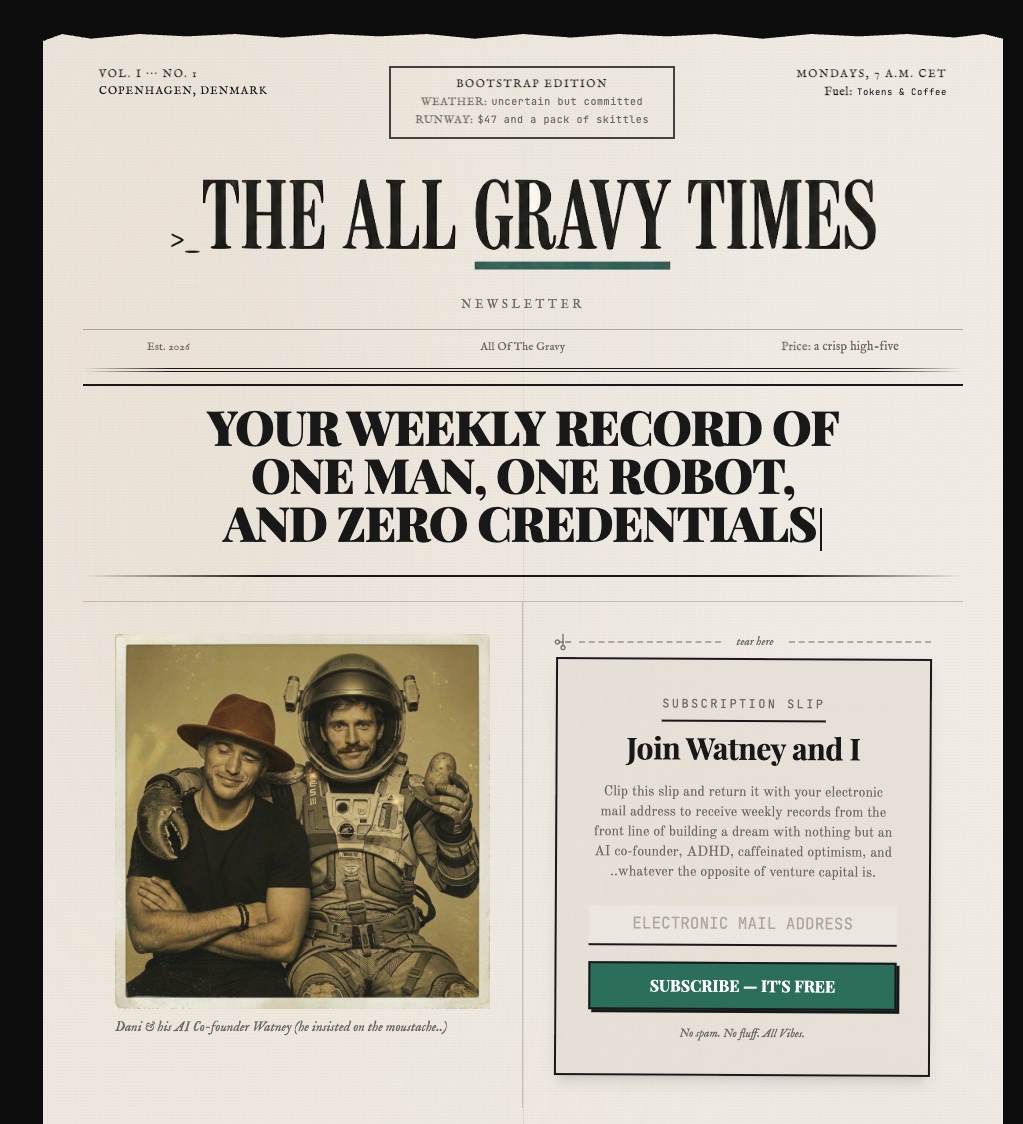
Stay in touch — The All Gravy Times
A free weekly newsletter from the person who built this kit. Entrepreneurship + AI, written from the trenches.
"Your weekly record of one man, one robot, and zero credentials."
Building a dream with nothing but an AI co-founder (Watney), ADHD, caffeinated optimism, and whatever the opposite of venture capital is.
What you'll find:
- Unedited build journey of this kit + what comes next (Claude-Claw, Churn Radar, the bigger picture)
- Tactical patterns for solo operators using AI as a co-founder, not a chatbot
- Weekly field reports — what worked, what flopped, what you can copy
- Sundays, 7 AM CET. No spam. No fluff. All Gravy.
→ allgravytimes.com — free, one click to subscribe.
Full details in STAY_IN_TOUCH.md. No email required to install. No tracking.
Help, feedback, bug reports
Open a GitHub issue if something breaks during install or if you have a question.
Tell your AI about a bug too — it can often diagnose itself and propose a fix. If the fix is useful for everyone, it can open a PR back to this repo.
Who built this
I work with Training Clubs on retention, content, and AI-augmented operations. This kit is the install foundation I use for every client engagement, given away free because the world needs more partners and fewer chatbots.
If you want help setting yours up beyond what your AI can do, or if you want a custom-built version for your business, get in touch.
Built with Claude Code. The whole kit was designed in conversation with an AI partner. Recursion is the point.