
0xcraft
D1ssolve/0xcraft
Converte configs agenticas entre OpenCode, Claude Code e Codex
Ver no GitHubAgent que converte configurações de frameworks agenticos entre OpenCode, Claude Code e OpenAI Codex. Mantém uma única fonte de verdade para agents, skills, hooks e MCP servers enquanto preserva detalhes específicos de cada plataforma, emitindo artefatos determinísticos do filesystem.
Instalação
npx convez-ai D1ssolve/0xcraft1 comando no terminal: detecta o formato do repositório (marketplace ou plugin avulso) e instala via Claude Code. Requer Node 18+ e o Claude Code instalado.
Métricas
Casos de uso
- Migrar configurações de agents entre diferentes plataformas de IA
- Manter múltiplas versões de um agente sincronizadas e consistentes
- Distribuir agents como pacotes npm reutilizáveis
- Converter hooks, skills e MCP servers entre formatos proprietários
Veredito

Ferramenta poderosa para organizações multi-plataforma que precisam manter agents sincronizados. Elimina lock-in de formato ao abstrair para um IR neutro, mas requer compreensão profunda de cada plataforma-alvo.
README
A tradução para o português deste README ainda está na fila.
0xcraft
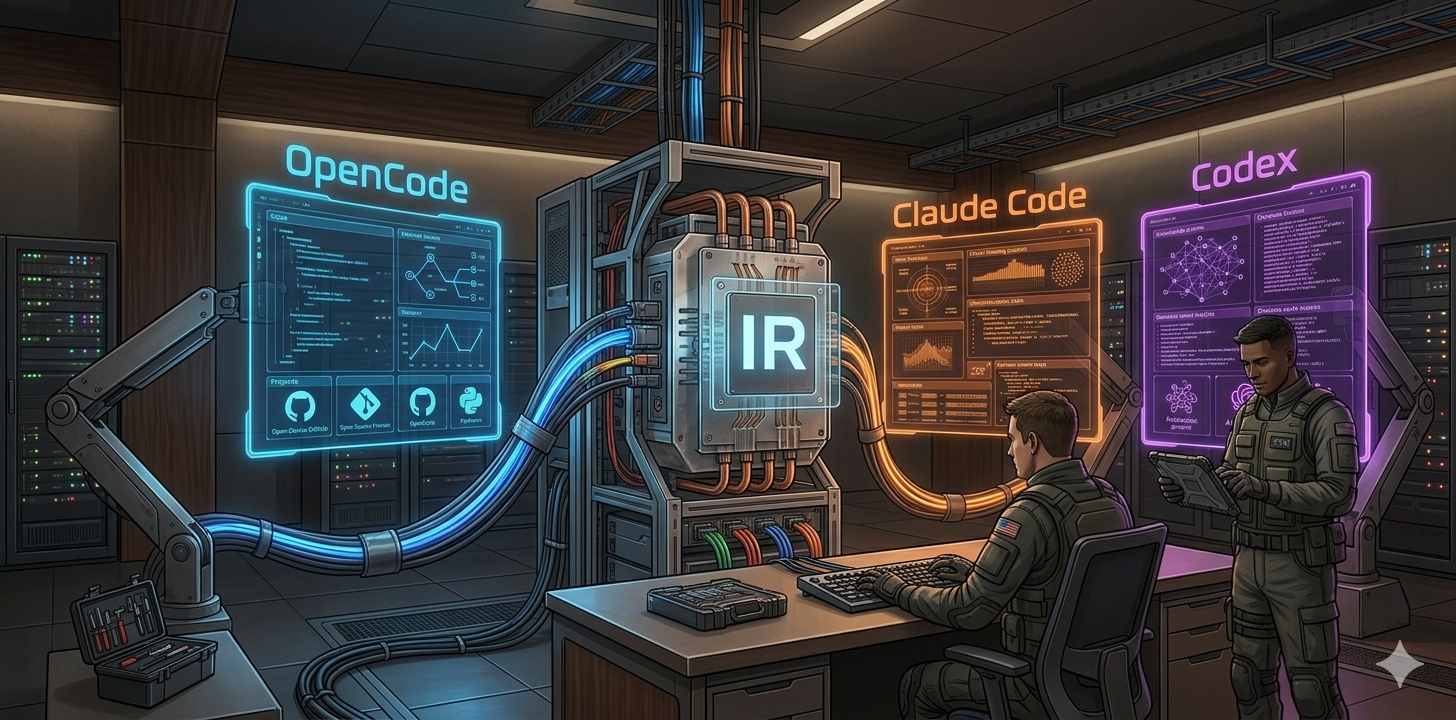
0xcraft converts agentic framework configuration between OpenCode, Claude Code, and OpenAI Codex. It reads platform files into a platform-neutral IR, then emits deterministic filesystem artifacts for the target platform.
The goal is not to invent a fourth agent format. The goal is to keep one source of truth for agents, skills, hooks, MCP servers, commands, and permissions while preserving platform-specific details where the target supports them.
Supported platforms
| Platform | Import | Emit | Notes |
|---|---|---|---|
| OpenCode | opencode.json/jsonc, .opencode/agents/*.md, .opencode/skills/*.md, .opencode/commands/*.md, .opencode/plugins/* | opencode.json plus .opencode/* files (filesystem mode), or .opencode-plugin/ npm package (plugin mode) | Filesystem mode emits project-local config. Plugin mode emits a distributable npm package with package.json, consolidated index.js, and resource files. |
| Claude Code | .claude-plugin/ plugin tree or .claude/agents/ subagents | claude-plugin or claude-subagent mode | Plugin mode emits a plugin manifest plus agent, skill, hook, and MCP files. Subagent mode emits .claude/agents/*.md. |
| Codex | .codex/config.toml, .codex/agents/*.toml, .codex/hooks.json, .mcp.json | .codex/config.toml, .codex/agents/*.toml, .codex/hooks.json, optional plugin/marketplace files | Hooks use the current event-keyed Codex shape. Only command handlers are runnable in Codex today; prompt and agent handlers are imported but diagnosed as skipped. |
Official format references:
- OpenCode config and agents: https://opencode.ai/docs/config/ and https://opencode.ai/docs/agents/
- Claude Code subagents, hooks, and MCP: https://docs.anthropic.com/en/docs/claude-code/sub-agents, https://docs.anthropic.com/en/docs/claude-code/hooks, https://docs.anthropic.com/en/docs/claude-code/mcp
- Codex config, subagents, and hooks: https://developers.openai.com/codex/config-reference, https://developers.openai.com/codex/config-advanced, https://developers.openai.com/codex/subagents, https://developers.openai.com/codex/hooks
Install
npm install -g 0xcraft
For local development in this repository:
bun install
bun run build
bun test
Quick start
0xcraft init
0xcraft doctor --target all
0xcraft build --target codex --force
Build an OpenCode plugin (distributable npm package):
0xcraft build --target opencode --opencode-mode plugin --force
This creates .opencode-plugin/ with package.json, index.js, and resource files.
To convert an existing platform project:
0xcraft import --from opencode --overwrite
0xcraft build --target claude-code --mode claude-plugin --force
Or convert directly:
0xcraft convert --from opencode --to codex
Example agent packs live outside this repository at:
/Users/diss0x/dev/craft-agents
That repository contains reusable agents/, skills/, hooks/, mcp/, opencode.json, and 0xcraft-pack.json examples.
Project layout
0xcraft loads resources from sourceRoot in .0xcraft/config.json[c]. By default, sourceRoot is the project root.
agents/<id>/AGENT.md          # common agent definition
agents/<id>/agent.opencode.md # optional OpenCode metadata
agents/<id>/agent.claude.md   # optional Claude metadata
agents/<id>/agent.codex.toml  # optional Codex metadata

skills/<id>/SKILL.md
hooks/<id>/HOOK.md
mcp/<id>/MCP.md
commands/<id>/COMMAND.md
Resource ids must be lowercase kebab-case (backend-developer, code-reviewer, pre-tool-guard).
Configuration
Create .0xcraft/config.json or .0xcraft/config.jsonc. The schema is strict: unknown keys are rejected.
{
  "schema": "0xcraft.config.v1",
  "sourceRoot": ".",
  "out": {
    "opencode": ".",
    "claudeCode": ".",
    "codex": "."
  },
  "enabled": {
    "agents": [],
    "skills": []
  },
  "disabled": {
    "agents": ["experimental-agent"],
    "skills": [],
    "hooks": [],
    "mcpServers": []
  },
  "packs": [
    { "name": "@my-org/agent-pack", "version": "1.2.3" }
  ],
  "platforms": {
    "codex": {
      "hooksEmitMode": "hooks.json",
      "mcpEnvelope": "wrapped",
      "emitPlugin": false,
      "emitMarketplace": false,
      "permissionsBeta": false,
      "agents": {
        "backend-developer": {
          "model": "gpt-5.5",
          "model_reasoning_effort": "high",
          "nickname_candidates": ["backend", "api"]
        }
      },
      "mcpExtensions": {
        "docs": {
          "env_vars": ["DOCS_TOKEN"]
        }
      },
      "permissionProfiles": {
        "workspace": {
          "sandbox_mode": "workspace-write",
          "approval_policy": "on-request"
        }
      }
    },
    "claude": {},
    "opencode": {
      "mode": "filesystem",
      "plugin": {
        "packageName": "@my-org/opencode-agents",
        "version": "1.0.0",
        "description": "Reusable OpenCode agents and skills",
        "license": "MIT",
        "keywords": ["opencode", "agents"]
      }
    }
  },
  "diagnostics": {
    "strict": false,
    "codes": {}
  }
}
CLI reference
| Command | Purpose |
|---|---|
0xcraft init | Create a starter .0xcraft/config.json. |
0xcraft build --target opencode|claude-code|codex|all | Build platform artifacts from the 0xcraft resource tree. |
0xcraft build --target claude-code --mode claude-plugin|claude-subagent | Choose the Claude output mode. |
0xcraft build --target opencode --opencode-mode filesystem|plugin | Choose the OpenCode output mode. Default is filesystem. |
0xcraft build --validate | Dry-run without writing artifacts. |
0xcraft build --force | Overwrite existing generated files. |
0xcraft build --strict | Upgrade WARN diagnostics to errors (affects exit code). Without --strict, WARN is non-fatal. |
0xcraft convert --from <platform> --to <platform> | Import one platform and emit another through IR. |
0xcraft import --from <platform> --overwrite | Import platform files into the 0xcraft resource tree. |
0xcraft doctor --target all --strict --json | Run diagnostics and capability matrix checks. |
0xcraft pack add <pkg> --version <range> | Add an npm package with a 0xcraft-pack.json manifest. |
0xcraft pack list | List configured packs. |
Supported platform ids are opencode, claude-code, and codex.
Conversion model
All conversions go through IR:
platform files -> import adapter -> IR -> emit adapter -> platform files
This keeps adapters symmetric and prevents platform adapters from depending on each other. The core IR is platform-agnostic; platform-specific fields live under platform.opencode, platform.claude, or platform.codex and are preserved when possible.
Hooks and limitations
0xcraft supports these IR hook primitives:
run_command, run_exec, run_script, http_request,
call_mcp_tool, invoke_prompt, invoke_agent, runtime_code
Platform support is intentionally explicit:
- Claude Code has the broadest hook surface and uses event-keyed
hooks.json. - Codex currently emits runnable command handlers only.
run_execis shimmed to a shell command,timeoutMsis emitted as Codextimeoutseconds, and unsupported handlers produce diagnostics. - OpenCode runtime plugin hooks are preserved as platform-specific runtime code when they cannot be represented neutrally.
- Some conversions are lossy. Run
0xcraft doctorand inspect diagnostics before committing generated artifacts.
OpenCode plugin mode
OpenCode supports two emit modes. The default filesystem mode writes opencode.json and .opencode/* files directly into the project root. The plugin mode emits a self-contained npm package under .opencode-plugin/.
Plugin mode layout:
.opencode-plugin/
  package.json              # npm manifest for publishing or local metadata
  index.js                  # OpenCode plugin function entrypoint
  agents/
    <id>.md
    <id>/
      references/
  skills/
    <id>/
      SKILL.md
      references/
  commands/
    <id>.md
The emitted index.js exports an OpenCode plugin function. Its config hook adds agents, commands, MCP servers, and the generated skills/ folder to OpenCode's merged config.
For local development, place plugin files in .opencode/plugins/ (autoloaded by OpenCode) and do not reference absolute file paths in opencode.json.
Local development config example:
{
  "$schema": "https://opencode.ai/config.json"
}
Package mode config example (published npm package):
{
  "$schema": "https://opencode.ai/config.json",
  "plugin": ["@my-org/opencode-agents"]
}
The emitted package.json keeps standard ESM package metadata:
{
  "name": "@my-org/opencode-agents",
  "version": "1.0.0",
  "type": "module",
  "main": "index.js",
  "exports": "./index.js",
  "files": ["index.js", "agents", "commands", "skills"],
  "sideEffects": false,
  "dependencies": {
    "@opencode-ai/plugin": ">=1.15.12"
  }
}
All hooks are consolidated into a single index.js with sorted, named inner functions. If no hooks are defined, the entrypoint still emits the config hook so resources remain loadable.
Plugin mode is opt-in via CLI or config:
# Local development build (filesystem mode)
0xcraft build --target opencode --opencode-mode filesystem --force

# Publish build (plugin package mode)
0xcraft build --target opencode --opencode-mode plugin --force

# npm scripts
bun run build:local
bun run public:prepare
bun run public:pack
bun run public:publish

# Or set in .0xcraft/config.json
{
  "platforms": {
    "opencode": {
      "mode": "plugin",
      "plugin": {
        "packageName": "@my-org/opencode-agents",
        "version": "1.2.3"
      }
    }
  }
}
Codex details
Codex output follows the current documented shapes:
{
  "hooks": {
    "PreToolUse": [
      {
        "matcher": "Bash(*)",
        "hooks": [
          { "type": "command", "command": "bun test", "timeout": 30 }
        ]
      }
    ]
  }
}
Codex approval_policy accepts untrusted, on-request, never, or a granular policy object. Unsupported policy values are reported as errors instead of being rewritten.
Development
bun run typecheck
bun test
bun run build
bun run src/cli/index.ts doctor --target all
The test suite covers purity rules, deterministic output, golden import/emit fixtures, round trips across platform pairs, capability matrix completeness, secret redaction, and pack resolution.
License
MIT.