
Pico LLM Viewer
clement-software/Pico-LLM-Viewer
Monitore uso de tokens Claude em display físico via Pi Pico
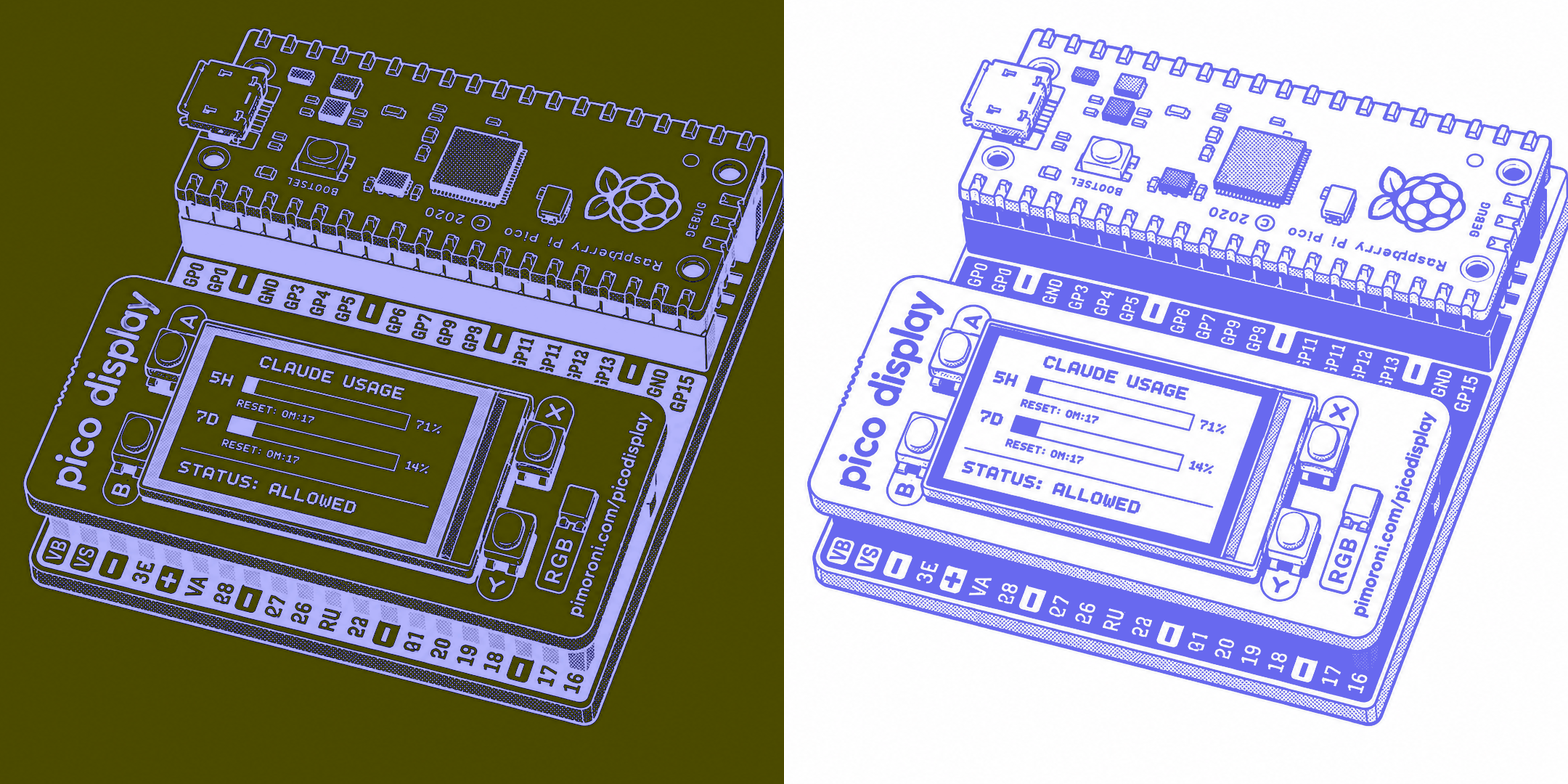
Ver no GitHubFirmware para Raspberry Pi Pico que exibe em tempo real o uso de tokens Claude em um display Pimoroni. Um daemon shell na máquina host consulta os headers de rate-limit da API Anthropic e envia os dados via USB serial para o microcontrolador.
Instalação
npx convez-ai clement-software/Pico-LLM-Viewer1 comando no terminal: detecta o formato do repositório (marketplace ou plugin avulso) e instala via Claude Code. Requer Node 18+ e o Claude Code instalado.
Métricas
Casos de uso
- Monitorar consumo de tokens em sessões de trabalho com Claude
- Visualizar limites de taxa (rate limits) em tempo real
- Integrar monitoramento de APIs em projetos embarcados
Veredito

Projeto técnico bem arquitetado (Hexagonal Architecture) que integra a API Anthropic com hardware embarcado. Ideal para desenvolvedores que querem monitorar uso de tokens Claude de forma visual e em tempo real, mas requer conhecimentos de C, firmware e eletrônica.
README
A tradução para o português deste README ainda está na fila.
Pico LLM Viewer
Raspberry Pi Pico firmware that displays Claude token usage in real time (5-hour session and 7-day weekly) on a Pimoroni Pico Display (ST7789).
A shell daemon runs on the host machine, polls the Anthropic API via rate-limit response headers, and sends a JSON payload to the Pico over USB serial.
Requirements
To build the firmware:
| Tool | Minimum version |
|---|---|
| cmake | 3.12 |
| ninja | 1.13.2 |
| arm-none-eabi-g++ | 13+ |
# macOS
brew install cmake ninja
brew install --cask gcc-arm-embedded
For linting only (make lint):
| Tool | Purpose |
|---|---|
| llvm | provides clang-format and clang-tidy (Apple Clang does not include all checks) |
| shellcheck | static analysis for the shell daemon |
brew install llvm shellcheck
Dependencies
Included as git submodules in lib/ as they are not available in public registries:
| Submodule | Version |
|---|---|
| pico-sdk | 2.2.0 |
| pimoroni-pico | v1.22.2 |
Clone
git clone --recursive https://github.com/clement-software/pico-llm-viewer
cd pico-llm-viewer
If already cloned without --recursive:
git submodule update --init --recursive
Build the firmware
make # configure + compile to build/pico-llm-viewer.uf2
Flash the Pico
- Hold BOOTSEL whilst plugging the Pico in via USB
- Copy
build/pico-llm-viewer.uf2to theRPI-RP2drive
Run the host daemon
./claude-usage-daemon.sh                          # auto-detect port
./claude-usage-daemon.sh -p /dev/cu.usbmodem1234  # explicit port
./claude-usage-daemon.sh -i 60                    # 60s interval (default: 300s)
./claude-usage-daemon.sh --help
The daemon reads the Claude token from the macOS Keychain (Claude Code-credentials) or ~/.claude/.credentials.json.
Tests
make test
Unit tests (GTest) cover DisplayUsageUseCase and ClaudeUsageJsonParser, the two components that are independent of the Pico SDK.
Development
make fmt          # reformat all files in src/ and main.cpp
make lint         # clang-format + clang-tidy + shellcheck
make clean        # remove build directories
Architecture
The project follows a Hexagonal Architecture (Ports & Adapters).
The domain (src/domain/) defines the LlmUsage data type.
The application layer (src/display_usage/) defines two abstract ports and a use case. DisplayOutPort (outbound port) describes how to render data. UsageInPort (inbound port) describes how to receive an update. DisplayUsageUseCase orchestrates the two.
The adapters (src/adapters/) provide the concrete implementations: ClaudeUsageJsonParser converts incoming JSON into LlmUsage, SerialLineReader reads the USB serial line and calls the inbound port, PicoGraphicsDisplay implements the outbound port and drives the ST7789 display.
Licence
This project is licensed under the GNU Affero General Public License v3.0.
See LICENSE for details.