
MCP Definer
ChrisHoban/mcp-definer
Converta APIs em MCP servers prontos para IA com interface visual
Ver no GitHubPlataforma web para converter especificações OpenAPI em servidores MCP padronizados que agentes de IA podem descobrir e utilizar. Automatiza a ingestão, curação e publicação de integrações de API sem código manual, fornecendo um catálogo centralizado e um console de teste integrado.
Instalação
npx convez-ai ChrisHoban/mcp-definer1 comando no terminal: detecta o formato do repositório (marketplace ou plugin avulso) e instala via Claude Code. Requer Node 18+ e o Claude Code instalado.
Métricas
Casos de uso
- Expor APIs legadas a agentes de IA (Claude, Cursor) sem integração manual
- Gerenciar catálogo centralizado de MCP servers em organizações
- Testar e validar ferramentas de IA antes de publicar em produção
Veredito

Ferramenta madura e bem-arquitetada que resolve um problema real: abstrair complexidade de integrar APIs arbitrárias em agentes de IA através de um fluxo visual e repetível. Excelente para times que precisam governar e escalar múltiplas integrações MCP em nível empresarial.
README
A tradução para o português deste README ainda está na fila.
MCP Definer




Turn any HTTP API into a standardized Model Context Protocol (MCP) server that AI agents can discover, install, and use—without hand-written integration code.
What it does
Organizations and developers expose existing APIs to AI tools (Cursor, Claude Desktop, custom agents) through a repeatable pipeline:
- Import an OpenAPI specification and curate which operations become MCP tools.
- Generate a versioned Manifest—the declarative contract that describes tools, auth, and transport.
- Publish to a shared registry so harnesses can discover and install MCPs.
- Run a universal runtime that serves any Manifest as a live MCP server and proxies calls to the upstream API.
The result is faster time-to-value for agent integrations, consistent behavior across harnesses, and a single catalog for MCP governance inside an organization.
For vision, glossary, and detailed requirements, see the manifest documentation.
UI walkthrough
The web UI (apps/web) covers the full MCP lifecycle—from importing an OpenAPI spec through publishing and testing.
Authoring workflow
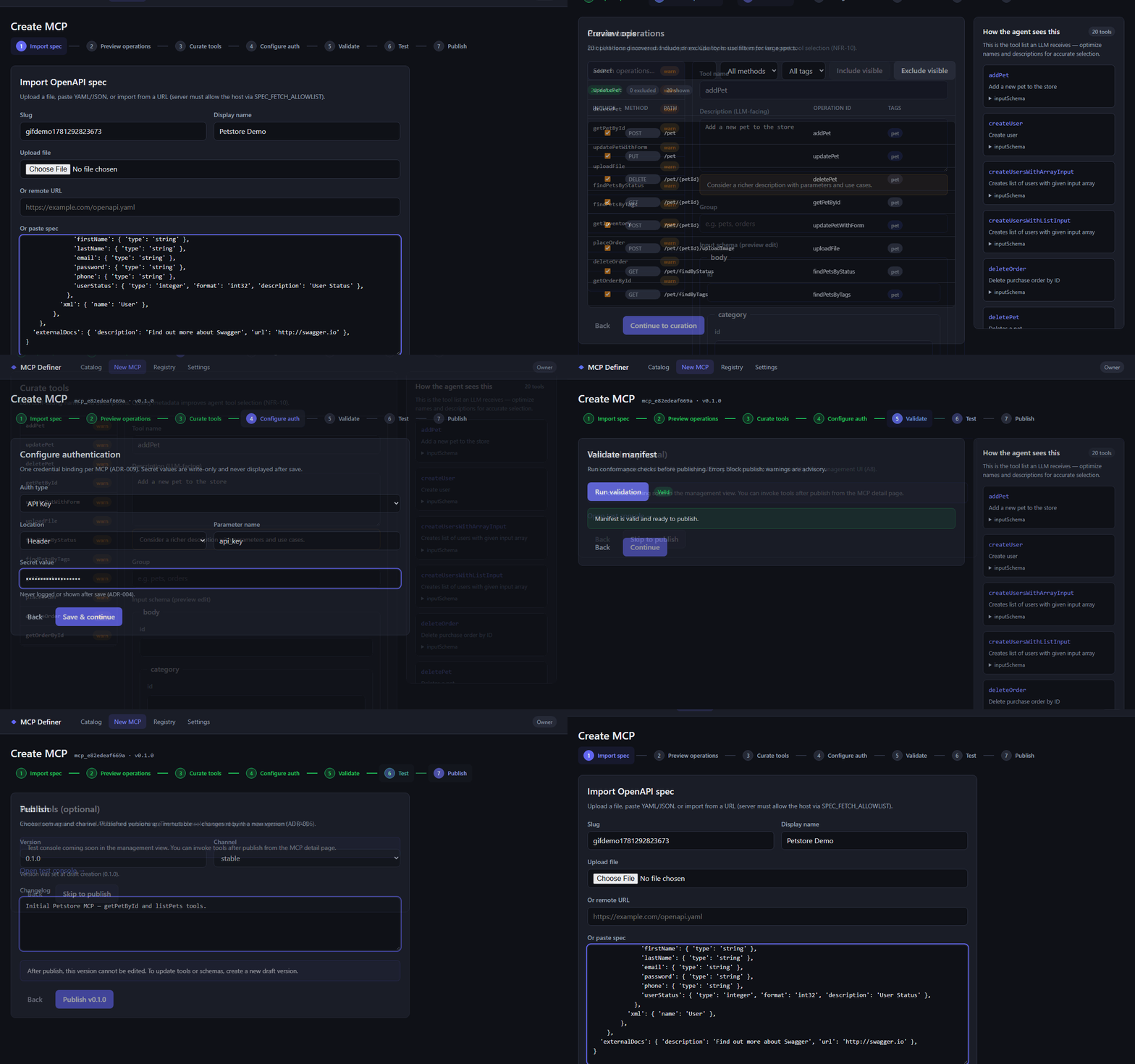
Step through the seven-stage wizard: import → preview → curate → auth → validate → test → publish.
Catalog & discovery
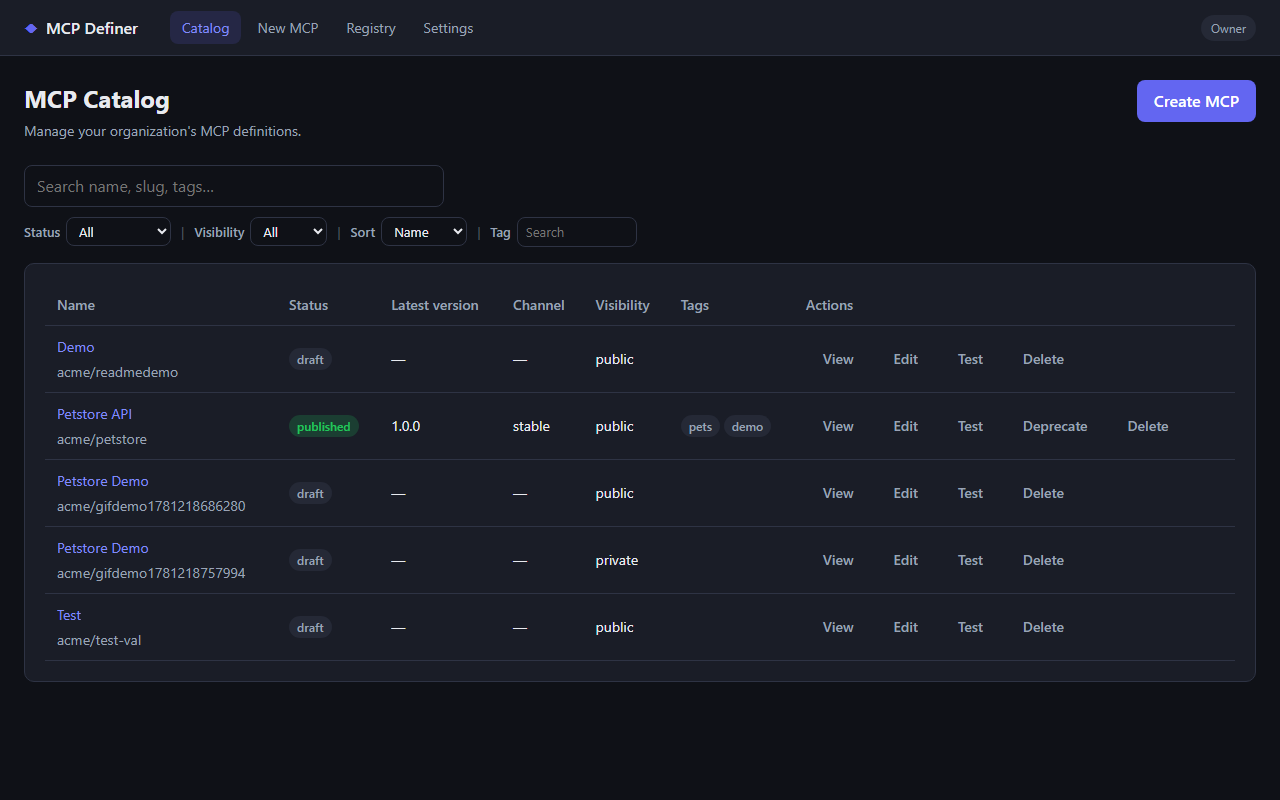
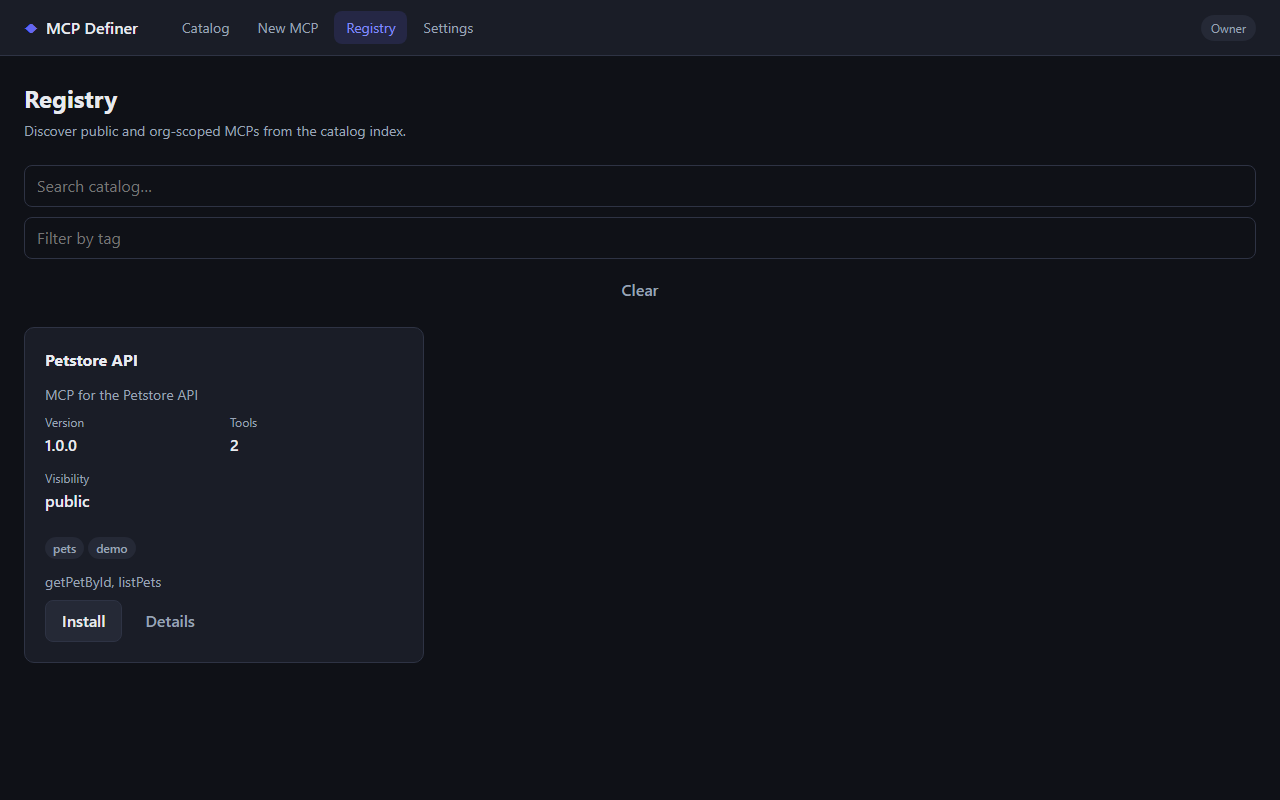
Browse your organization's MCPs, filter by status and tags, and open detail views for version history and install snippets.
Create MCP from OpenAPI
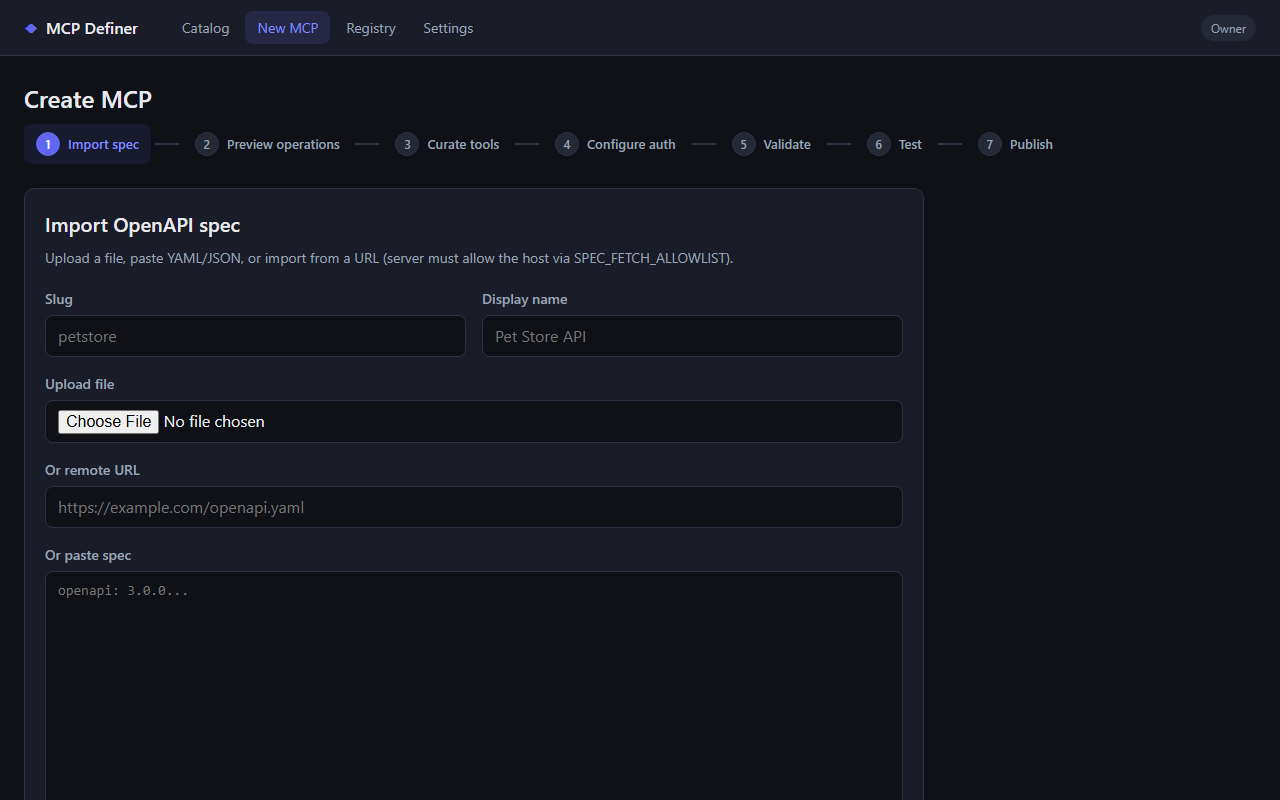
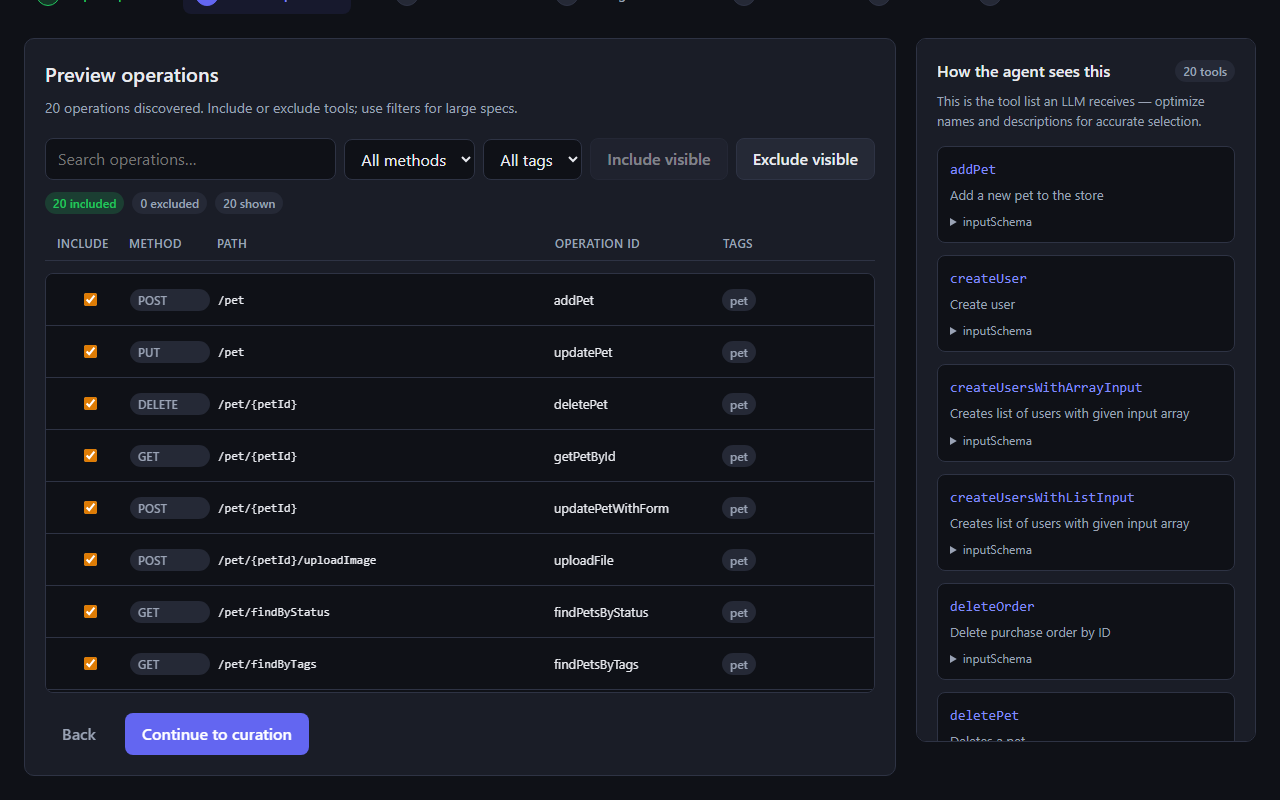
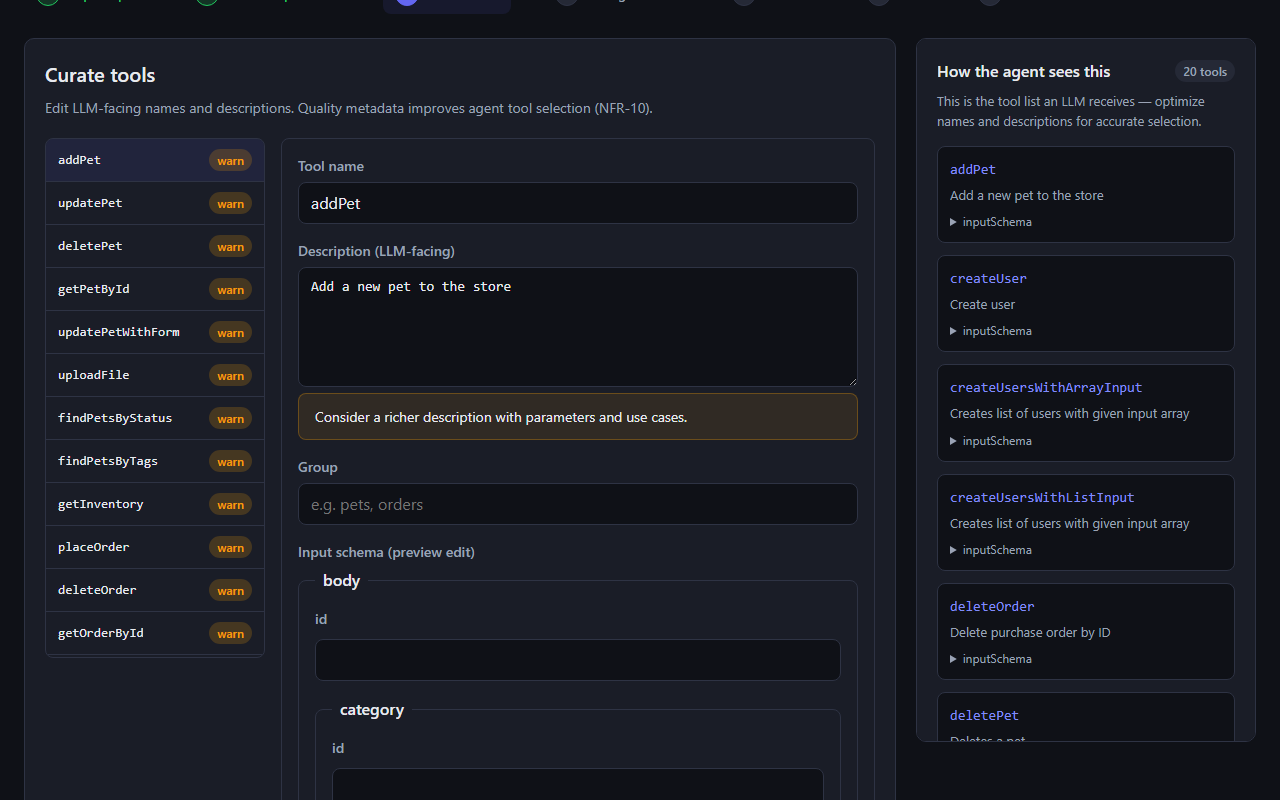
Paste or upload a spec, preview discovered operations, and curate which endpoints become agent tools. The live preview panel shows how the LLM will see each tool.
| Import spec | Preview operations | Curate tools |
|---|---|---|
 |  |  |
Manage, test, and install
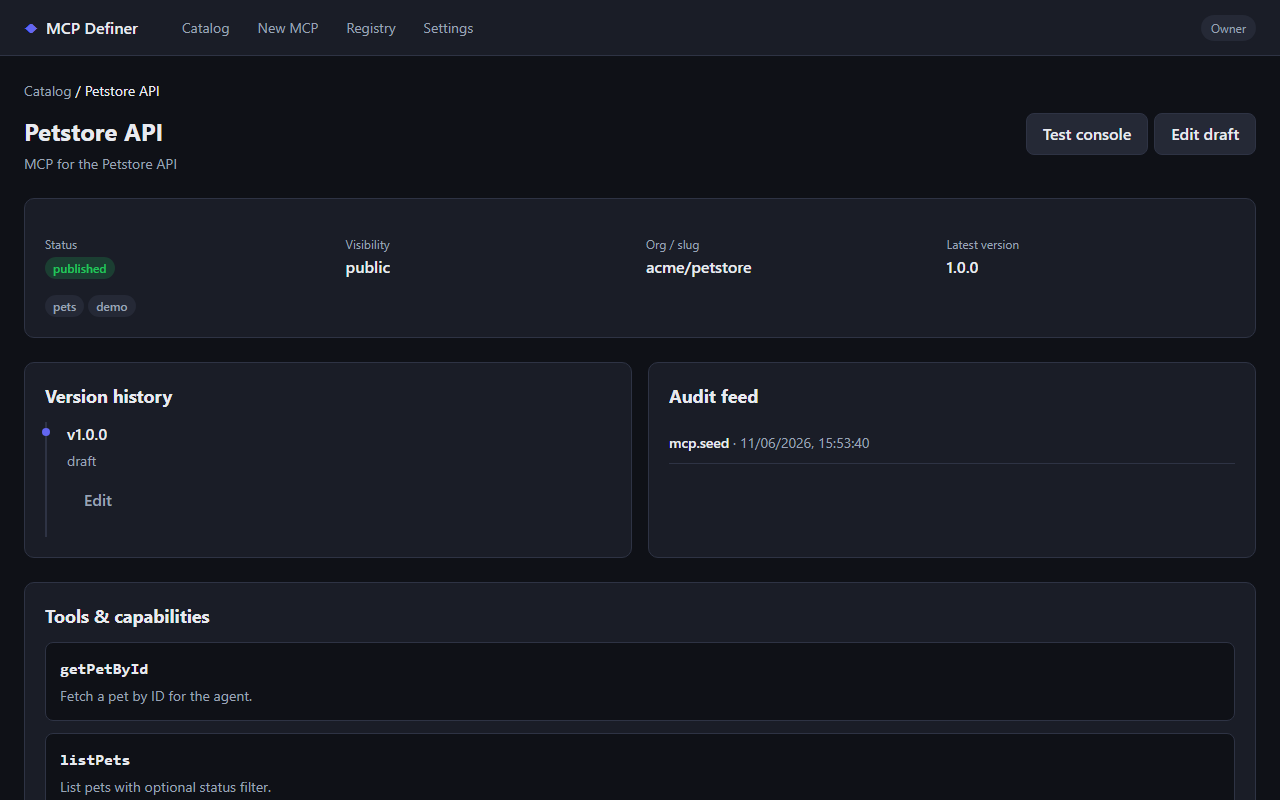
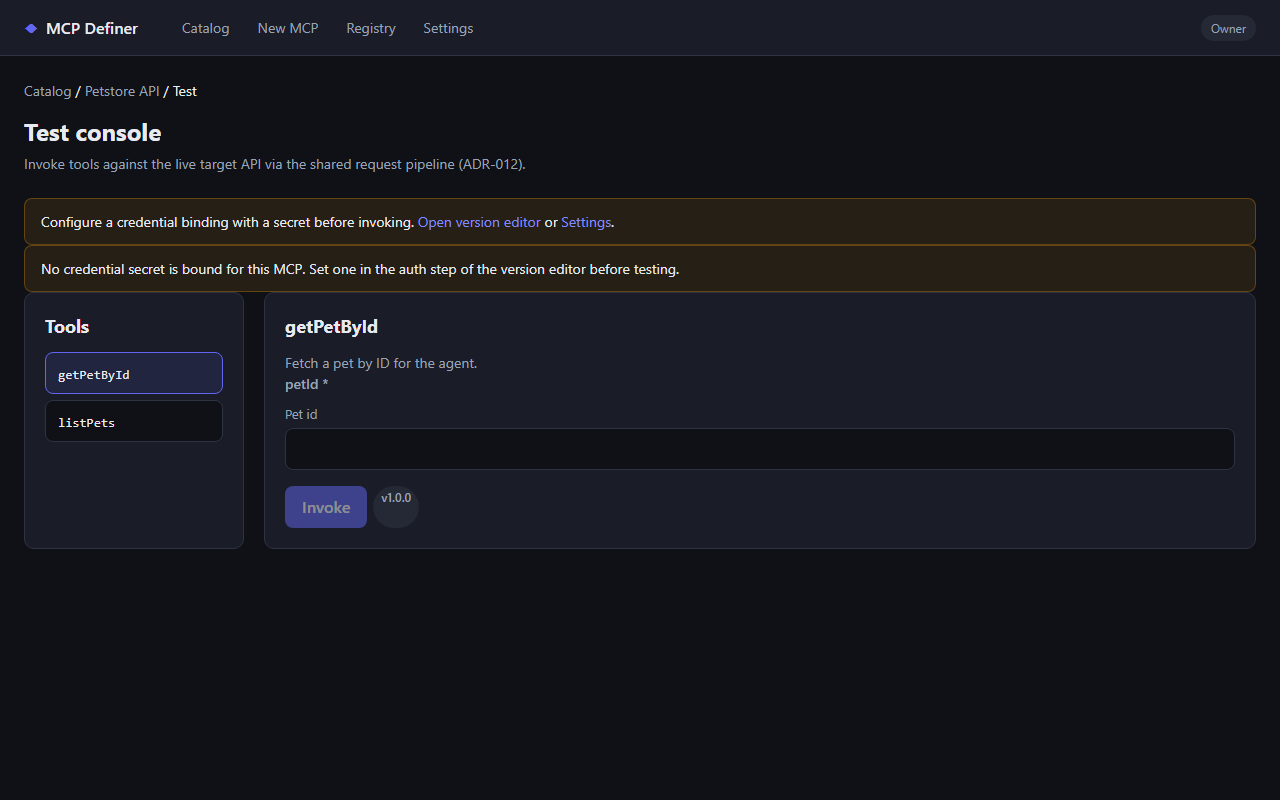
Inspect version history, invoke tools against the live upstream API from the test console, and copy install snippets for Cursor or Claude Desktop.
| MCP detail | Test console |
|---|---|
 |  |
To regenerate these assets locally (starts API + web in memory mode, captures PNGs and GIF):
pnpm screenshots
Assets are written to docs/screenshots/.
Technical overview
| Layer | Technology | Role |
|---|---|---|
| Language & runtime | TypeScript on Node.js 22 | End-to-end type sharing (IR, Manifest, API) |
| Monorepo | pnpm workspaces | packages/* libraries + apps/web UI |
| Data | PostgreSQL | Registry, versions, discovery views |
| HTTP control plane | Fastify (packages/api) | Sole REST entry—authoring, publish, discovery |
| MCP runtime | @modelcontextprotocol/sdk | Universal stdio/HTTP MCP server |
| Web UI | React + Vite (apps/web) | Create, edit, test, and manage MCPs |
| Testing | Vitest | Unit, contract, integration, and E2E layers |
| CI | GitHub Actions | Lint, build, test, contract-test, integration, e2e |
Architecture (conceptual)
flowchart TB
  subgraph Authoring["Control plane"]
    UI["Web UI<br/>(apps/web)"]
    API["Control API<br/>(packages/api)"]
    GEN["Generator<br/>(packages/generator)"]
    REG["Registry<br/>(packages/registry)"]
    AUTH["Auth & secrets<br/>(packages/auth)"]
    UI --> API
    API --> GEN
    API --> REG
    API --> AUTH
    GEN --> SCH["Schemas & DB<br/>(packages/schemas, db)"]
    REG --> SCH
  end

  subgraph Runtime["Data plane"]
    HARNESS["MCP harness<br/>(Cursor, Claude, agents)"]
    RT["Universal runtime<br/>(packages/runtime)"]
    PIPE["Request pipeline<br/>(request-pipeline)"]
    UPSTREAM["Target HTTP API"]
    HARNESS <-->|MCP| RT
    RT --> PIPE
    PIPE --> UPSTREAM
    RT --> AUTH
  end

  REG -.->|Manifest URL / install snippet| HARNESS
  RT -.->|loads Manifest| REG
Key design choices (see Architecture Decisions):
- Manifest-driven runtime (ADR-001): one runtime serves any MCP; optional codegen export later.
- Registry is a library, API owns HTTP (ADR-011): no duplicate HTTP surfaces.
- Secrets never in Manifests (ADR-004): credential bindings reference vault/env at call time.
- Shared request pipeline (ADR-012): runtime and API
:invoketest console share outbound HTTP + SSRF rules.
Repository layout
mcp-definer/
├── manifest/          # Specs, ADRs, component design docs
├── packages/          # schemas, db, generator, runtime, api, registry, auth, cli, …
├── apps/web/          # Management UI
├── fixtures/          # OpenAPI specs, golden manifests, contract fixtures
├── docker/            # Postgres compose for local dev
├── scripts/           # bootstrap, contract tests
└── tests/e2e/         # End-to-end acceptance
Local development
Prerequisites
- Node.js 22+
- pnpm 9+
- Docker (for local PostgreSQL)
Configure
-
Clone the repository and install dependencies:
pnpm install -
Copy environment defaults and adjust if needed:
copy .env.example .envDATABASE_URL,MCP_DEFINER_API_KEY, and related settings are documented in.env.example. -
Start Postgres and apply migrations:
pnpm bootstrapOr step-by-step:
docker compose -f docker/docker-compose.yml up -dthenpnpm db:migrate. Seepackages/db/README.mdfor connection troubleshooting.
Run services
pnpm dev:api    # Control plane API (default :3000)
pnpm dev:web    # Web UI (default :5173)
Build & quality checks
pnpm lint
pnpm build
pnpm test              # Unit tests (packages)
pnpm test:coverage     # Package unit tests with coverage report
pnpm test:web          # Web UI unit tests
pnpm test:web:coverage # Web UI tests with coverage report
pnpm contract-test     # Cross-package schema & golden fixtures
pnpm test:integration  # API + Postgres integration (requires DATABASE_URL)
pnpm test:e2e          # Full publish → install → runtime loop
Integration and E2E tests expect Postgres (same credentials as .env.example or CI service container).
Documentation
| Document | Description |
|---|---|
| manifest/README.md | How to navigate specs and component folders |
| manifest/PROJECT_OVERVIEW.md | Vision, personas, glossary |
| manifest/REQUIREMENTS.md | System requirements |
| manifest/ARCHITECTURE_DECISIONS.md | Binding ADRs |
| manifest/TESTING.md | Contract, integration, and E2E strategy |
Project health metrics
| Metric | Status | Notes |
|---|---|---|
| CI (lint, audit, test, contract, integration, e2e) | | Runs on every push/PR to main / master |
| Secret scanning | | Gitleaks on push/PR |
| Code coverage | | Vitest coverage from packages + web; uploaded in CI |
| Dependency vulnerabilities | | Weekly Dependabot PRs; pnpm audit --audit-level=high in CI |