
Clean Vid
Chefy3x/clean-vid
Remove marcas d'água de vídeos com IA — sem edição manual
Ver no GitHubSkill que remove marcas d'água, logos e objetos de vídeos MP4 usando inpainting neural com LaMa. Suporta detecção estática ou rastreada de objetos, mantendo qualidade mesmo em bordas de alto contraste onde ffmpeg falha. Funciona em lotes de vídeos e preserva o áudio original.
Instalação
npx convez-ai Chefy3x/clean-vid1 comando no terminal: detecta o formato do repositório (marketplace ou plugin avulso) e instala via Claude Code. Requer Node 18+ e o Claude Code instalado.
Métricas
Casos de uso
- Remover watermarks de vídeos AI gerados (Sora, Runway, Pika, etc.)
- Eliminar logos de TV, timestamps e gráficos de notícias
- Remover objetos em movimento (boom mics, fios) que entram no quadro
- Processar lotes de vídeos automaticamente
Veredito

Ferramenta prática e bem executada para limpeza de vídeos em massa, com limitações honestas documentadas (não funciona em watermarks >25% da tela). Requer setup inicial (ffmpeg, modelo ~200MB), mas automatiza completamente o workflow após instalação. Ideal para quem processa vídeos regularmente.
README
A tradução para o português deste README ainda está na fila.
clean-vid
Remove watermarks from your videos automatically — no editing skills needed.
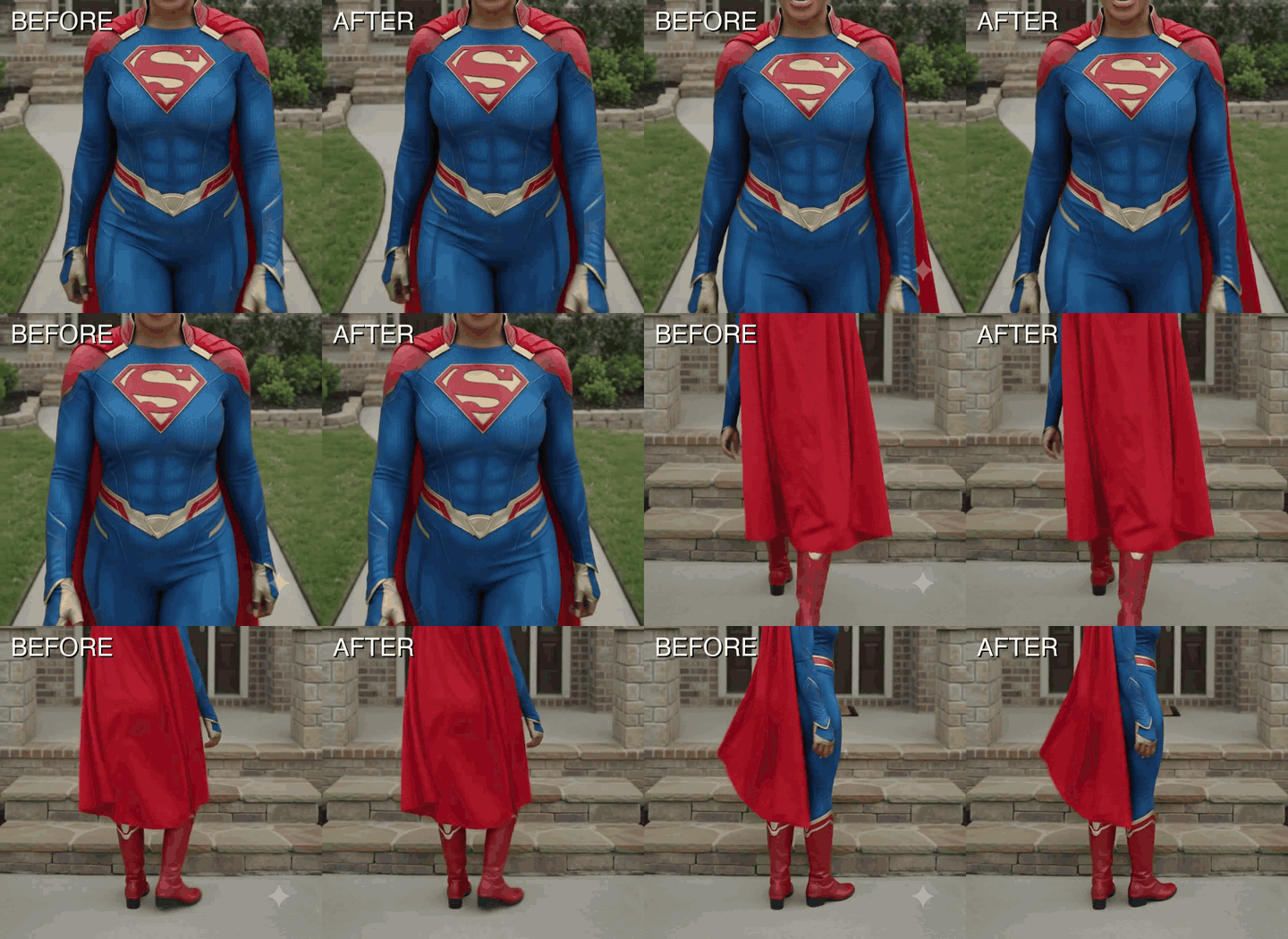
The watermark disappears. The video stays. Nobody can tell.
Same clip, side-by-side. Watermark on the left, gone on the right. (static comparison here if the GIF won't load.)
How to use it
🖥️ Tested on macOS. Windows isn't tested yet — it may not work out of the box.
Step 1 — Download the skill
⬇ Download clean-vid.skill — click it and the file lands in your Downloads folder.
(Prefer to browse versions? It's on the Releases page.)
Step 2 — Let Claude install it
Open Claude Code and paste this in — Claude does the rest:
I downloaded a Claude Code skill. Please install it for me: unzip
~/Downloads/clean-vid.skill and move the resulting clean-vid folder into
~/.claude/skills/ so you can use it. Tell me when it's ready.
(If you saved the file somewhere other than Downloads, just say where — Claude will find it.) No restart needed; the skill is ready in the same chat.
Step 3 — Tell Claude what you want
In the same chat, say something like:
"Remove the watermarks from the videos in
/Users/me/Downloads/clips"
Claude will handle everything else — finding the watermark, cleaning every video in the folder, saving the results next to the originals.
First run only: Claude may ask to install two free helper tools (ffmpeg and Python 3.12) and download a one-time ~200 MB model file. Just approve when it asks. After that, it's fast.
What it can do
- ✅ Remove corner watermarks from AI videos (Veo, Sora, Runway, Pika, Kling, Luma)
- ✅ Remove TV station logos, date stamps, news graphics
- ✅ Remove boom mics, wires, or other objects that swing into your shot
- ✅ Works on folders of videos at once
- ✅ Keeps audio untouched
- ✅ Skips files it's already done — safe to re-run
What it can't do
- ❌ Watermarks that cover more than ~25% of the screen
- ❌ Audio watermarks
- ❌ Videos so badly mangled the underlying content can't be guessed
Heads up
If you're using this on AI-generated videos to repost as your own work, that's on you. Most platforms (and the FTC) expect AI content to be disclosed. Google's Veo also embeds an invisible cryptographic watermark called SynthID that this tool doesn't touch — so even with the sparkle gone, the video can still be identified as AI-generated by anything that checks.
Use it on your own footage and you're fine.
Use it with your LLM (not just Claude Code)
clean-vid isn't locked to Claude Code. Under the hood it's just a SKILL.md instruction file plus a few Python scripts — so any AI coding agent that can run commands on your machine can drive it.
Unzip clean-vid.skill (it's a regular zip) to get the clean-vid folder, then:
- Codex, Cursor, Cline, and similar agents — open the
clean-vidfolder and tell your agent to followSKILL.md. - Open-source / local LLMs — same idea: hand the model
SKILL.mdand let it run the scripts. - No agent at all — the Python scripts run standalone (
ffmpeg+ a venv and you're off). See DEVELOPERS.md for install steps and how to plug in your own masks or tracking.
The actual watermark removal is plain Python + LaMa. Nothing about it is Claude-specific.
MIT License — see LICENSE. Uses LaMa (Apache 2.0) via simple-lama-inpainting (MIT).