
HubSpot AI Context — Gerador de Paste Sheets
chadstamm/claude-skill-hubspot-ai-context
Pesquisa empresa end-to-end e gera paste sheet formatada para HubSpot AI
Ver no GitHubSkill que automatiza a pesquisa completa de uma empresa (crawl de site, análise de concorrentes, reputação de marca) e gera uma paste sheet HTML pronta para colar nos campos de AI Context do HubSpot. Sintetiza automaticamente dados para as abas Business, Customers (ICPs e Personas) e Brand Kit, respeitando limites de caracteres e restrições de picklist.
Instalação
npx convez-ai chadstamm/claude-skill-hubspot-ai-context1 comando no terminal: detecta o formato do repositório (marketplace ou plugin avulso) e instala via Claude Code. Requer Node 18+ e o Claude Code instalado.
Métricas
Casos de uso
- Configurar HubSpot AI Context pela primeira vez para um cliente
- Atualizar contexto de IA em massa para múltiplos clientes
- Sintetizar ICPs e Personas a partir de análise competitiva automatizada
- Gerar Brand Kit estruturado a partir de crawl de site
Veredito

Ferramenta de nicho altamente especializada para equipes que usam HubSpot AI. Automatiza trabalho manual tedioso de pesquisa e estruturação de contexto, mas com dependência forte do ecossistema HubSpot — valor máximo para operações de RevOps e sales enablement em escala.
README
A tradução para o português deste README ainda está na fila.
hubspot-ai-context — Claude Skill
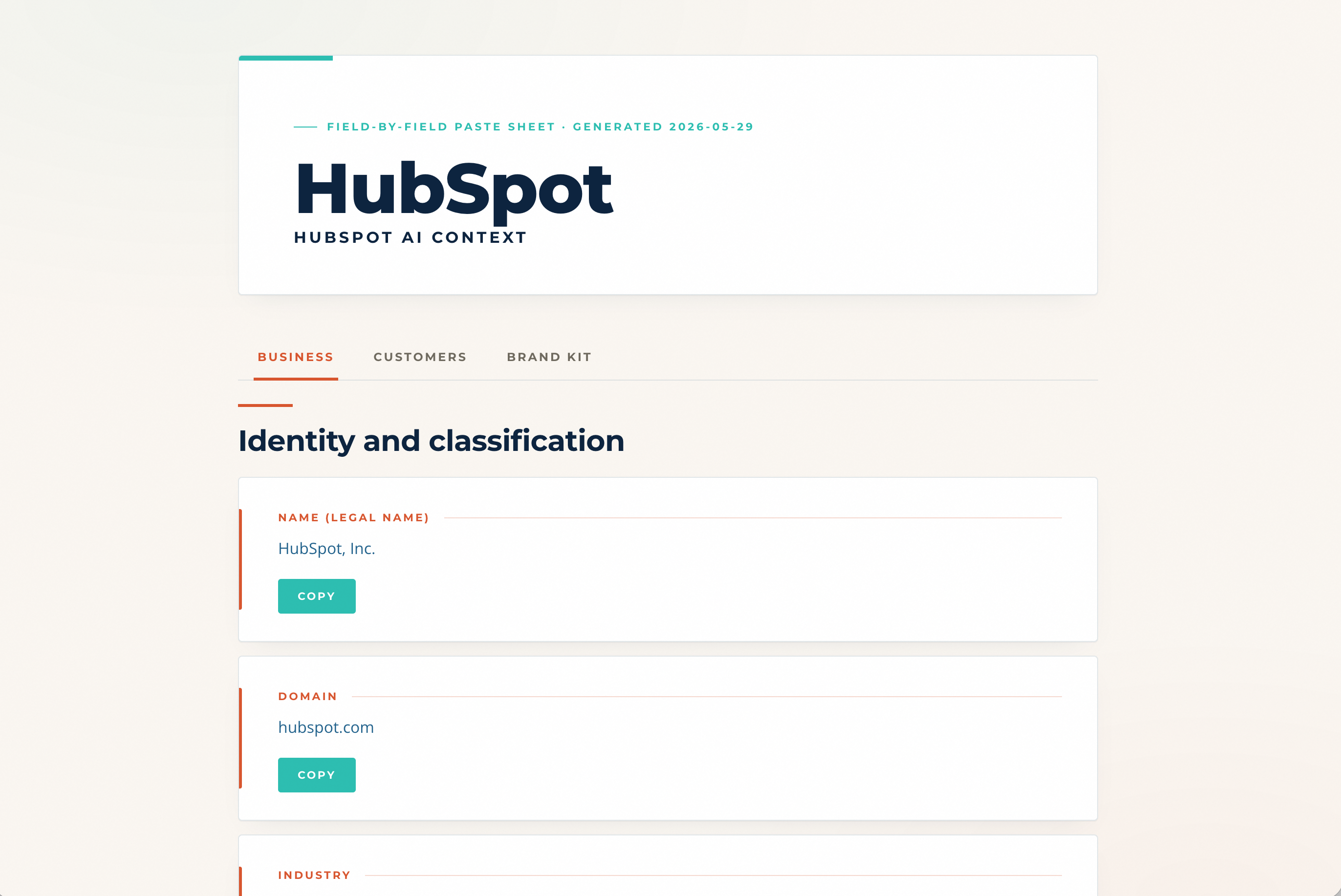
HubSpot's AI Context layer (Breeze Intelligence + Brand Voice) is powerful but tedious to fill correctly. This skill researches a company end-to-end — site crawl, competitor mapping, brand reputation scan — and generates a click-to-copy paste sheet that maps field-for-field to HubSpot's AI Context UI: the Business tab, the Customers tab (ICPs + Personas), and the Brand Kit. Built for the people setting up HubSpot AI for the first time, or refreshing it for clients.
What it does
When you run this skill against a client (or your own company), it:
- Crawls the website (homepage, About, products, blog index — plus a deep per-product crawl)
- Reads any existing context files you maintain about the client
- Researches competitors using industry directories + general web search
- Scans public surfaces for reputation signals — positive and negative (Trustpilot, BBB, Reddit, Glassdoor where reachable)
- Synthesizes the HubSpot AI Context → Business tab fields — identity & classification, location & scale, business profile, market & ecosystem, tech stack, and a per-product database — respecting picklist constraints and character limits
- Optionally synthesizes the Customers tab — ICPs against HubSpot's "Create ICP" form, plus 1–3 Personas derived per ICP
- Generates one click-to-copy HTML paste sheet — three tabs (Business · Customers · Brand Kit) — with every value individually copyable
The paste sheet is designed for the way HubSpot's UI actually accepts data — picklist tags one at a time, semicolon-separated multi-value strings, single Copy buttons on long-form fields, and one record at a time for the per-product and per-ICP databases.
Why a Skill instead of a slash command?
Skills are portable. They install into any Claude Code, Claude Agent SDK, or Claude harness that supports skills. Slash commands are project-scoped and don't travel.
If you're new to Claude Skills, the short version: a Skill is a folder with a SKILL.md file that Claude auto-loads when relevant, plus any reference files and helper scripts the skill needs. Drop the folder into ~/.claude/skills/[skill-name]/ and Claude finds it.
Install
Option 1 — Direct clone
git clone https://github.com/chadstamm/claude-skill-hubspot-ai-context ~/.claude/skills/hubspot-ai-context
Option 2 — Clone elsewhere, then symlink
git clone https://github.com/chadstamm/claude-skill-hubspot-ai-context ~/code/claude-skill-hubspot-ai-context
ln -s ~/code/claude-skill-hubspot-ai-context ~/.claude/skills/hubspot-ai-context
After install, restart Claude Code (or open a new session). The skill auto-discovers — no further wiring required.
How it works
After install, just describe what you want in any Claude Code session:
Fill out HubSpot AI Context for [company.com]
The skill will:
- Ask you 4 quick intake questions (strategic priorities, voice anti-patterns, target audiences, active campaigns) — paste in any context you have, or skip questions you can't answer.
- Crawl the company's website, research competitors, scan brand reputation (positive + negative).
- Synthesize the Business tab fields, Brand Kit fields, plus 5 ICPs and the Personas derived from them.
- Output one tabbed HTML paste sheet at
output/[slug]-paste-sheet.html— three tabs (Business, Customers [ICPs + Personas], Brand Kit), every value individually copyable.
Scope controls: say "just the Business tab" to skip the Customers tab, "no Personas" to generate ICPs only, or "just the ICPs" to skip the Business tab. ICP count is adjustable inline ("...and 7 ICPs"); default is 5.
Use
In any Claude Code session, just describe what you want:
"Fill out HubSpot AI Context for example.com" "Set up HubSpot ICPs (and Personas) for example.com" "Build the paste sheet for [company name]"
The skill triggers on those phrases. It'll ask for the website URL and optionally any existing context files, then run the protocol.
You can also invoke the skill explicitly:
"Use the hubspot-ai-context skill on example.com"
What you get
For each run, the skill writes outputs into output/ in your current working directory:
output/[slug]-hubspot-context.md— markdown source of all field valuesoutput/[slug]-products.md— durable per-product reference (deeper than HubSpot stores)output/[slug]-competitors.md— competitor research + reputation scan (positive + negative)output/[slug]-icps.csv— ICP source data (if ICPs are in scope)output/[slug]-personas.csv— Persona source data (if Personas are in scope)output/[slug]-paste-sheet.html— the click-to-copy paste sheet (Business · Customers · Brand Kit)
The paste sheet auto-opens in your default browser at the end of the run.
Customize for your industry
The skill is industry-neutral by default. To improve research quality for the industries you work in:
- Add industry directories — edit
references/industry-directories.mdto plug in canonical directories (industry trade associations, rep directories, distributor networks, software review sites, etc.). The skill reads this file each run. - Maintain an ICP library — store your prebuilt ICPs as a CSV (current column schema in
references/hubspot-icp-fields.md). Pass the CSV path when generating ICPs and the skill will pull from your library instead of synthesizing from scratch. - Brand the output HTML — copy
templates/brand-override.example.pyinto your working directory and edit colors / fonts / logo to match your brand. The build script picks it up automatically when present. (No override = the skill's own default brand.)
Customize the field map
If HubSpot changes its AI Context UI, edit the ground-truth field maps the protocol reads:
references/hubspot-company-context-fields.md— Business tab fieldsreferences/hubspot-icp-fields.md— Customers tab → ICP formreferences/hubspot-persona-fields.md— Customers tab → Persona form
The skill protocol reads these files as ground truth rather than hard-coding fields inside the protocol.
Repository structure
claude-skill-hubspot-ai-context/
├── SKILL.md                                # Main skill protocol (Claude reads this)
├── README.md                               # This file
├── LICENSE                                 # MIT
├── references/
│   ├── hubspot-company-context-fields.md  # Field map — AI Context Business tab
│   ├── hubspot-icp-fields.md              # Field map — Customers tab ICPs
│   ├── hubspot-persona-fields.md          # Field map — Customers tab Personas
│   └── industry-directories.md            # User-extensible competitor research map
├── scripts/
│   └── build_company_context_html.py      # Render the AI Context paste sheet
└── templates/
    ├── company-context-data.example.json  # Schema for the Business tab data dict
    ├── icp-library.example.csv            # Schema for ICP CSV input
    └── brand-override.example.py          # Optional brand override
Contributing
If you build industry-specific extensions (directory mappings, ICP libraries for a vertical, brand overrides), consider opening a PR. The skill works better the more industries it knows.
Show your support
If this skill saved you time on a HubSpot context buildout, drop a ⭐ on the repo — it helps other HubSpot agencies and operators find it.
Built by Chad Stamm · LinkedIn · chadstamm.com
License
MIT — see LICENSE.