
claude-ghostty-your-turn
brbranch/claude-ghostty-your-turn
A Claude Code plugin that tints the Ghostty pane background while it's your turn to reply, and resets it when you respond.
Instalação
npx convez-ai brbranch/claude-ghostty-your-turn1 comando no terminal: detecta o formato do repositório (marketplace ou plugin avulso) e instala via Claude Code. Requer Node 18+ e o Claude Code instalado.
Métricas
README
A tradução para o português deste README ainda está na fila.
ghostty-your-turn
A Claude Code plugin that tints the Ghostty pane background while Claude Code is waiting for you (your turn), and resets it the moment you reply. A glance at the color tells you whether it's your turn to respond.
日本語版は README_ja.md を参照してください。
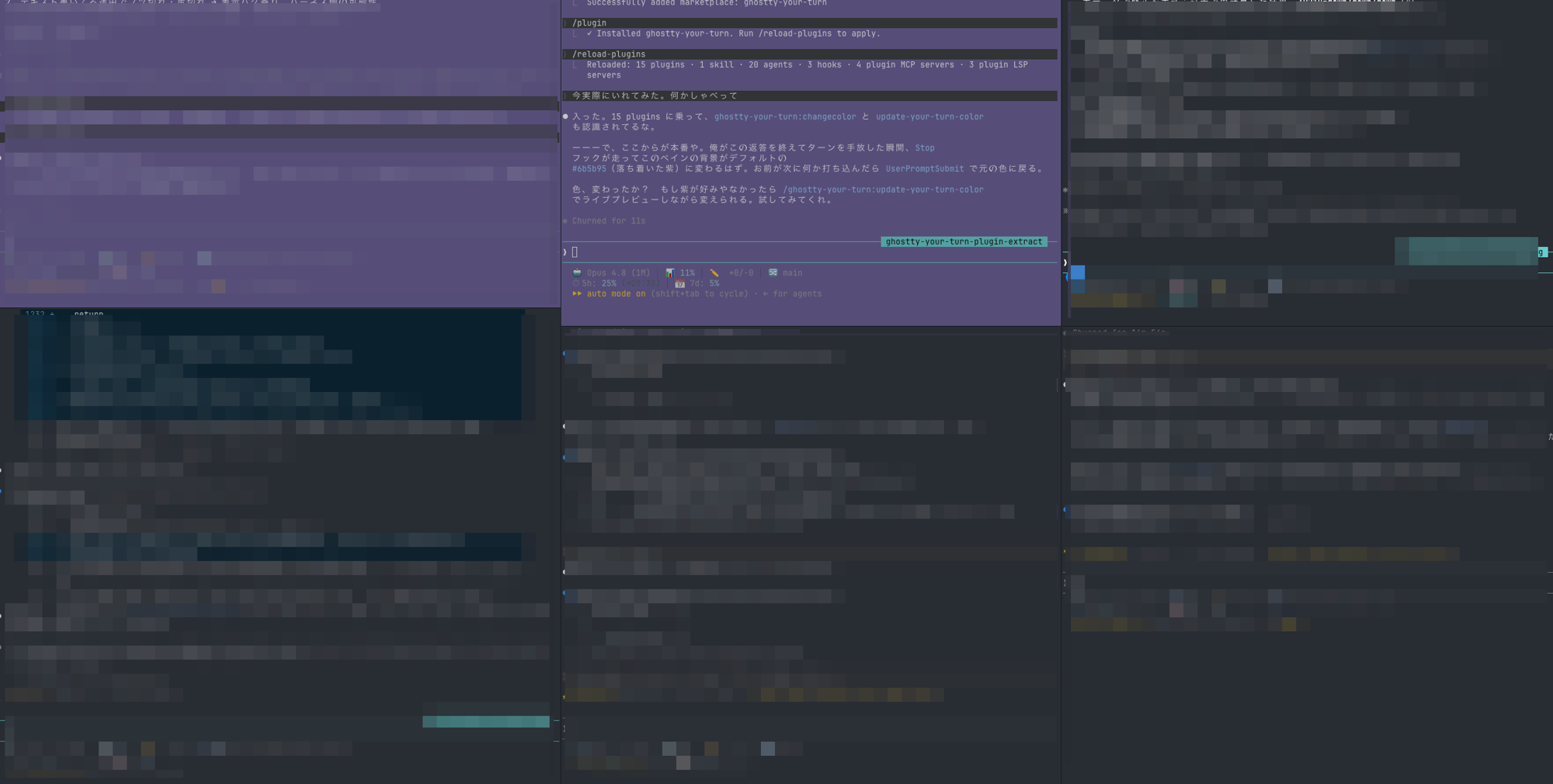
Running several panes at once: only the top-left one is tinted purple because Claude Code is waiting for your input there, while the other panes are still working. At a glance you can tell which pane is your turn.
How it behaves
| Event | Action |
|---|---|
Claude stops or asks for input (Stop, permission Notification, AskUserQuestion shown) | Set the your-turn color |
You reply, answer, or approve a plan (UserPromptSubmit, AskUserQuestion answered, ExitPlanMode) | Reset to the default color |
Session ends or starts (/exit, /clear, startup, resume) | Reset to the default color |
It uses OSC 11 (set background) / OSC 111 (reset). Because answering an AskUserQuestion prompt or approving an ExitPlanMode plan does not count as a typed prompt, the reset there is handled separately (on the tool's PostToolUse), and the color is also reset at session boundaries so a tint is never left behind on /exit or /clear. The idle reminder ("Claude is waiting for your input") is ignored, so an untouched or freshly cleared session never tints itself.
Requirements
- Ghostty (or another terminal that supports OSC 11 / 111)
- Claude Code with plugin support
Install
Add this repository as a marketplace, then install the plugin:
/plugin marketplace add brbranch/claude-ghostty-your-turn
/plugin install ghostty-your-turn@ghostty-your-turn
That's it — the hooks are active from the next session. (Ghostty / an OSC 11-capable terminal is assumed.)
How it works
- Pane tty resolution: a child process has no controlling tty, so the plugin walks up from
$PPID(the claude process) through its ancestors and writes OSC sequences to the tty of the first ancestor that has one. Nothing is hardcoded. When no tty can be found it does nothing — a fail-safe so it never misfires in headless/cron contexts. - Color persistence: the color is stored outside the plugin at
${XDG_CONFIG_HOME:-$HOME/.config}/ghostty-your-turn/color.conf, so it survives plugin updates that overwrite the plugin cache. The default is#6b5b95, a mid-tone readable with either white or black text.
Skills
/ghostty-your-turn:update-your-turn-color— interactively change the your-turn color, previewing it live on the pane, and persist it once confirmed./ghostty-your-turn:changecolor <color>— temporarily paint the current pane background (a one-shot, not persisted; overwritten at the end of the turn while the hooks are enabled). Example:#ff0000.
Configuration
| Item | Value |
|---|---|
| Config file | ${XDG_CONFIG_HOME:-$HOME/.config}/ghostty-your-turn/color.conf (line 1: #rrggbb) |
| Default color | #6b5b95 |
Edit it via the update-your-turn-color skill, or write the hex value directly to the file.
Known behavior (accepted)
If you hand the turn back while background work is running, Stop fires and the your-turn color is set.
The Stop input JSON carries no reliable signal about whether background work is in progress, so this
false positive is currently accepted (low impact, and it self-corrects on your next message).