
Branchwork
branchwork/branchwork
Veja o que seus agentes estão fazendo contra o plano
Ver no GitHubDashboard em tempo real para visualizar e coordenar planos, agentes e tarefas Claude em execução. Funciona como camada de orquestração que sincroniza estado compartilhado (planos YAML, práticas de projeto, progresso observado) com agentes via MCP, mostrando commits, PRs e CI lado a lado. Suporta modo observação (sem interferência) e modo gerenciado (com spins de branches dedicadas).
Instalação
npx convez-ai branchwork/branchwork1 comando no terminal: detecta o formato do repositório (marketplace ou plugin avulso) e instala via Claude Code. Requer Node 18+ e o Claude Code instalado.
Métricas
Casos de uso
- Orquestração visual de múltiplos agentes Claude em paralelo
- Sincronização de estado entre planos de projeto e execução em tempo real
- Rastreamento de progresso com diff, commits e CI integrados
- Injeção contextual de práticas organizacionais scoped durante execução de tarefas
Veredito

Ferramenta robusta (Rust, ~15 MB binary) para orquestração visual de agentes Claude em escala. Bem pensada em UX (dashboard, contexto scoped, modo observação vs. gerenciado), mas exige arquitetura de projeto estruturada e familiaridade com MCP; ideal para times que precisam coordenar múltiplos agentes contra planos declarativos.
README
A tradução para o português deste README ainda está na fila.
Branchwork
See what your agents are doing — against the plan. Agents orchestrate themselves; Branchwork is the layer they report to: shared plan state, scoped project practices served at the moment a task starts, and a live dashboard that shows declared progress next to observed ground truth (commits, PRs, CI). The agent drives. Branchwork knows, advises and shows.
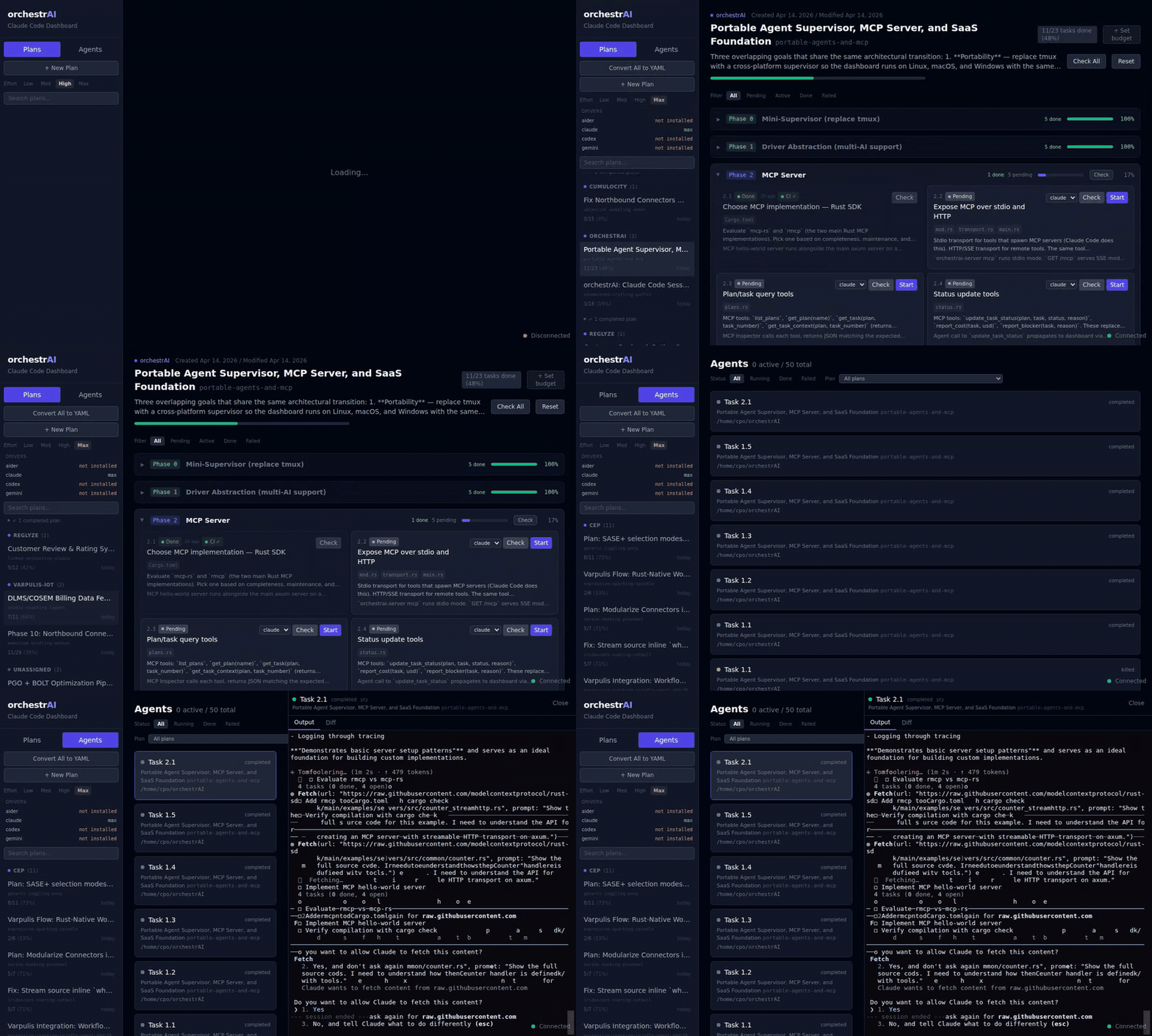
Plans live as YAML in ~/.claude/plans/. Any MCP-speaking agent — a Claude Code session and its sub-agents, a runner, Bob Shell — connects to the Branchwork MCP server and:
- declares where it is (
update_task_statuswith its agent label + artifact links — PR, commit, CI run); - asks for task context (
get_task_context: the task's spec, prior learnings, and every project practice whose scope matches the files it is about to touch — your org's hard-won rules, injected exactly when they're needed); - teaches (
practice_add: promote a recurring learning into a standing, scoped rule).
Mark a plan mode: observe and Branchwork tracks a foreign orchestrator without driving anything — no spawn, no gates on your worktree, pure visibility. Practices are advisory by design: CI stays the enforcement layer.
Managed mode still exists for when you want Branchwork to drive: every task has a Start button that spins up a Claude agent on a dedicated git branch — you watch it work, type to it, review the diff and merge from the browser (Claude Code today, Aider/Codex/Gemini as drivers). Ships as a single ~15 MB Rust binary. No Node, no Docker, no daemon to install separately.
Screenshots
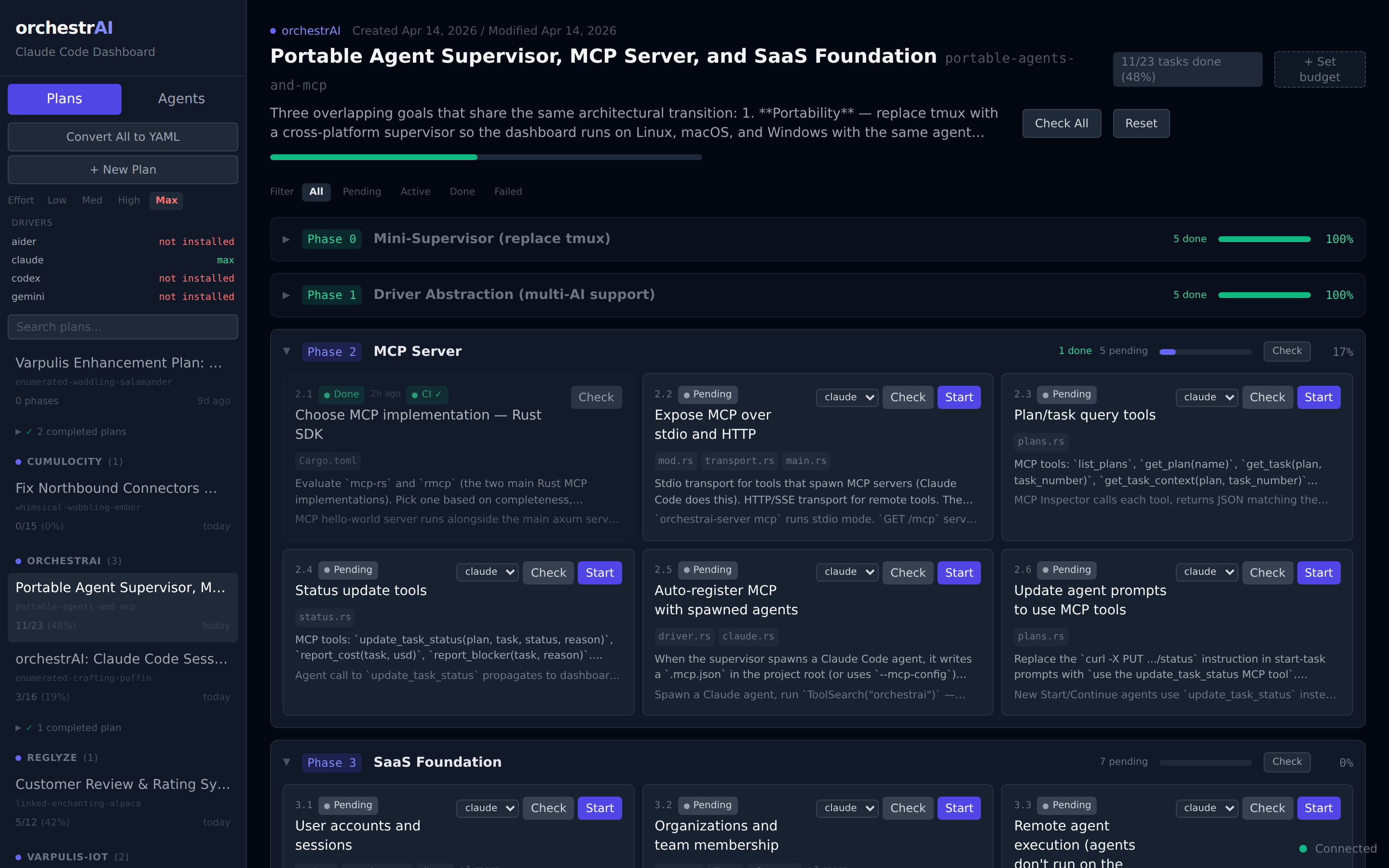
Plan board — collapsible phases, live status
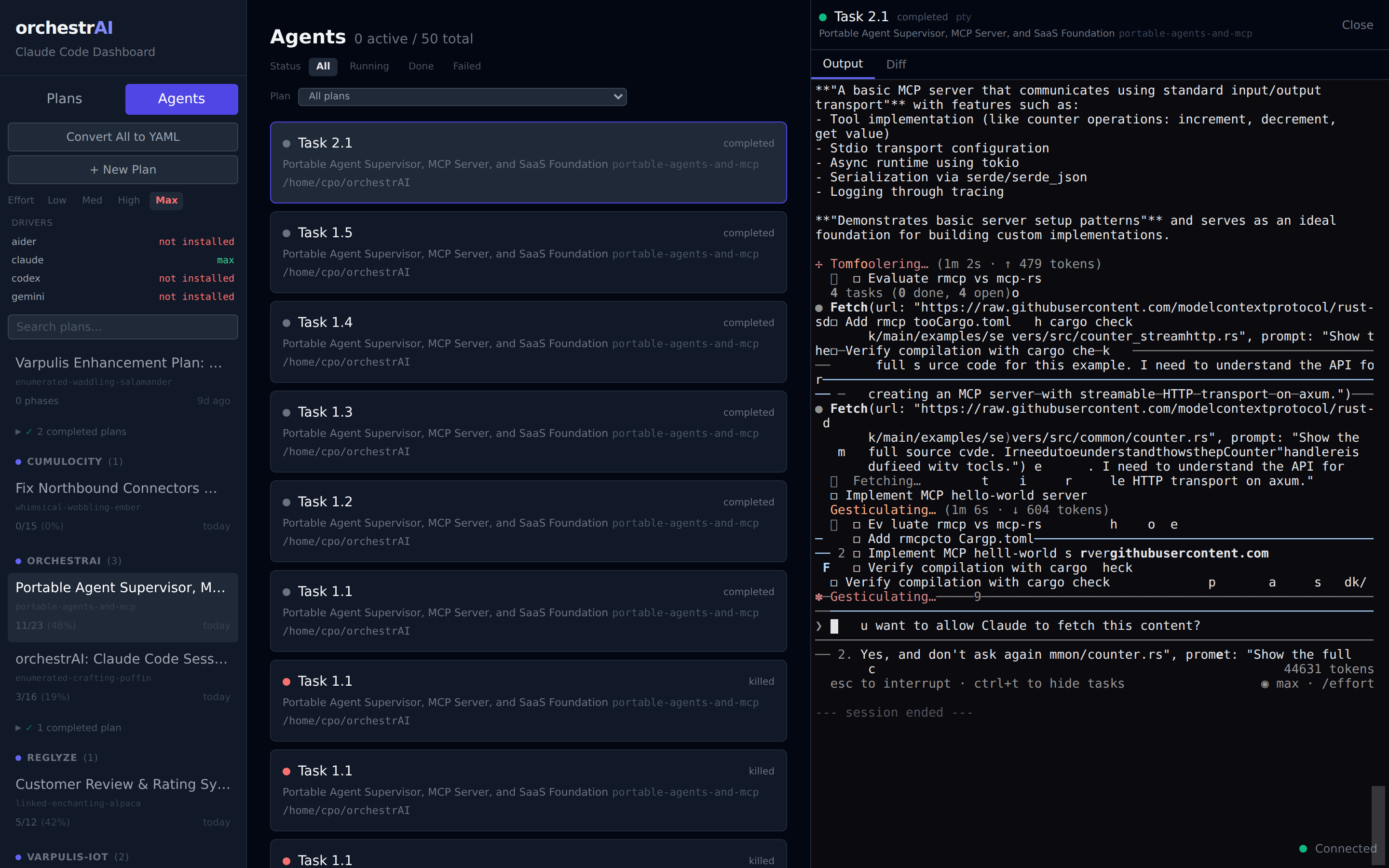
Agent terminal — full Claude Code session in the browser
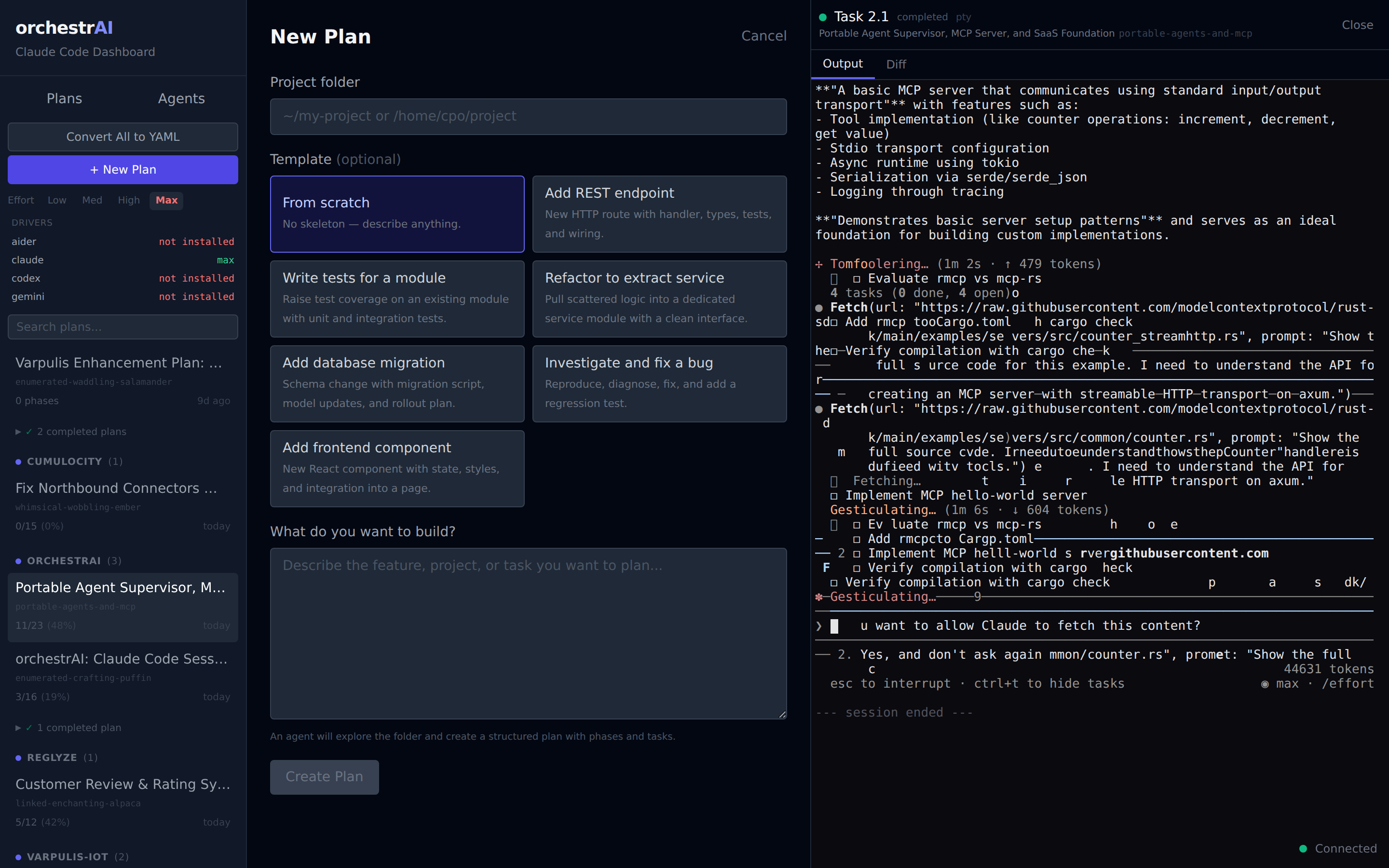
New plan — describe, pick a folder, an agent creates the plan
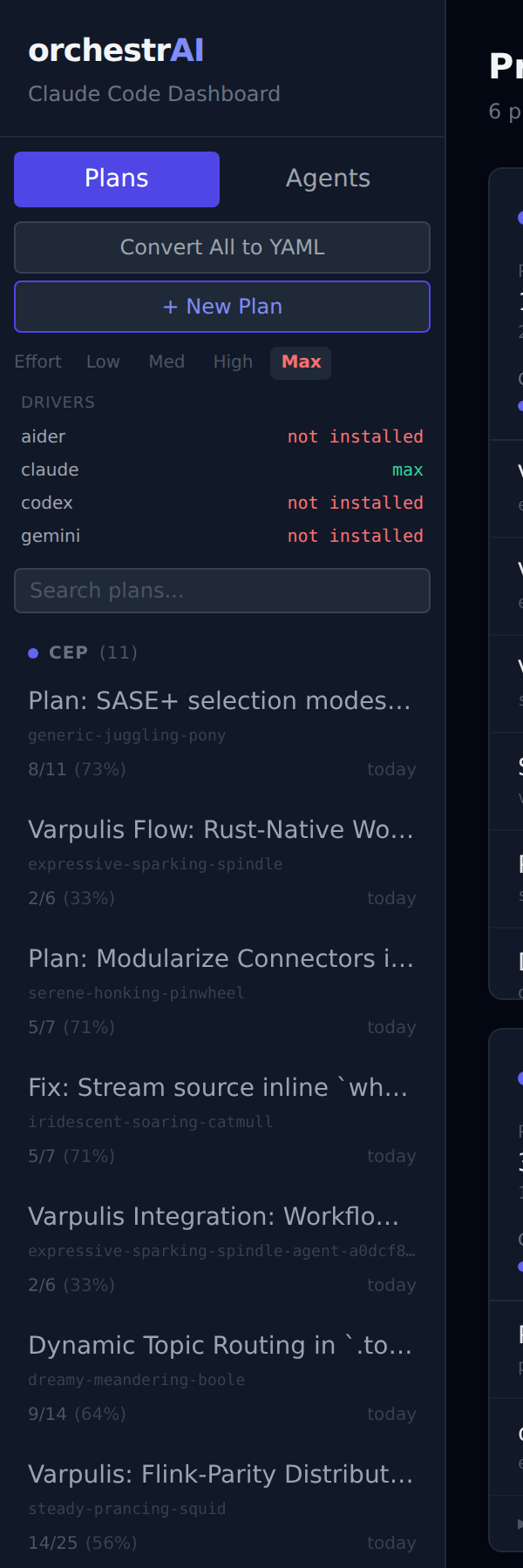
Sidebar — projects, driver auth status, effort level
Install
Pick one. All three land the same branchwork-server binary on your PATH. See docs/quickstart.md for the full five-minute walkthrough.
# Shell installer (Linux / macOS)
curl -fsSL https://raw.githubusercontent.com/branchwork/branchwork/master/install.sh | sh

# Build from source (Rust 1.85+, Node.js 20+, pnpm)
pnpm --filter @branchwork/web build && cd server-rs && cargo build --release

# Run
branchwork-server     # binds http://localhost:3100
Open http://localhost:3100 in any browser on your network.
Documentation
The full documentation set lives under docs/.
- Quickstart — five-minute self-hosted path: install, run, first plan, session-persistence proof.
- User guide — every dashboard surface: plans, tasks, agents, drivers, git flow, cost tracking, CI, auto-mode, notifications.
- Architecture overview — the three binaries (
branchwork-server,session_daemon,branchwork-runner), wire protocols, persistence model. - Operations — self-hosted, SaaS runner, Docker, Helm + Terraform, upgrades and migrations.
- Reference — CLI flags, configuration, plan schema, drivers.
- Troubleshooting and glossary.
- Bob Shell integration — connect Bob Shell to Branchwork's MCP server.
Project structure
Branchwork/
  server-rs/      Rust server (Axum, rusqlite, portable-pty, interprocess)
  web/            React frontend (Vite, Tailwind, xterm.js, Zustand)
  deploy/         Dockerfile, compose overlays, Helm chart, Terraform module
  docs/           Documentation (start at docs/README.md)
  screenshots/    Dashboard screenshots + demo recording
License
MIT