
Syndrome AI
bionorthtech/SyndromeAI
GUI poderosa para gerenciar sessões Claude Code com agents, modelos e analytics
Ver no GitHubCentro de comando desktop para Claude Code com interface visual completa. Construa agentes customizados, alterne entre modelos cloud e locais instantaneamente, rastreie custos de tokens em tempo real e reverta sessões de codificação com timeline interativa. Local-first, sem telemetria.
Instalação
npx convez-ai bionorthtech/SyndromeAI1 comando no terminal: detecta o formato do repositório (marketplace ou plugin avulso) e instala via Claude Code. Requer Node 18+ e o Claude Code instalado.
Métricas
Casos de uso
- Desenvolvedores que usam Claude Code e precisam gerenciar múltiplas sessões
- Equipes que alternam entre modelos cloud e locais para otimizar custos
- Profissionais que rastreiam utilização de tokens e custos de IA em tempo real
- Criadores de agents customizados para automação de desenvolvimento
Veredito

Ferramenta madura e bem estruturada que eleva significativamente a experiência com Claude Code. Excelente para desenvolvedores que querem controle total, insights financeiros e flexibilidade de modelos — recomendado especialmente para workflows que exigem rastreamento detalhado de custos e experimentos com diferentes backends de IA.
README
A tradução para o português deste README ainda está na fila.
[!NOTE] This project is not affiliated with, endorsed by, or sponsored by Anthropic. Claude is a trademark of Anthropic, PBC. This is an independent developer project using Claude.
[!NOTE] Forked from opcode (AGPL-3.0) with additional features including the model switcher.
🌟 Overview
Syndrome AI is a powerful desktop application that transforms how you interact with Claude Code. Built with Tauri 2, it provides a beautiful GUI for managing your Claude Code sessions, creating custom agents, tracking usage, switching between AI models, and much more.
Think of Syndrome AI as your command center for Claude Code — bridging the gap between the command-line tool and a visual experience that makes AI-assisted development more intuitive and productive.
🎥 Demo
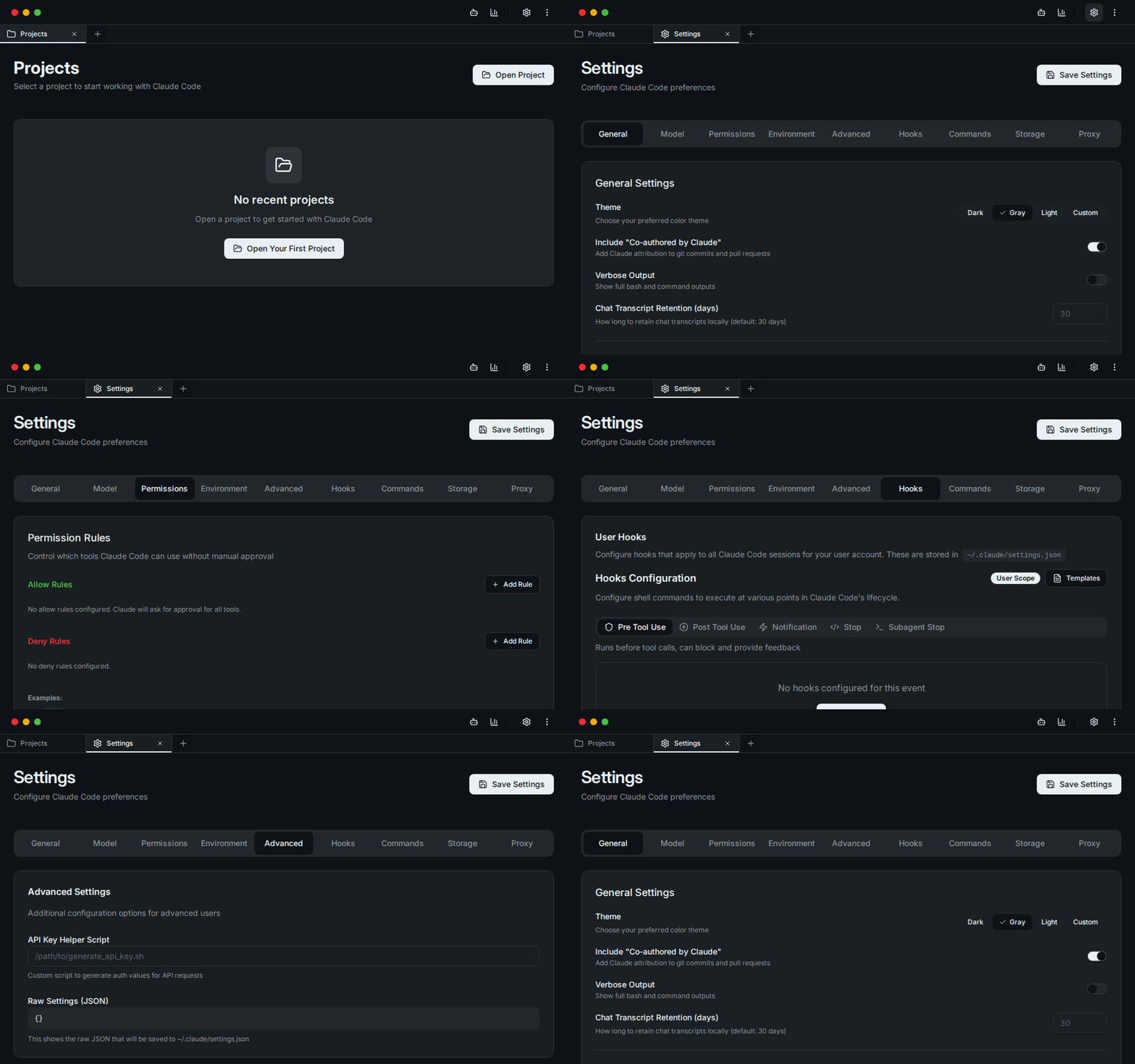
A quick tour through the app. A higher-quality recording is available at docs/demo.webm.
📸 Screenshots
| Projects | Create Agent |
|---|---|
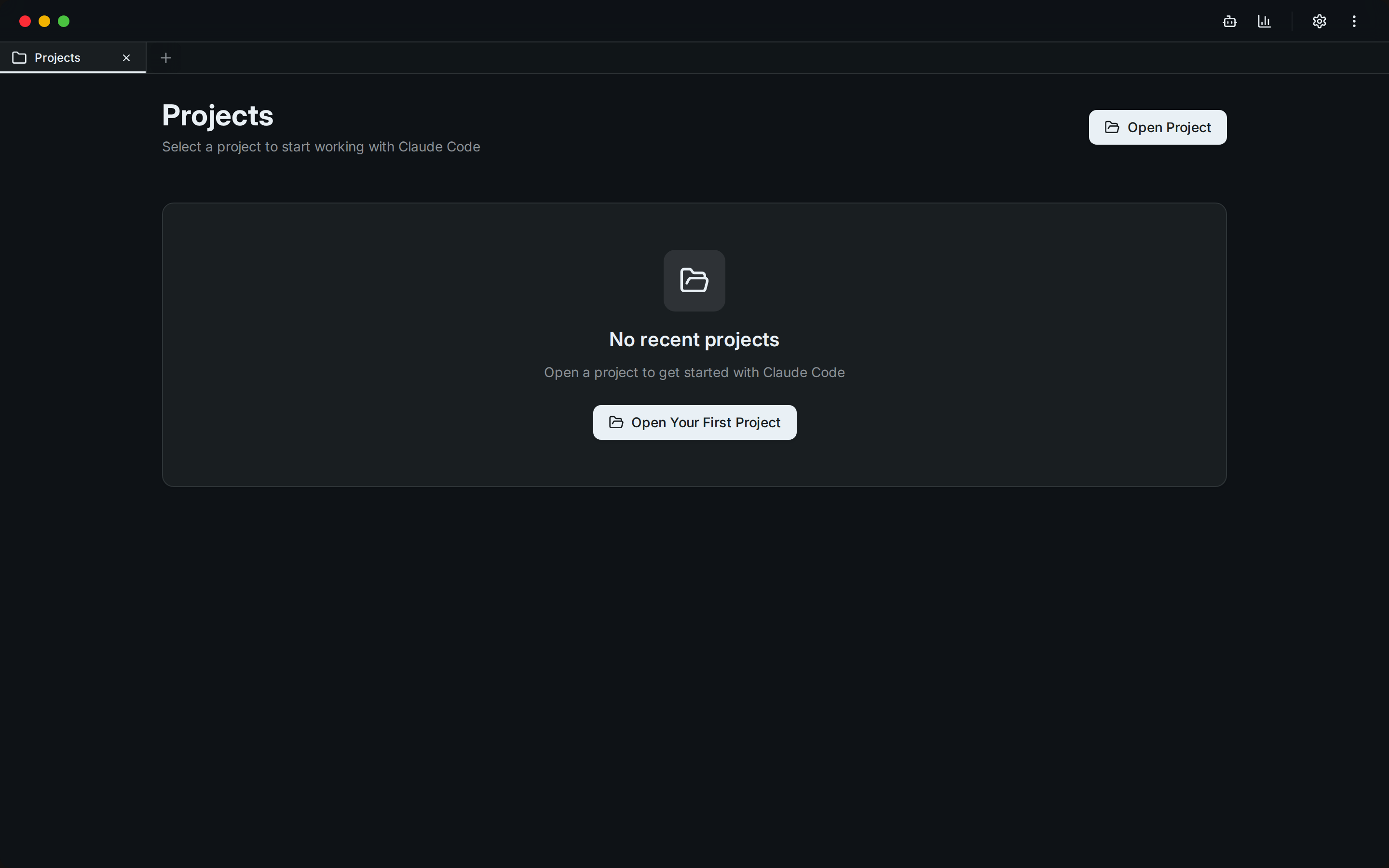 | 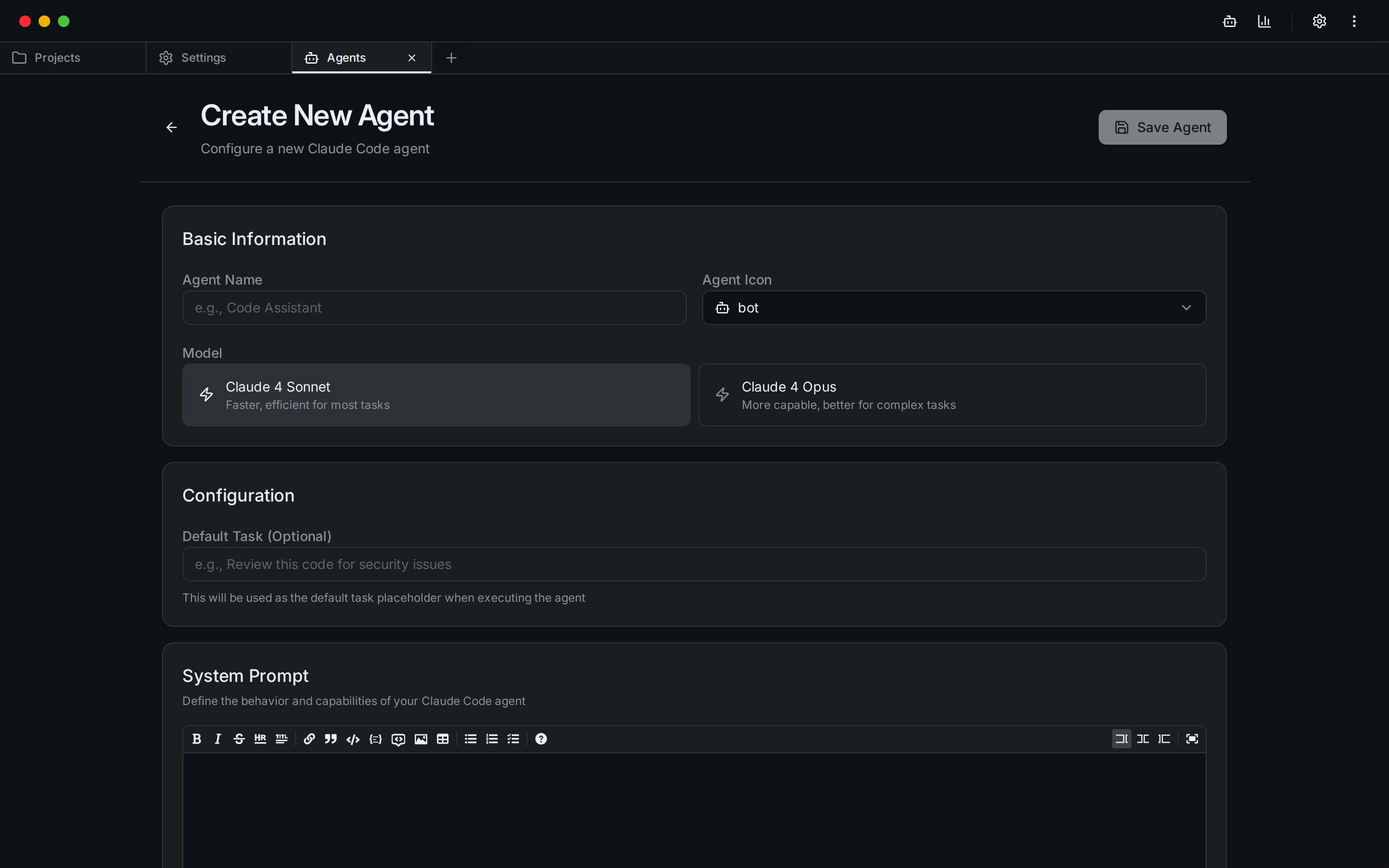 |
| Model Switcher (cloud ↔ local) | Permission Rules |
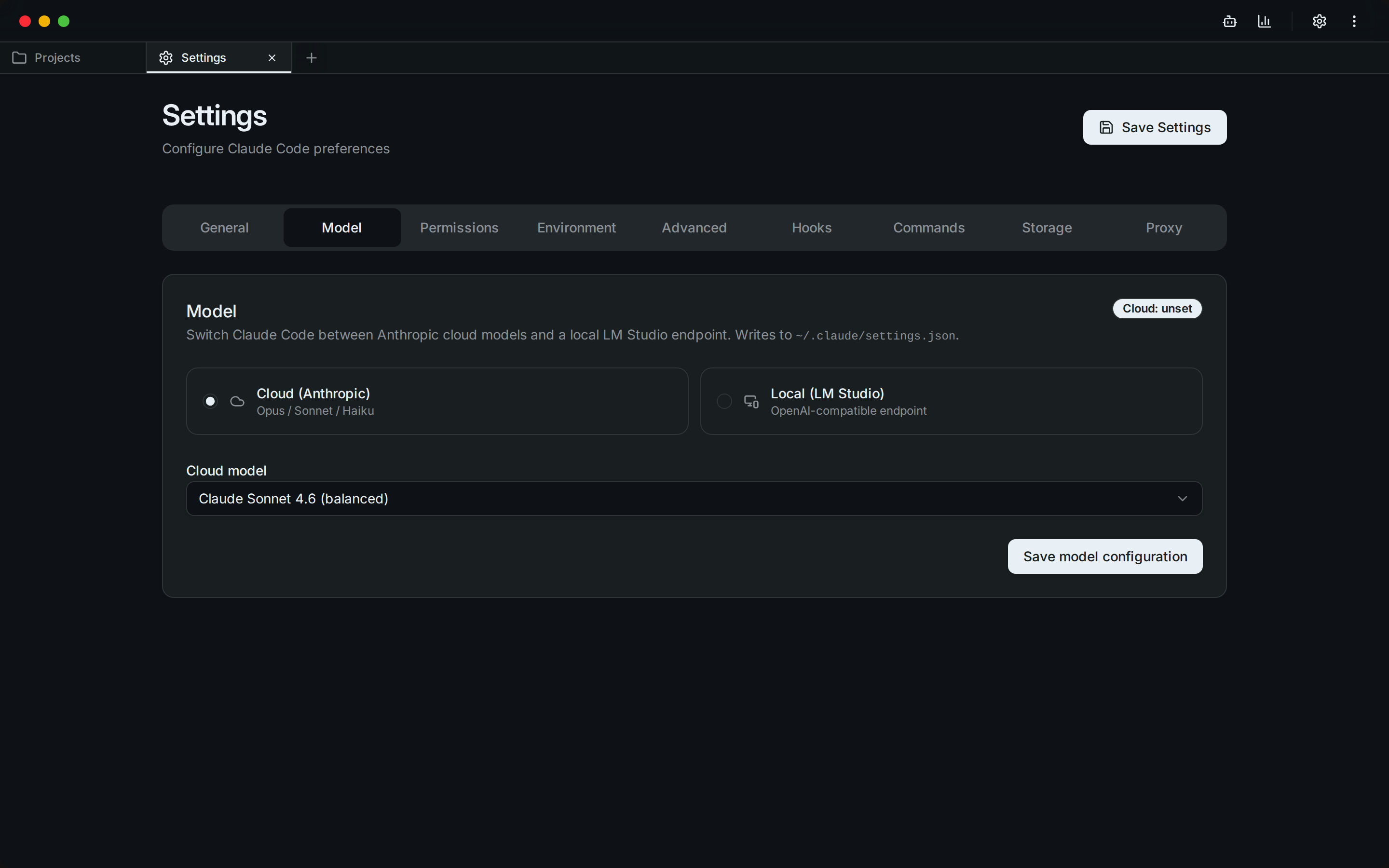 | 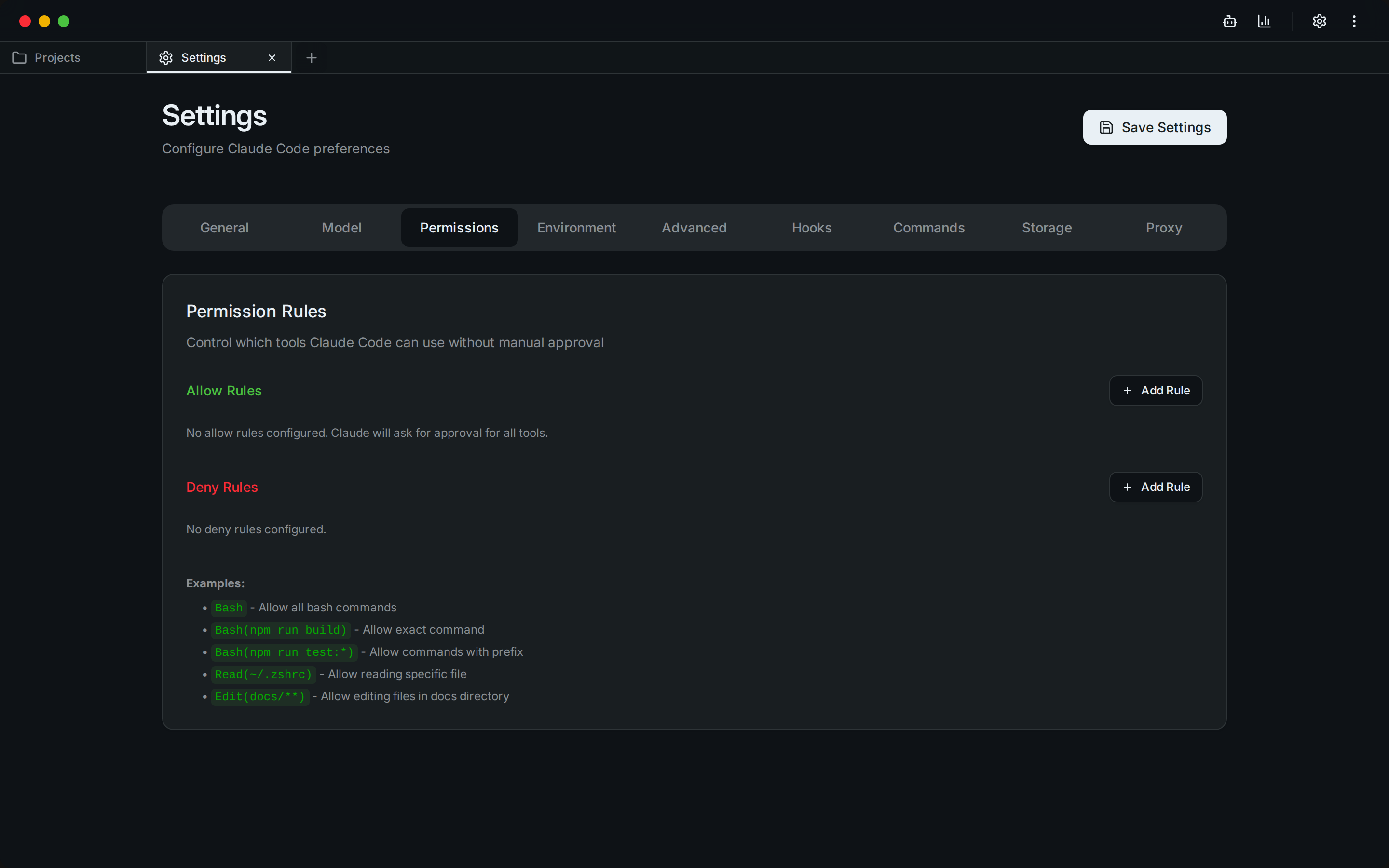 |
| General Settings | Lifecycle Hooks |
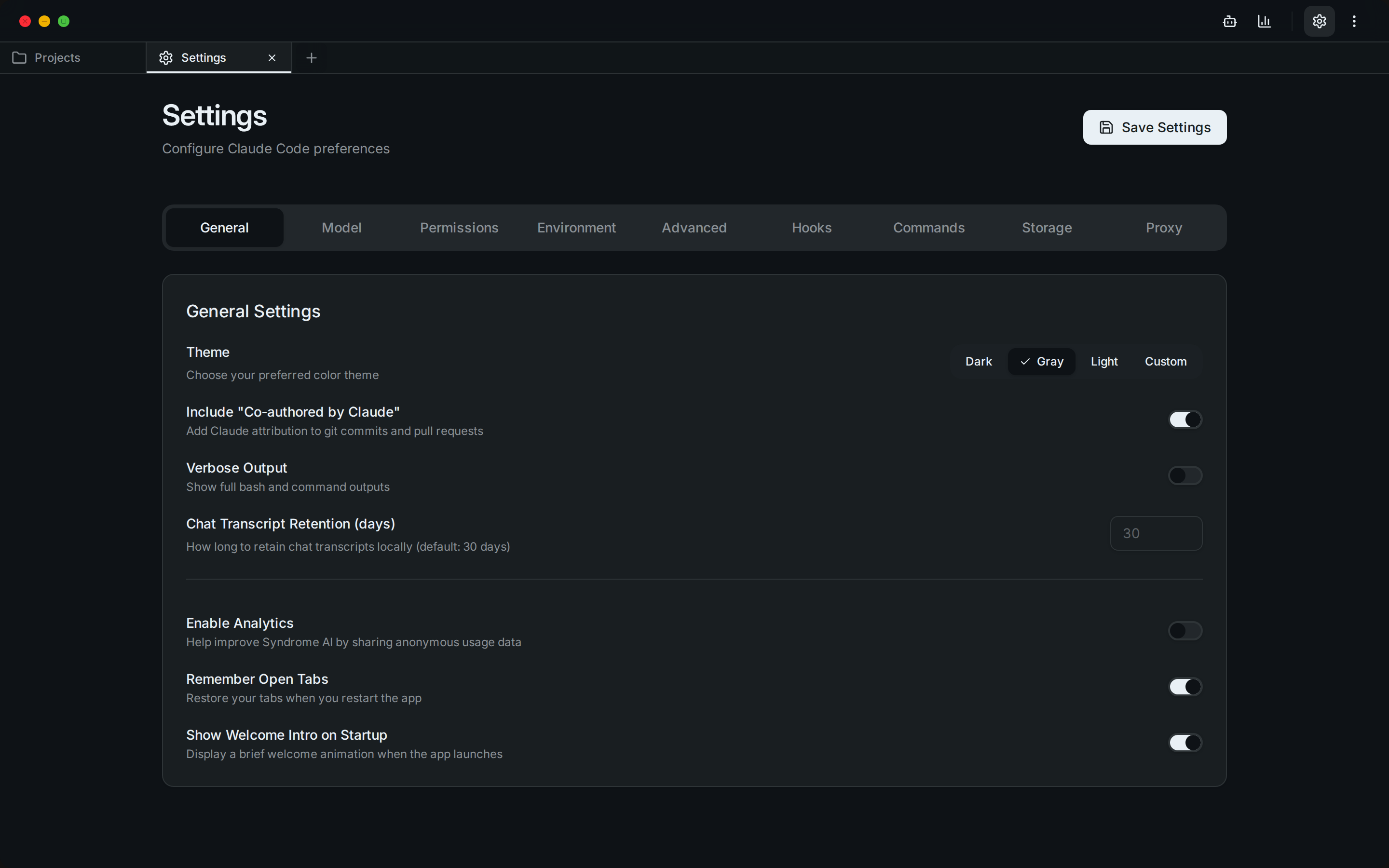 | 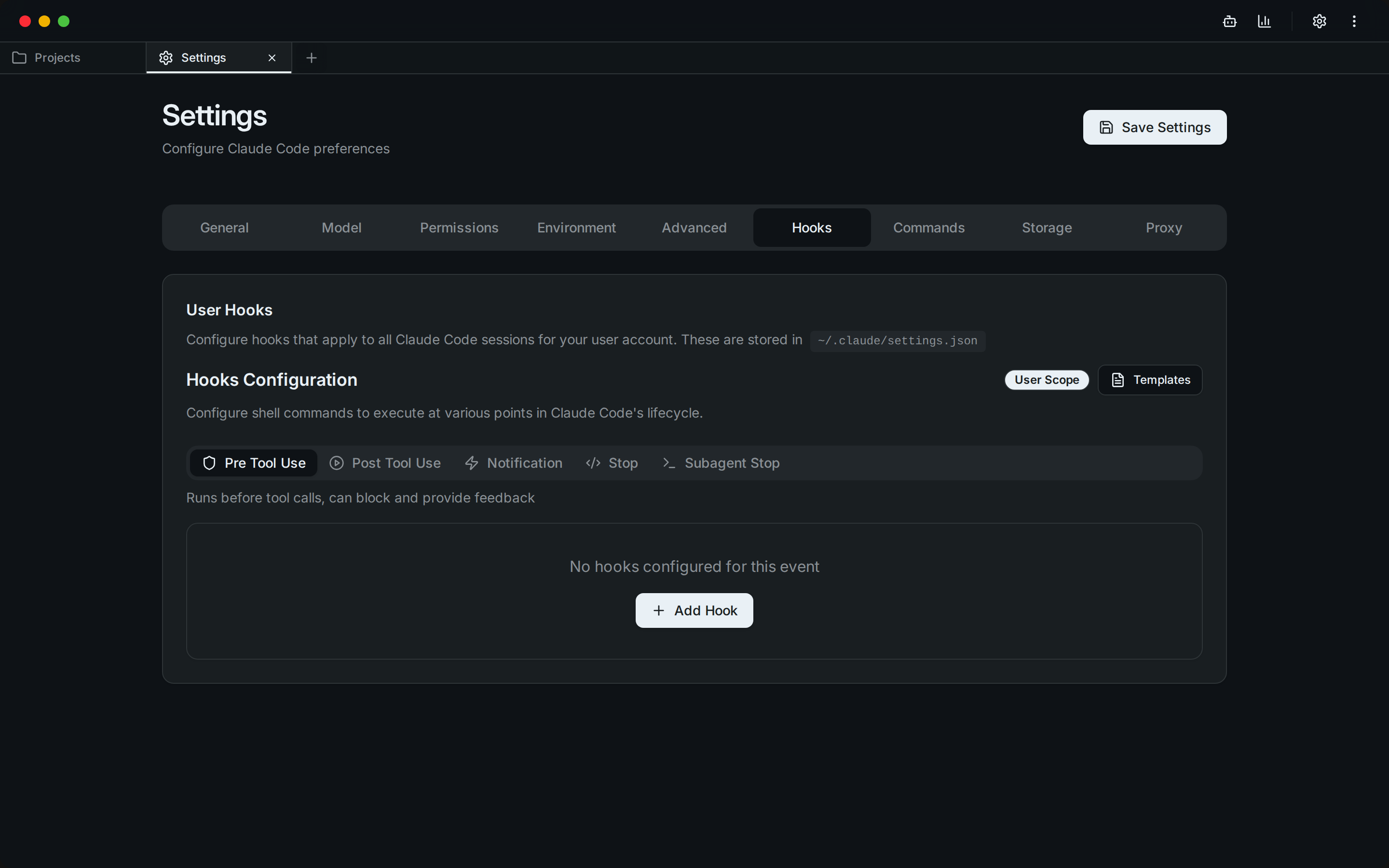 |
| Environment Variables | Advanced Settings |
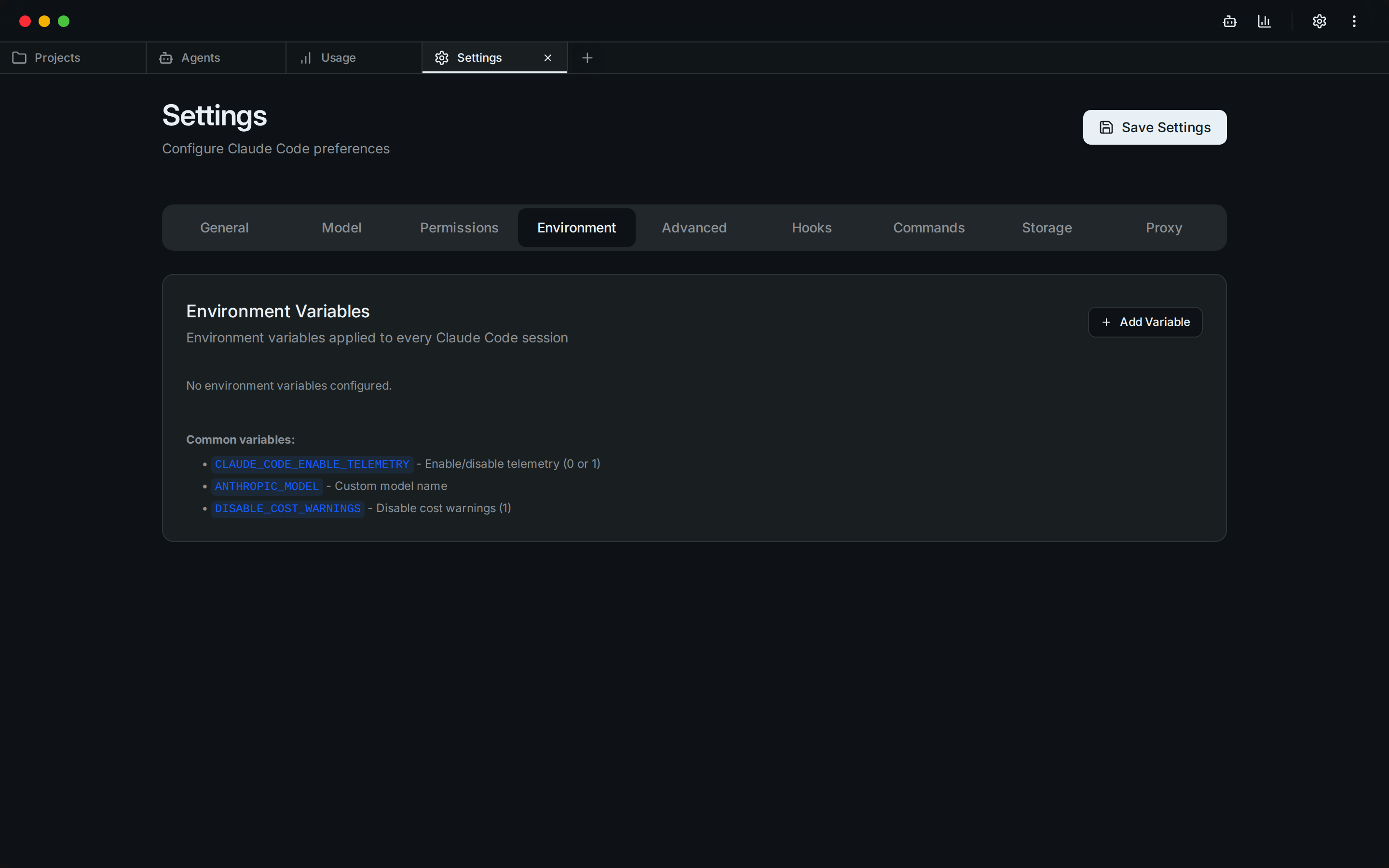 | 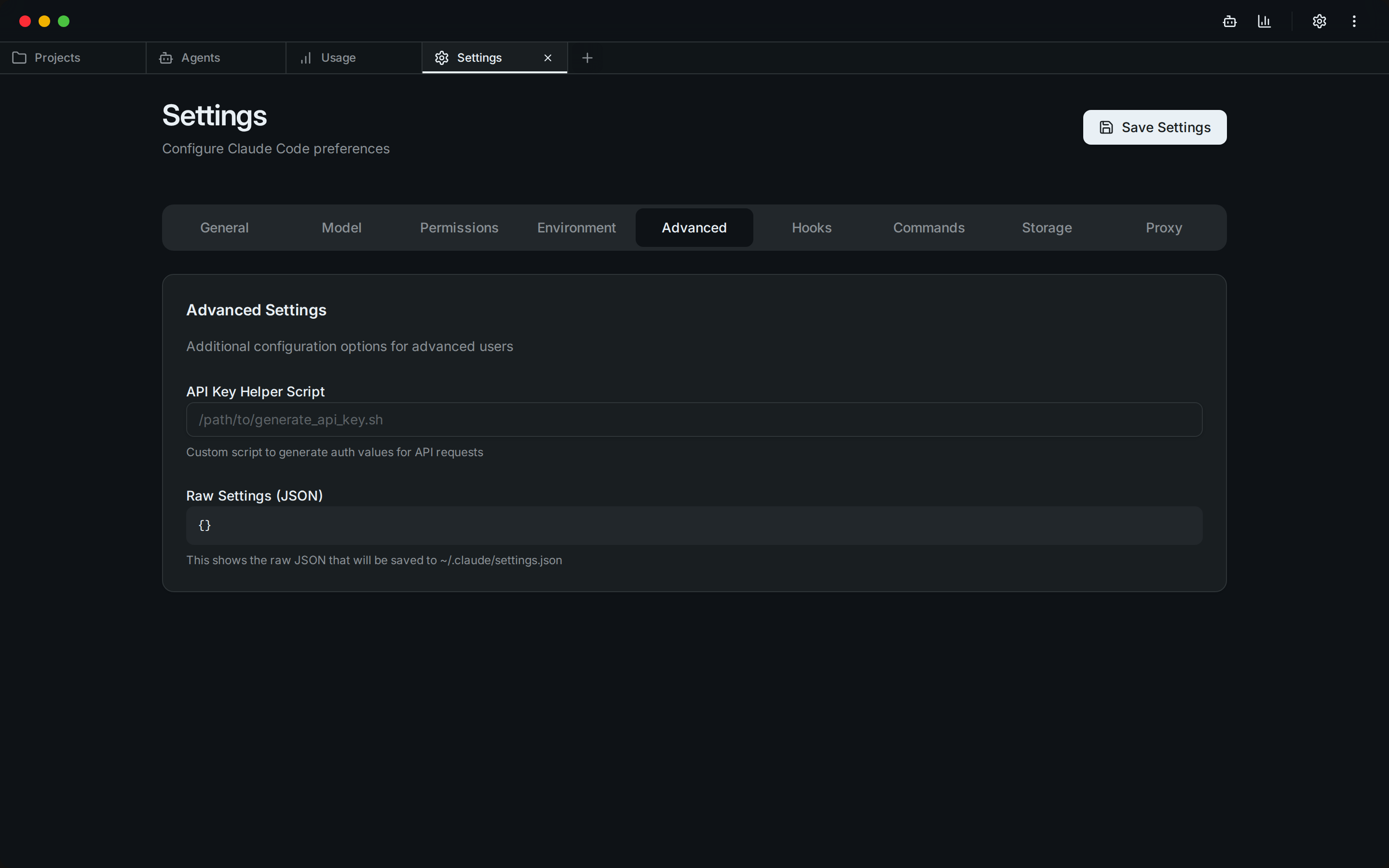 |
| MCP Server Management | |
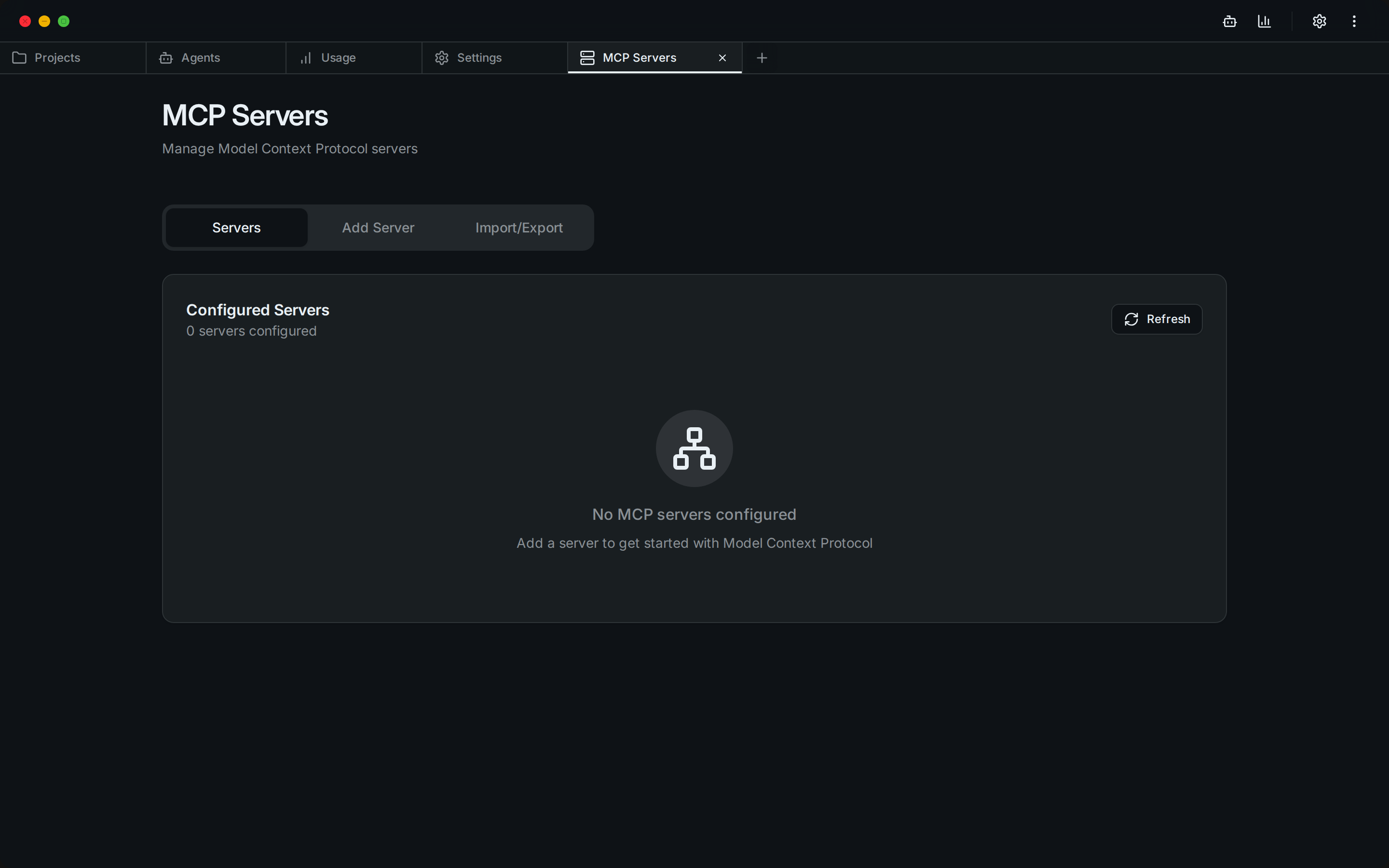 |
📋 Table of Contents
- 🌟 Overview
- 🎥 Demo
- 📸 Screenshots
- ✨ Features
- 📖 Usage
- 🚀 Installation
- 🔨 Build from Source
- 🛠️ Development
- 🔒 Security
- 🤝 Contributing
- 📄 License
- 🙏 Acknowledgments
✨ Features
🗂️ Project & Session Management
- Visual Project Browser: Navigate through all your Claude Code projects in
~/.claude/projects/ - Session History: View and resume past coding sessions with full context
- Smart Search: Find projects and sessions quickly with built-in search
- Session Insights: See first messages, timestamps, and session metadata at a glance
🤖 CC Agents
- Custom AI Agents: Create specialized agents with custom system prompts and behaviors
- Agent Library: Build a collection of purpose-built agents for different tasks
- Background Execution: Run agents in separate processes for non-blocking operations
- Execution History: Track all agent runs with detailed logs and performance metrics
🔄 Model Switcher
- Cloud Models: Switch between Anthropic cloud models (claude-opus-4, claude-sonnet-4, etc.)
- Local LLMs: Connect to a local LM Studio endpoint for offline/private inference
- Instant Switching: Change models without restarting — writes directly to
~/.claude/settings.json - Endpoint Testing: Validate local endpoints before committing to them
📊 Usage Analytics Dashboard
- Cost Tracking: Monitor your Claude API usage and costs in real-time
- Token Analytics: Detailed breakdown by model, project, and time period
- Visual Charts: Beautiful charts showing usage trends and patterns
- Export Data: Export usage data for accounting and analysis
🔌 MCP Server Management
- Server Registry: Manage Model Context Protocol servers from a central UI
- Easy Configuration: Add servers via UI or import from existing configs
- Connection Testing: Verify server connectivity before use
- Claude Desktop Import: Import server configurations from Claude Desktop
⏰ Timeline & Checkpoints
- Session Versioning: Create checkpoints at any point in your coding session
- Visual Timeline: Navigate through your session history with a branching timeline
- Instant Restore: Jump back to any checkpoint with one click
- Fork Sessions: Create new branches from existing checkpoints
- Diff Viewer: See exactly what changed between checkpoints
📝 CLAUDE.md Management
- Built-in Editor: Edit CLAUDE.md files directly within the app
- Live Preview: See your markdown rendered in real-time
- Project Scanner: Find all CLAUDE.md files in your projects
- Syntax Highlighting: Full markdown support with syntax highlighting
📖 Usage
Getting Started
- Launch Syndrome AI: Open the application after installation
- Welcome Screen: Choose between CC Agents or Projects
- First Time Setup: Syndrome AI will automatically detect your
~/.claudedirectory
Managing Projects
Projects → Select Project → View Sessions → Resume or Start New
- Click on any project to view its sessions
- Each session shows the first message and timestamp
- Resume sessions directly or start new ones
Creating Agents
CC Agents → Create Agent → Configure → Execute
- Design Your Agent: Set name, icon, and system prompt
- Configure Model: Choose between available Claude models
- Set Permissions: Configure file read/write and network access
- Execute Tasks: Run your agent on any project
Switching Models
Settings → Model Switcher → Select Mode
- Cloud: Choose an Anthropic model from the dropdown
- Local: Enter your LM Studio base URL and model name, click Test then Save
Tracking Usage
Menu → Usage Dashboard → View Analytics
- Monitor costs by model, project, and date
- Export data for reports
Working with MCP Servers
Menu → MCP Manager → Add Server → Configure
- Add servers manually or via JSON
- Import from Claude Desktop configuration
- Test connections before using
🚀 Installation
Prerequisites
- Claude Code CLI: Install from Claude's official site
Linux (.deb)
Download the latest .deb from Releases and install:
sudo dpkg -i syndrome-ai_*.deb
Linux (AppImage)
Download the .AppImage from Releases, make it executable, and run:
chmod +x "Syndrome AI_*.AppImage"
./"Syndrome AI_*.AppImage"
Note: On systems with
/tmpmountednoexec, run with:APPIMAGE_EXTRACT_AND_RUN=1 ./"Syndrome AI_*.AppImage"
🔨 Build from Source
Prerequisites
Before building from source, ensure you have the following installed:
System Requirements
- Operating System: Linux (Ubuntu 20.04+) — primary target
- RAM: Minimum 4GB (8GB recommended)
- Storage: At least 2GB free space for build artifacts
Required Tools
-
Rust (1.70.0 or later)
curl --proto '=https' --tlsv1.2 -sSf https://sh.rustup.rs | sh -
Node.js + npm (v18 or later)
# Via nvm (recommended) curl -o- https://raw.githubusercontent.com/nvm-sh/nvm/v0.39.0/install.sh | bash nvm install --lts -
Claude Code CLI
- Download and install from Claude's official site
- Ensure
claudeis available in your PATH
Linux System Dependencies (Ubuntu/Debian)
sudo apt update
sudo apt install -y \
  libwebkit2gtk-4.1-dev \
  libgtk-3-dev \
  libayatana-appindicator3-dev \
  librsvg2-dev \
  patchelf \
  build-essential \
  curl \
  wget \
  file \
  libssl-dev \
  libxdo-dev \
  libsoup-3.0-dev \
  libjavascriptcoregtk-4.1-dev
Build Steps
-
Clone the Repository
git clone https://github.com/YOUR_USERNAME/syndrome-ai.git cd syndrome-ai -
Install Frontend Dependencies
npm install -
Build the Application
For Development (with hot reload)
npx tauri devFor Production Build
npx tauri buildBuilt packages will be in
src-tauri/target/release/bundle/. -
Linux AppImage (if
/tmpisnoexec):mkdir -p ~/.cache/appimage-tmp TMPDIR=~/.cache/appimage-tmp APPIMAGE_EXTRACT_AND_RUN=1 npx tauri build --bundles appimage
Troubleshooting
- "cargo not found" — Run
source ~/.cargo/envor restart your terminal - "webkit2gtk not found" — Install system dependencies above
- "claude command not found" — Ensure Claude Code CLI is installed and in your PATH
- AppImage fails to run — Use
APPIMAGE_EXTRACT_AND_RUN=1(see above)
Verify Your Build
./src-tauri/target/release/syndrome-ai --version
🛠️ Development
Tech Stack
- Frontend: React 18 + TypeScript + Vite 6
- Backend: Rust with Tauri 2
- UI Framework: Tailwind CSS v4 + shadcn/ui
- Database: SQLite (via rusqlite)
- Package Manager: npm
Project Structure
syndrome-ai/
├── src/                   # React frontend
│   ├── components/        # UI components
│   ├── lib/               # API client & utilities
│   └── assets/            # Static assets
├── src-tauri/             # Rust backend
│   ├── src/
│   │   ├── commands/      # Tauri command handlers
│   │   ├── checkpoint/    # Timeline management
│   │   └── process/       # Process management
│   └── tests/             # Rust test suite
└── public/                # Public assets
Development Commands
# Type check (tsc + cargo check)
npm run check

# Start development server
npx tauri dev

# Run Rust tests
cd src-tauri && cargo test

# Format Rust code
cd src-tauri && cargo fmt

# Run CI checks
python3 scripts/run_ci.py src/ --docs .plans/claude-code-gui/docs
🔒 Security
Syndrome AI prioritizes your privacy and security:
- Process Isolation: Agents run in separate processes
- Permission Control: Configure file and network access per agent
- Local Storage: All data stays on your machine
- No Telemetry: No data collection or tracking
- Open Source: Full transparency through open source code
- Localhost-only Web Mode: The web server binds to 127.0.0.1 only
- URL Validation: GitHub agent downloads are restricted to
raw.githubusercontent.com
🤝 Contributing
Contributions welcome! Please see CONTRIBUTING.md for details.
Areas for Contribution
- Bug fixes and improvements
- New features and enhancements
- Documentation improvements
- UI/UX enhancements
- Test coverage
📄 License
This project is licensed under the AGPL-3.0 License — see the LICENSE file for details.
🙏 Acknowledgments
- Forked from opcode by winfunc — the original Claude Code GUI
- Built with Tauri — The secure framework for building desktop apps
- Claude by Anthropic