
NexusAI
avidala/nexusai
Controle agentes Claude Code localmente, veja diffs em tempo real, nenhum dado sai da máquina
Ver no GitHubPainel de controle local-first para agentes Claude Code que rodam inteiramente na sua máquina. Despacha tarefas de codificação, monitora agentes em tempo real, revisa mudanças de arquivos e os orienta — sem nuvem, sem conta, sem login.
Instalação
npx convez-ai avidala/nexusai1 comando no terminal: detecta o formato do repositório (marketplace ou plugin avulso) e instala via Claude Code. Requer Node 18+ e o Claude Code instalado.
Métricas
Casos de uso
- Automatizar tarefas de codificação em repositórios locais sem enviar código à nuvem
- Monitorar e guiar agentes de IA enquanto trabalham em tempo real
- Revisar mudanças de arquivo com diffs lado a lado antes de aceitar
Veredito

Solução robusta e bem arquitetada para quem quer orquestrar agentes Claude localmente sem compartilhar código. Requer Node.js ≥22.5 e integração com Claude Code ou API key; ideal para desenvolvedores que priorizam privacidade e controle total.
README
A tradução para o português deste README ainda está na fila.
NexusAI
A local-first control panel for Claude Code agents. Dispatch coding tasks, watch agents work in real time, review their file changes, and steer them — all running entirely on your own machine. No cloud, no account, no sign-in.
One process serves the dashboard, stores everything in a local SQLite file, runs the agents on your machine, and opens your browser. That's it.
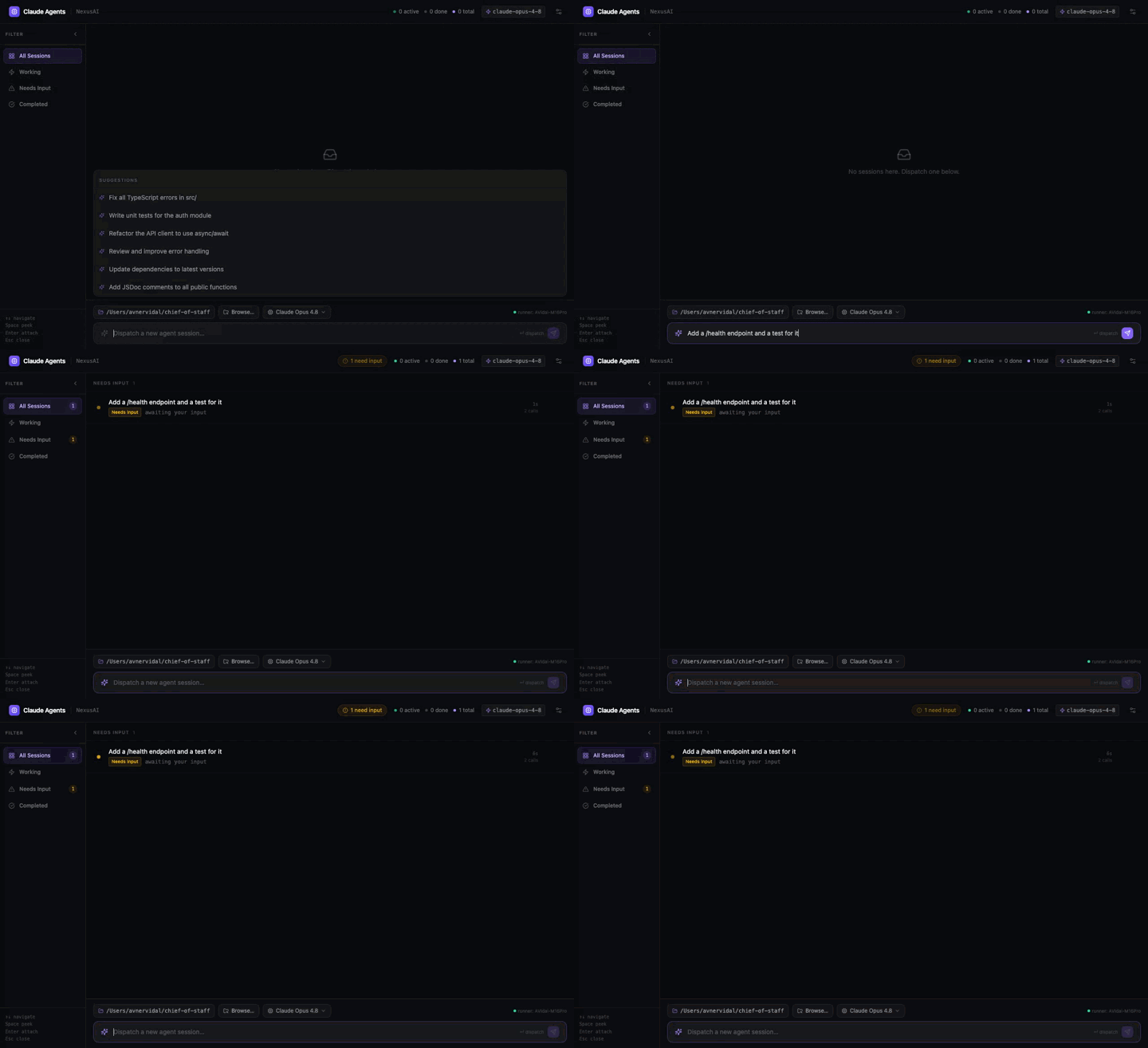
Features
- Dispatch agents to any folder on your machine, pick the model per task.
- Live session view — every tool call and message streamed as it happens.
- Real file diffs — see exactly what the agent changed (via git), side by side.
- Continue conversations — reply to a finished session and it resumes where it left off.
- Stop a running agent mid-flight.
- Native folder picker — Browse… opens your real OS file dialog.
- Local & private — data lives in
~/.nexus/nexus.db; nothing leaves your machine.
Requirements
- Node.js ≥ 22.5 (uses the built-in
node:sqlite). - An agent backend, either:
- Claude Code installed and logged in (works with a Claude Pro / Max / Team subscription) — the default, no API key; or
- an
ANTHROPIC_API_KEY(setNEXUS_EXECUTOR=claude).
Quick start
The fastest way (once published to npm):
npx nexusai
Or from source:
git clone https://github.com/avidala/nexusai.git
cd nexusai
npm install
npm run build
npm start
Either way, the server starts on http://localhost:4317 and opens your browser.
Pick a folder, type a task, and dispatch.
Development
Two terminals — the UI with hot reload, and the API server:
npm run dev          # dashboard (vite) on http://localhost:5173, proxies /api
npm run dev:server   # the local server/API on :4317
Configuration
All optional, via environment variables:
| Variable | Default | What it does |
|---|---|---|
PORT | 4317 | Server port |
NEXUS_EXECUTOR | claude-code | claude-code (subscription) · claude (API key) · mock |
ANTHROPIC_API_KEY | — | Required for NEXUS_EXECUTOR=claude |
NEXUS_FOLDER_ROOTS | $HOME + common dirs | Colon-separated roots to scan for project folders |
NEXUS_DB | ~/.nexus/nexus.db | SQLite database location |
NEXUS_NO_OPEN | — | Set to skip auto-opening the browser |
How it works
  browser (dashboard)
        │  REST + Server-Sent Events
        ▼
  local server (this machine)
   ├─ SQLite store  (~/.nexus/nexus.db)
   ├─ runs Claude Code agents in your chosen folder
   └─ serves the built dashboard
The dashboard talks only to localhost. Agents run as real Claude Code sessions on
your machine, so they use your local tools and your repos directly.
⚠️ Agents run with file and shell access in the folder you choose. Point them at repositories you're comfortable letting an agent modify.
License
MIT © Avner Vidal