
Snap Mock Skill
arslan8122/snap-mock-skill
Gere screenshots autênticos da Play Store diretamente do seu código
Ver no GitHubGera automaticamente mockups de screenshots da Google Play Store a partir de qualquer codebase local, sem sair do terminal. A skill extrai estilos reais do projeto (cores, tipografia, gradientes, border-radius) e renderiza 6 screenshots + 1 Feature Graphic (1024×500) com a identidade visual autêntica da aplicação.
Instalação
npx convez-ai arslan8122/snap-mock-skill1 comando no terminal: detecta o formato do repositório (marketplace ou plugin avulso) e instala via Claude Code. Requer Node 18+ e o Claude Code instalado.
Métricas
Casos de uso
- Gerar assets de marketing para aplicativos móveis automaticamente
- Criar mockups de loja que refletem o design real da app
- Acelerar preparação de campanhas de app store sem ferramentas externas
Veredito

Ferramenta prática e bem-construída que resolve um gargalo real: gerar assets de loja automaticamente a partir do código fonte. A extração inteligente de tokens de design (cores, tipografia, gradientes) garante mockups autênticos sem criação manual. Ideal para desenvolvedores que querem velocidade na preparação de campanhas de app store.
README
A tradução para o português deste README ainda está na fila.
snap-mock-skill
Generate Google Play Store mockup screenshots and the 1024×500 Feature Graphic from any local project directory — without leaving the terminal.
A self-contained Claude Code plugin. Point at a local codebase, get 7 ready-to-upload PNGs (6 slot screenshots + 1 Feature Graphic). The plugin ships its own Next.js + Konva renderer; you don't need to clone anything else.
v0.3.0 — mockups now match the target app's real visual style. Claude reads your StyleSheet.create blocks, theme files, and <LinearGradient> JSX during synthesis and extracts a complete style profile (typography, colors, gradients, spacing, corner radii, density, mood modifiers). The in-device screen renders honor those tokens, so a chunky-button game app and a tight-grid SaaS app no longer render with the same generic chrome.
Preview
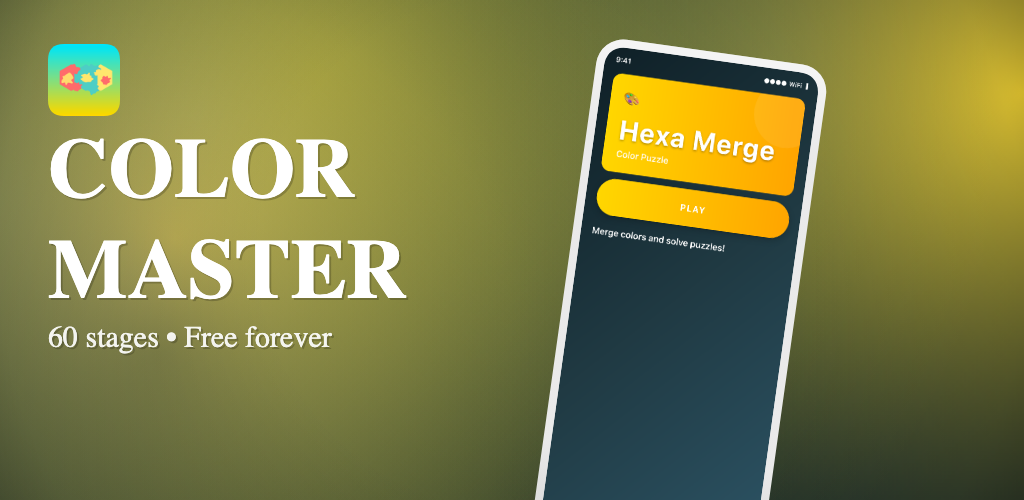
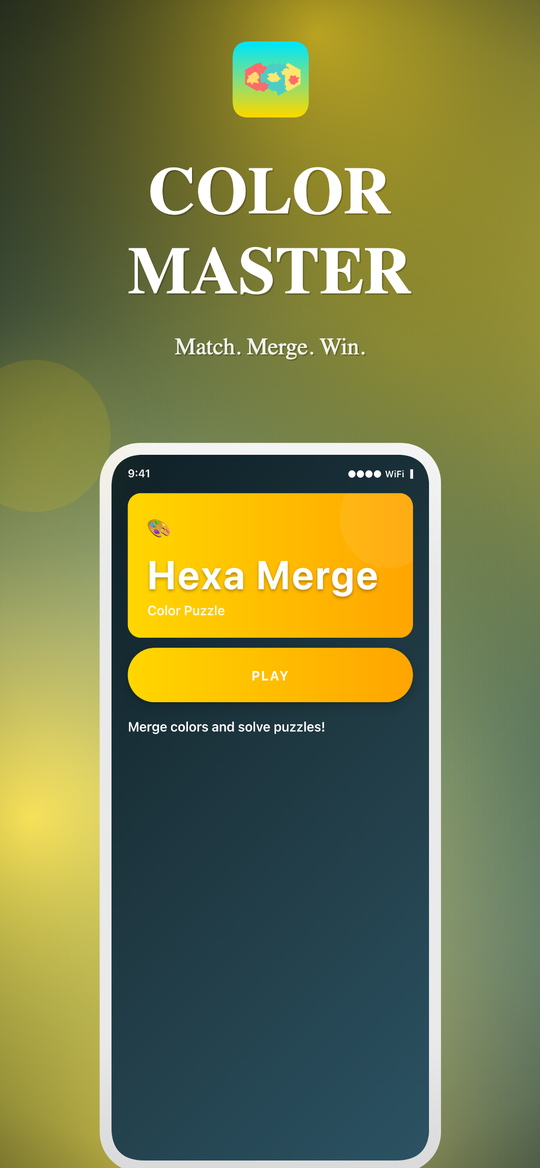
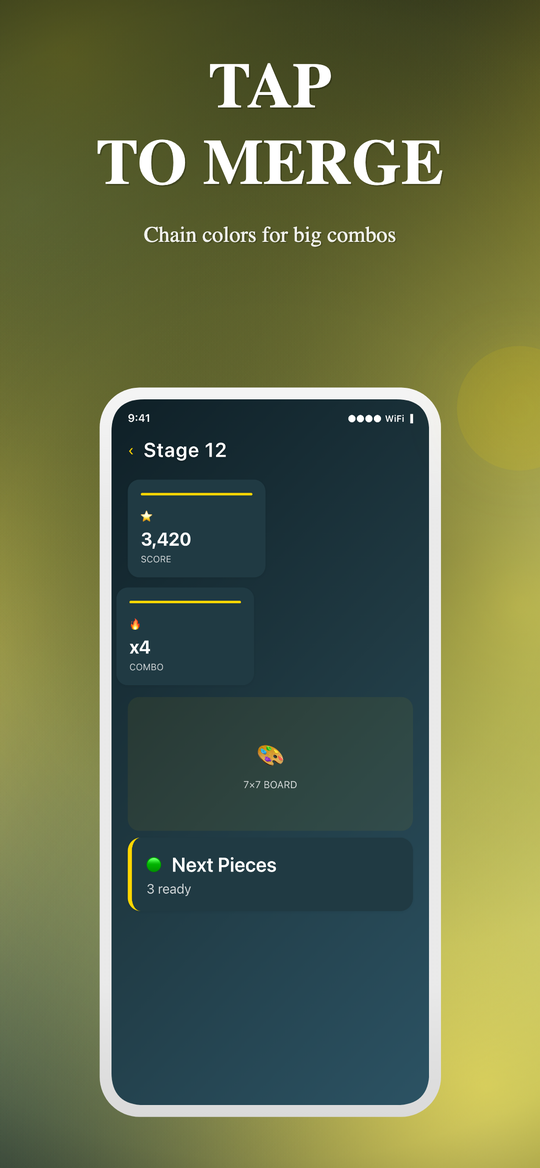
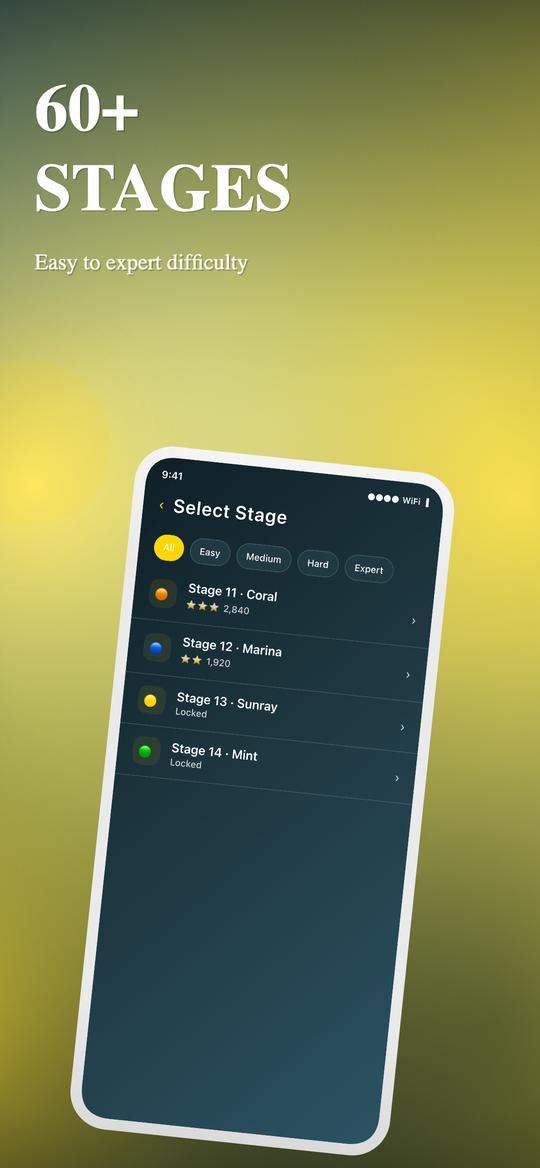
These were generated by /snap-mock /Users/arslan/arslan/puzzle/ColorMergeMania — a real React Native game. No prompts written by hand; everything below is derived from the project's source code (real screen names, real LinearGradient colors from HomeScreen.tsx, real borderRadius: 35 pill buttons, real letterSpacing: 2 titles, gold #FFD700 accent extracted from the source).
Feature Graphic (1024×500)
6 slot screenshots (1080×1920 each)
| Hero | Gameplay | Stages |
|---|---|---|
 |  |  |
| Combos | Progress | Free Forever |
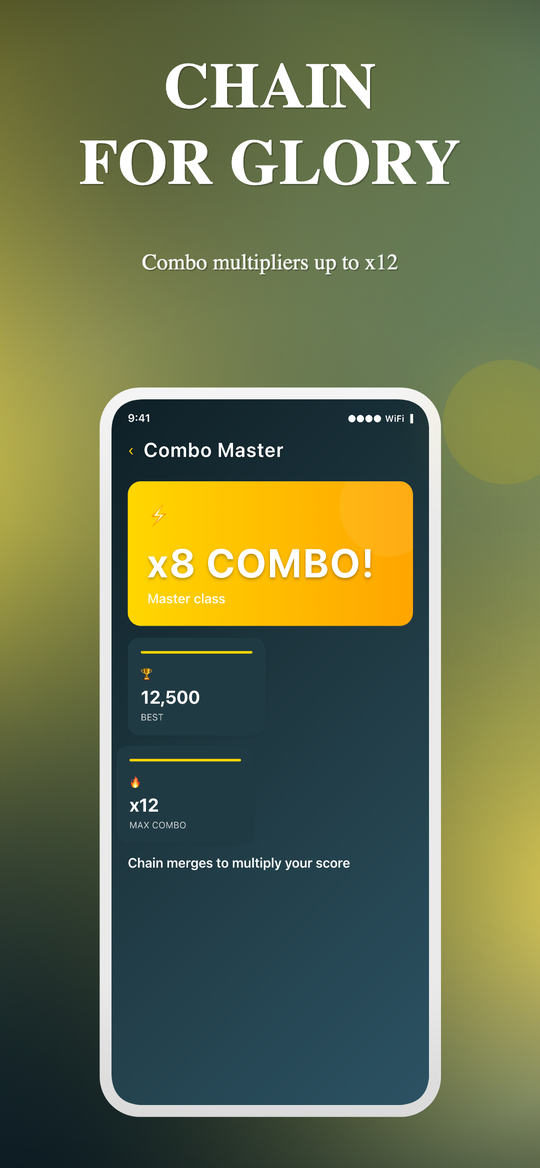 | 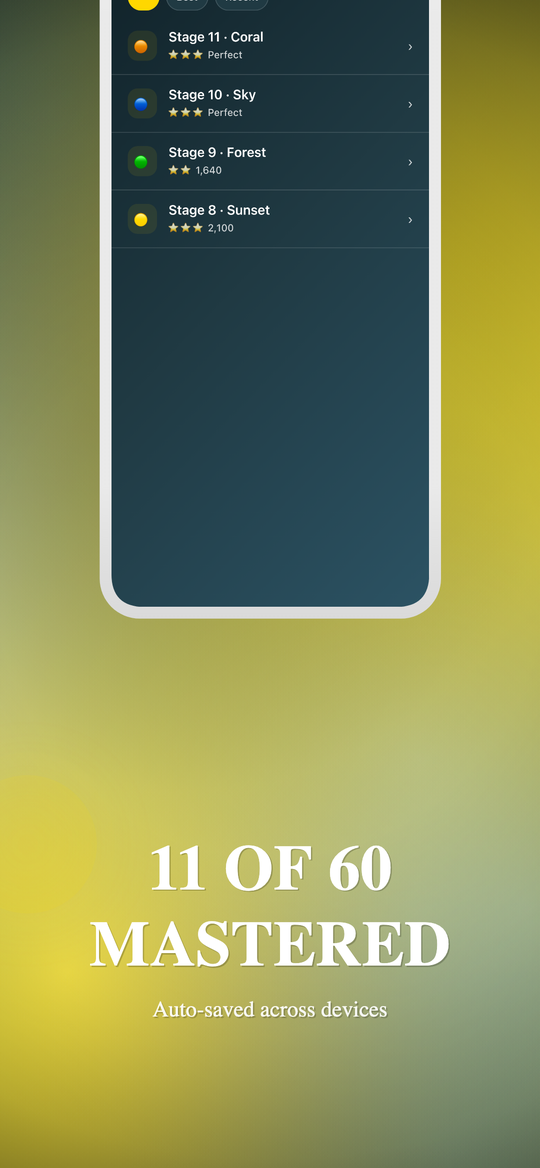 | 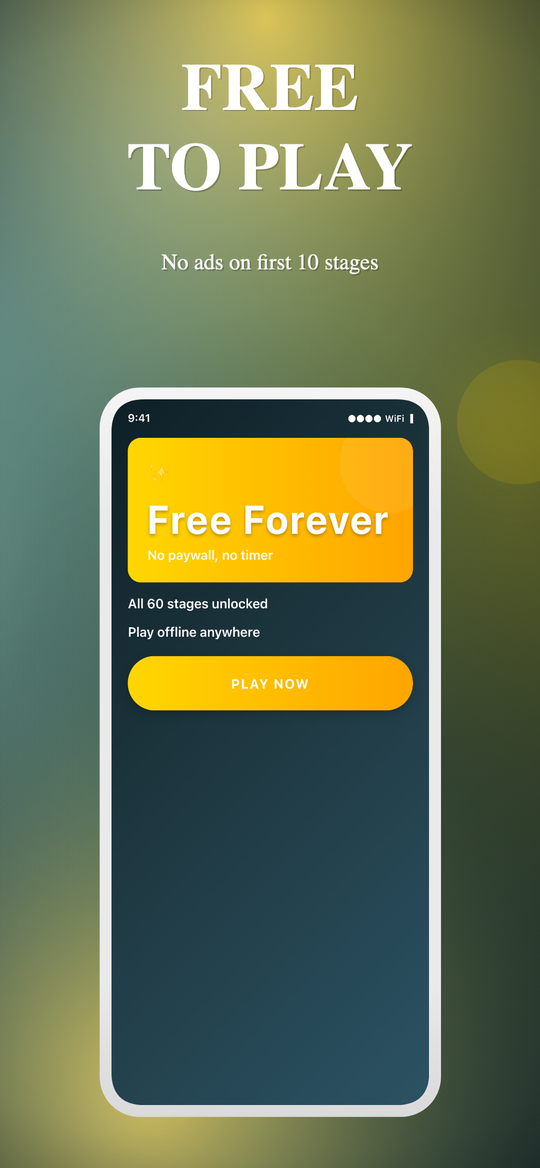 |
The 6 slots follow a deliberate narrative arc (Hook → Gameplay → Variety → Power → Proof → Trust/CTA), and the Feature Graphic reuses the Hero slot's in-device render so the campaign reads as a single piece.
Note the in-device screens. The hero card renders with the target's actual gold linear-gradient(#FFD700, #FFA500). The PLAY button is uppercase and pill-shaped because the source has borderRadius: 35 and letterSpacing: 3. The page background is the deep #0F2027 → #2C5364 gradient pulled from <LinearGradient> JSX. None of this is generic chrome — it's ColorMergeMania's actual visual style, extracted by Claude during synthesis (PASS 0.5) and applied by the renderer.
Install
/plugin marketplace add arslan8122/snap-mock-skill
/plugin install snap-mock-skill@snap-mock-skill
That's it. No second repo to clone, no API keys.
Use
From any directory, in Claude Code:
/snap-mock /path/to/your-project
That's the slash command — explicit, autocompletes, deterministic.
Bare /snap-mock (no path) works too: it analyzes the current directory
as the target, using the bundled renderer at ~/.snap-mock-renderer/. Your
project files are never modified — even if cwd happens to be a Next.js + Konva
app, the no-argument form forces standalone mode.
Natural-language triggers also work (the skill auto-matches on intent):
snap mock /path/to/your-projectgenerate mockups for /path/to/your-projectplay store screenshots from /path/to/your-projectcreate app store mockups for <path>
When done, you'll have:
./mockups/slot-01.png         1080×1920
./mockups/slot-02.png         1080×1920
./mockups/slot-03.png         1080×1920
./mockups/slot-04.png         1080×1920
./mockups/slot-05.png         1080×1920
./mockups/slot-06.png         1080×1920
./mockups/feature-graphic.png 1024×500
…ready to upload to Google Play Console.
How it works
1. scaffold      provision the bundled Next.js + Konva renderer at ~/.snap-mock-renderer
                 (first run only: npm install + chromium download)
2. analyze       walk the target directory, extract app name, framework, brand colors,
                 screen graph, navigator structure, project assets
3. synthesize    Claude reads your source files in TWO passes:
                 - PASS 0.5 — extract a style profile (typography, colors, gradients,
                   spacing, shape, density, mood modifiers) from StyleSheet.create
                   blocks, theme files, and LinearGradient JSX in the target app
                 - PASS 1-3 — write 6 slot briefs + 1 Feature Graphic brief with
                   real tab labels, real screen UI, narrative arc, validation
4. render        write briefs.json into the renderer's public/, start next dev in the
                 background. The renderer's HTML element templates consume the
                 style profile so in-device screens match the target's real chrome.
5. export        headless Chromium clicks "Export ZIP", captures the bundle, unpacks it
                 into ./mockups/
The dev server tears down automatically when your Claude Code session ends.
Modes
Standalone (default)
The plugin ships a minimal Next.js + React + Konva renderer at templates/renderer/. On first run, scaffold.sh materializes it into ~/.snap-mock-renderer/ and runs npm install. Subsequent runs reuse the renderer — no install, no rebuild.
Override the location with SNAP_MOCK_RENDERER_HOME=/some/other/dir.
In-place (auto-detected)
If your current directory (or its frontend/ subdir) already has next + react + konva in package.json, the skill operates in-place: it copies its library files into your existing project, prints "ACTION REQUIRED" patches you need to apply to EditorToolbar.tsx and page.tsx, and uses your dev server.
Force a mode explicitly with SNAP_MOCK_MODE=standalone or SNAP_MOCK_MODE=inplace.
Prerequisites
- Claude Code with plugin support
- Node ≥20 + npm (the bundled renderer uses Next.js 16)
- Python 3 (used by the analysis script)
- A target directory to analyze. No
gh, no GitHub token, no internet access required for analysis. - ~150 MB free disk for first-run Chromium download (cached at
~/.cache/ms-playwright).
Output guarantees
Every run produces exactly:
- 6 screenshots at 1080×1920 (Google Play portrait), each with a different in-device screen rendered from your real source code, panoramic mesh background that stitches across slot boundaries, and a unique narrative role.
- 1 Feature Graphic at 1024×500, theme-synced with the slots, with a tilted device showing one of the slot screens via
source_slot.
No external imagery is fetched or generated — every visual is derived from your project (app icon, in-project illustrations, in-device screen renders).
Troubleshooting
| Problem | Fix |
|---|---|
| Port 3000 busy | start-dev.sh falls through to 3137 automatically. Both busy → lsof -ti:3000 | xargs kill. |
| Chromium download failed | cd ~/.snap-mock-renderer && npx playwright install chromium |
npm install failed | cd ~/.snap-mock-renderer && rm -rf node_modules && npm install |
briefs.json schema collision (in-place mode) | Skill writes briefs.claude.json instead and tells you. |
Background next dev lingering | lsof -ti:3000 | xargs kill -9 (the SessionEnd hook usually handles this) |
| Wrong screens detected | The analyzer matches files with .dart, .ts, .tsx, .js, .jsx, .kt, .java, .swift extensions and a screen|page|view|activity|fragment substring. |
Limitations (current scope)
- Per-slot regeneration not supported (you re-run the whole pipeline)
- Brand-kit / palette overrides not exposed as flags (auto-extracted from source)
- App Store 1290×2796 sizing not supported (Play Store 1080×1920 only)
- npm only (pnpm/bun lockfiles not detected)
Contributing
The plugin lives at /Users/arslan/datics/arslan/snap-mock-skill in development. To run a local copy without publishing to a marketplace:
ln -s /path/to/snap-mock-skill ~/.claude/plugins/snap-mock-skill
Then in Claude Code: /plugin install snap-mock-skill@snap-mock-skill.
PRs welcome — especially for:
- Per-slot regeneration
- App Store 1290×2796 device frames
- Bun / pnpm lockfile detection
- Additional layout archetypes
- Tests covering analyze-local.sh on more frameworks
Report bugs at https://github.com/arslan8122/snap-mock-skill/issues.
License
MIT — see LICENSE.