
Flutter MCP Toolkit
Arenukvern/mcp_flutter
Controle e inspecione apps Flutter via IA com feedback em tempo real
Ver no GitHubServidor MCP em Dart que permite a um agente IA inspecionar, controlar e dirigir um app Flutter em execução. Fornece snapshots semânticos da UI, suporte a taps e typing, hot-reload, e chamada de ferramentas customizadas registradas em runtime, criando um loop fechado de feedback visual.
Instalação
npx convez-ai Arenukvern/mcp_flutter1 comando no terminal: detecta o formato do repositório (marketplace ou plugin avulso) e instala via Claude Code. Requer Node 18+ e o Claude Code instalado.
Métricas
Casos de uso
- Desenvolvimento assistido por IA para Flutter
- Testes automatizados e QA guiados por agentes
- Prototipagem rápida com iteração orientada por IA
Veredito

Solução técnica madura e bem documentada para integração de agentes IA no fluxo de desenvolvimento Flutter. Prático para equipes que querem automação visual com prova de execução, mas requer Dart/Flutter já em produção.
README
A tradução para o português deste README ainda está na fila.
flutter-mcp-toolkit

Inspect and drive a running Flutter app from your AI assistant.








Docs: docs.page/arenukvern/mcp_flutter · llms.txt · Contribute: guide
flutter-mcp-toolkit is a Dart MCP server plus the mcp_toolkit Flutter package. An agent can discover your debug app, read semantic UI snapshots, tap and type, hot-reload, and call custom tools your app registers at runtime — a closed loop with runtime proof instead of guessing.
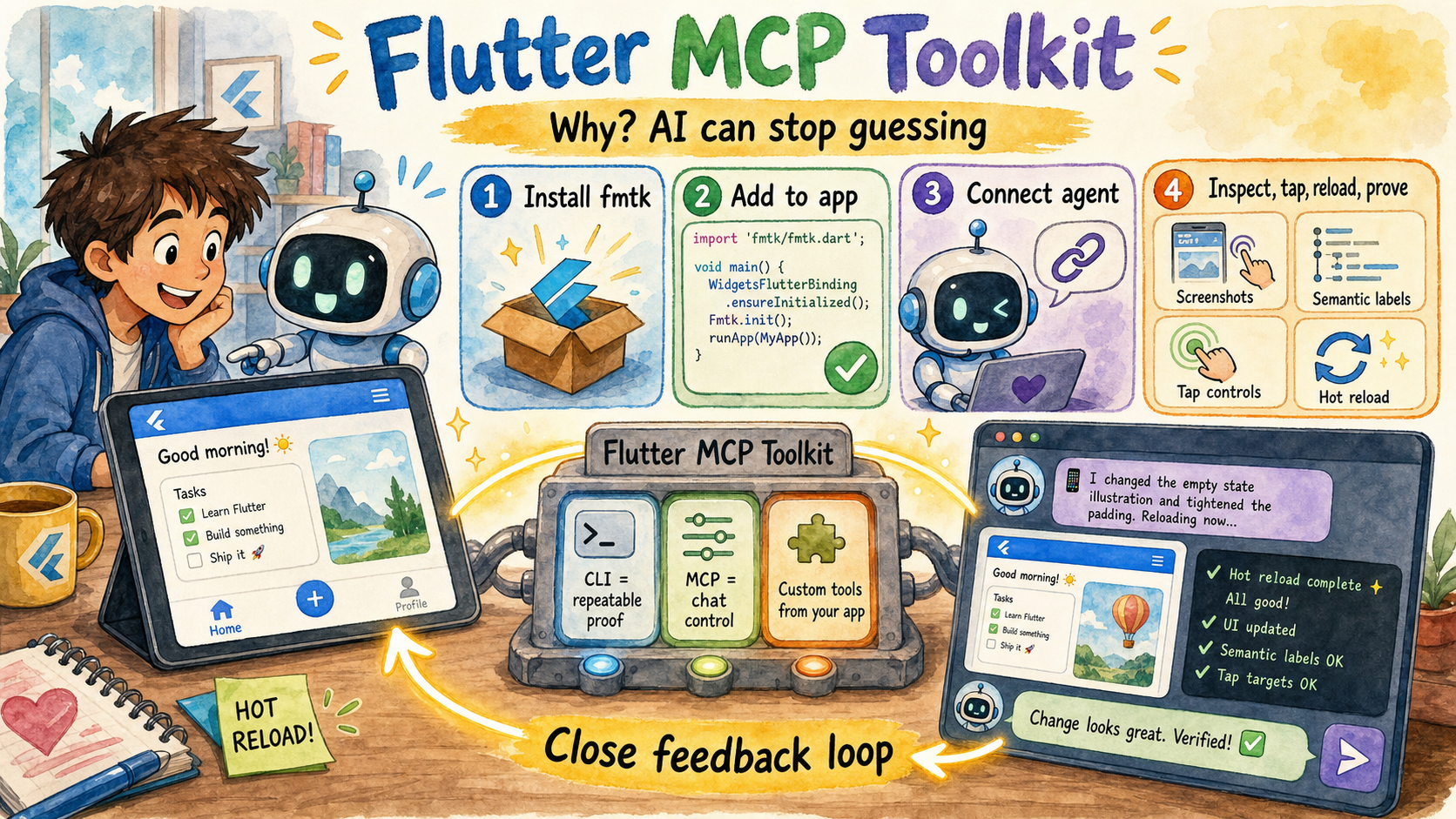
The picture's story: the toolkit gives an AI assistant a shared window and control loop into a running Flutter app, so it can inspect state, act like a user, hot reload, read proof, and use custom tools from your app instead of guessing.
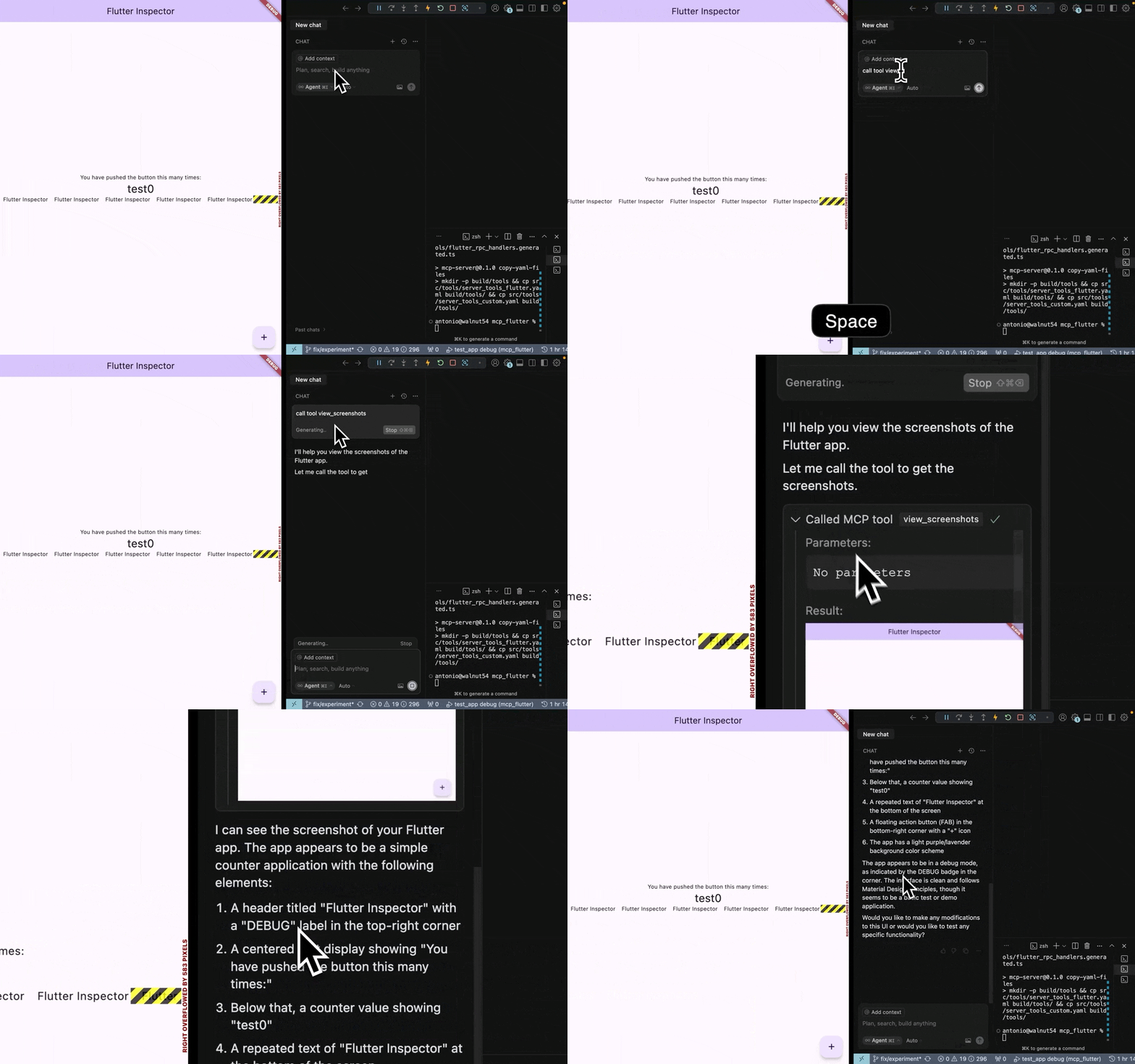
See it in action
Existing walkthroughs (YouTube):
- Dynamic tools in Cursor — short video
- Grok Build (2026, June) — video
- IntentCall / WebMCP projection — video
- Cursor MCP setup — video
Full list and suggested watch order: Video walkthroughs.
Evaluate in 30 seconds
| Question | Answer |
|---|---|
| What is it? | MCP server (flutter-mcp-toolkit-server) + in-app mcp_toolkit bootstrap over the VM service. |
| What can an agent do? | Inspect UI/errors, drive widgets, reload, screenshots (Flutter render pipeline), dynamic app tools. |
| When to use this vs Dart MCP? | Dart MCP: Dart/Flutter tooling (analyzer, tests). This toolkit: a running debug app (UI + your app-defined tools). |
| When not to use it? | Release builds, no debug VM, or you only need static analysis — use Dart MCP or CI instead. |
| Supported install targets | Release binaries: macOS Apple Silicon and Linux x64 (details). Intel macOS is deprecated. |
| Fastest proof | Quickstart → doctor → agent calls fmt_discover_debug_apps + fmt_semantic_snapshot. |
| Tool list | Generated: docs/reference/tools.mdx (regenerate with make docs-reference). |
Five-minute quickstart
1. Marketplace (recommended) — see client setup:
Claude Code: /plugin marketplace add Arenukvern/mcp_flutter
             /plugin install flutter-mcp-toolkit@flutter-mcp-toolkit
Cursor:      flutter-mcp-toolkit init cursor   # needs CLI on PATH — install script first
Codex:       codex plugin marketplace add Arenukvern/mcp_flutter
2. Install script (recommended for server + CLI on PATH) — curl:
curl -fsSL https://raw.githubusercontent.com/Arenukvern/mcp_flutter/main/install.sh | bash
3. Instrument the app — cd my_flutter_app && flutter-mcp-toolkit codegen-init (paste main() snippet before runApp).
4. Run and verify — flutter run --debug then flutter-mcp-toolkit doctor.
Connect the MCP server in your host (flutter-mcp-toolkit-server on stdio). Example for Claude Code:
claude mcp add flutter-mcp-toolkit -- flutter-mcp-toolkit-server
First agent prompt: “Discover debug Flutter apps, connect, and return a semantic snapshot.”
Full steps: docs/quickstart.mdx.
What do you want to do?
| Goal | Start here |
|---|---|
| See what is on screen | See the UI |
| Tap, type, scroll | Drive the UI |
| Debug errors + reload loop | Debug a running app |
| Custom MCP tools in your app | Custom tools |
| Scripts / CI one-shots | CI and scripts |
| Checked-in E2E | E2E scenarios |
| Several apps at once | Multiple apps |
Packages
| Package | Role |
|---|---|
mcp_toolkit | Flutter app bootstrap, VM extensions, dynamic tools |
flutter_mcp_toolkit_core / capability_* | Shared contracts and fmt_* server capabilities |
flutter_mcp_harness | Programmatic automation (packages/harness) |
Server binary: GitHub Releases (flutter-mcp-toolkit, fmtk, flutter-mcp-toolkit-server) — not on pub.dev. See mcp_server_dart/README.md.
News (recent)
- 2026-11 — Docs-first refresh, generated tool reference, registry publish hardening.
- 2026-10-02 — 6.0.0 invoke tier / harness composition (automation chain).
Older releases: CHANGELOG.md.
Security & trust
Debug-mode only by design. Overview: how it works. Assessed by MseeP.ai.
Smithery listing is currently unavailable (404 as of 2026-11); use the official MCP Registry or marketplace install. Relisting requires owner action on Smithery.
Contributing
CONTRIBUTING.md · contribution guide · make check-contracts before PRs.
✨ Contributors
Huge thanks to all contributors for making this project better!
This roster is maintained with all-contributors.
To add someone, update .all-contributorsrc and
regenerate the README table, or use the all-contributors bot/CLI from a PR.
More detail: docs/contributing/contributors.mdx.
📖 Learn More
- Flutter DevTools Documentation
- Dart VM Service Protocol
- Flutter DevTools RPC Constants (I guess and hope they are correct:))
Star History
📄 License
MIT - Feel free to use in your projects!
Flutter and Dart are trademarks of Google LLC.