
Wonder Agent Plugins
aquila-lab/wonder-plugins
Gere designs no Wonder direto do seu agente de IA favorito
Ver no GitHubPlugin MCP que conecta agentes de código (Cursor, Claude Code, Codex) ao servidor Wonder para gerar designs e componentes UI em tempo real. Permite criar elementos visuais diretamente em canvases do Wonder através de prompts naturais, sem gerenciar chaves de API.
Instalação
npx convez-ai aquila-lab/wonder-plugins1 comando no terminal: detecta o formato do repositório (marketplace ou plugin avulso) e instala via Claude Code. Requer Node 18+ e o Claude Code instalado.
Métricas
Casos de uso
- Gerar componentes UI (botões, formulários) em prompts de código
- Criar designs visuais em tempo real durante desenvolvimento
- Integrar geração de UI com fluxo de trabalho em Cursor/Claude Code/Codex
Veredito

Solução prática que reduz fricção entre desenvolvimento e design ao permitir geração visual inline em agentes de código. Suporte multi-agente e autenticação OAuth simplificada tornam a integração acessível.
README
A tradução para o português deste README ainda está na fila.
Wonder agent plugins
Use Wonder with your favorite coding agent. Pick your agent below and run the install command.
Install
Cursor
-
Open Cursor and open the chat panel.
-
Install the plugin by typing:
/add-plugin wonder -
Open the Wonder app and open any canvas file you want the generations drawn to. Then, back in Cursor, type a prompt like:
Generate a purple button in Wonder -
On first use, Cursor will say the Wonder MCP needs authentication and show a URL. Open it in your browser to authorize, then come back to Cursor and re-send the same prompt. Watch it draw onto your canvas in real time.
Claude Code
-
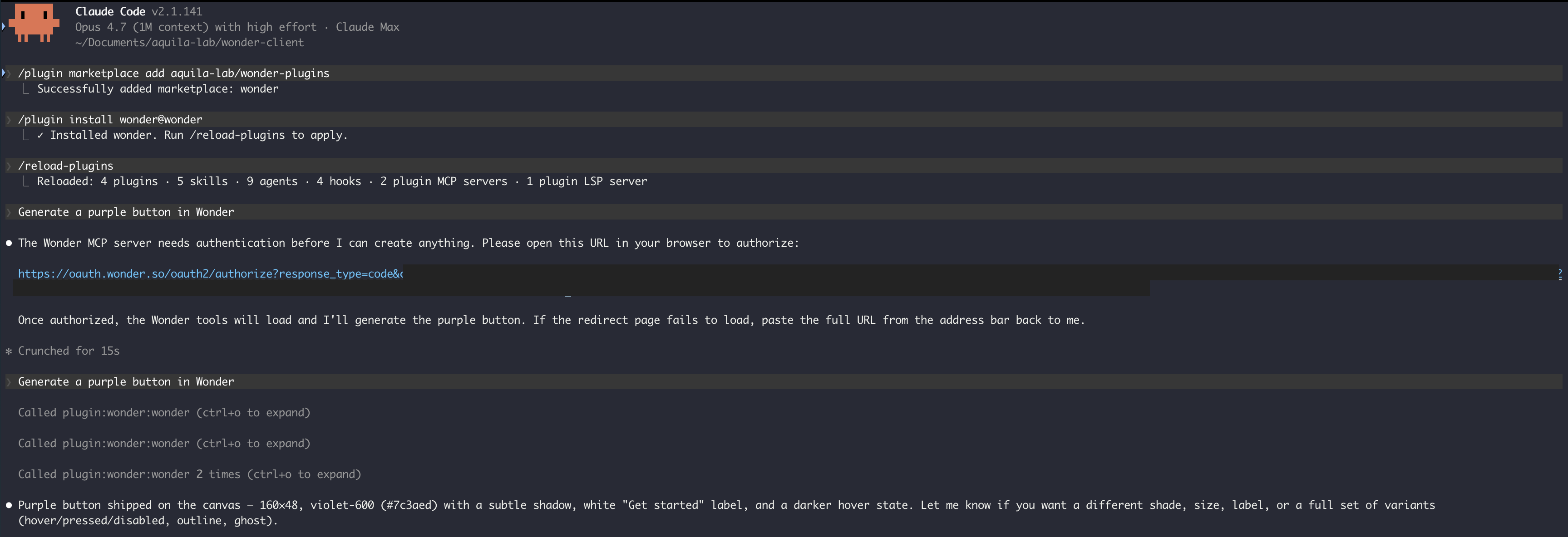
Open your terminal and run
claudeto start Claude Code. -
Add the marketplace:
/plugin marketplace add aquila-lab/wonder-plugins -
Install the plugin:
/plugin install wonder@wonder -
Reload to activate it:
/reload-plugins -
Open the Wonder app and open any canvas file you want the generations drawn to. Then, back in Claude Code, type a prompt like:
Generate a purple button in Wonder -
On first use, Claude will say the Wonder MCP needs authentication and print a URL. Open that link in your browser to authorize, then come back to Claude Code and re-send the same prompt. Watch it draw onto your canvas in real time.
Codex
-
Open Codex.
-
In the prompt box, start typing
/pluginand pick Plugin Creator from the command picker.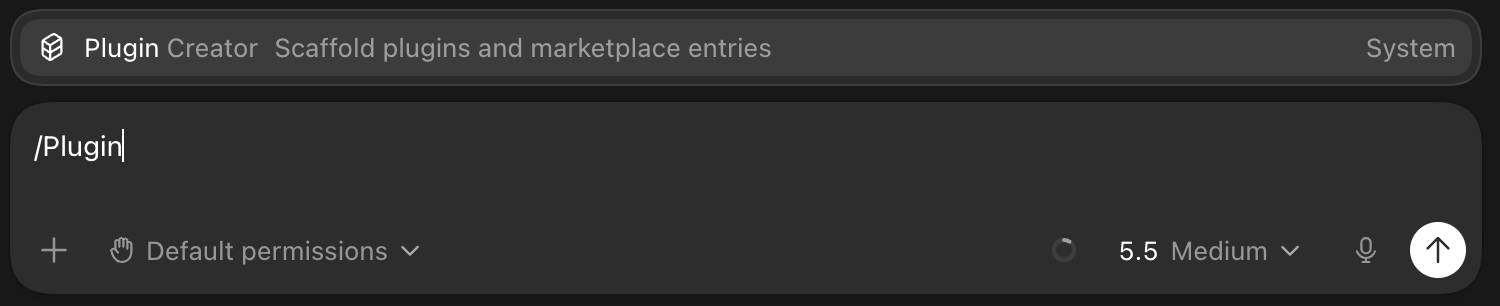
-
Fill in the rest of the prompt with this repo's URL and send it:
Install the Wonder plugin from https://github.com/aquila-lab/wonder-plugins
-
Open the Wonder app and open any canvas file you want the generations drawn to. Then, back in Codex, type a prompt like:
Generate a purple button in Wonder -
On first use, Codex will say the Wonder MCP needs authentication and show a URL. Open it in your browser to authorize, then come back to Codex and re-send the same prompt. Watch it draw onto your canvas in real time.
How it works
The plugin connects your agent to the Wonder MCP server at https://mcp.wonder.so/mcp. On first use you'll sign in through a standard OAuth flow - no API keys to manage, and tokens refresh automatically.
Missing your agent?
Open an issue and we'll add it.