
Claude Workspace Designer
andreboekhorst/claude-workspace-designer
Crie workflows de IA com skills customizadas para seus projetos Claude
Ver no GitHubFerramenta para criar e gerenciar projetos Claude Cowork com skills personalizadas específicas de cada projeto. Permite definir comportamentos, manter memória persistente e exportar configurações reutilizáveis sem necessidade de codificação manual.
Instalação
npx convez-ai andreboekhorst/claude-workspace-designer1 comando no terminal: detecta o formato do repositório (marketplace ou plugin avulso) e instala via Claude Code. Requer Node 18+ e o Claude Code instalado.
Métricas
Casos de uso
- Preparação para entrevistas de emprego
- Pipelines de conteúdo e publicação
- Redação de teses e documentos acadêmicos
- Gerenciamento de finanças pessoais
- Planejamento de viagens e campanhas criativas
Veredito

Skill robusto que transforma Claude Cowork em plataforma versátil de workflows, com assistentes que se auto-configuram. Excelente para projetos estruturados que precisam de comportamentos ajustáveis sem tocar código.
README
A tradução para o português deste README ainda está na fila.

Add skills to your projects
Workspace designer adds skills to your Claude Cowork projects, and only to that project. This allows you to create workflows adjusted to your project needs. Since these skills write themselves you don't need to touch any code. You can continuously adjust and finetune its behaviour, and when you are happy, you can even export a clean project configuration for you to share and reuse.
- 🐙 Skills for Cowork
- 🦈 Persistent Memory
- 🦦 Flexible behaviours
- 🧙🏻 Shape Personalities
- ⛵️ Export, Share, Re-use
Getting Started
Getting started is easy, all you need to do is download this workspace, and open up the folder and say hi! We will guide you through the rest.
- Download this workspace
- Unzip the file
- Open Claude Desktop, go to Claude Code
- Under the "Projects" section, click the + button to create a new Project
- Select "Use an existing folder", and select the folder you just unzipped
- Say hi! A setup wizard will walk you through configuration.
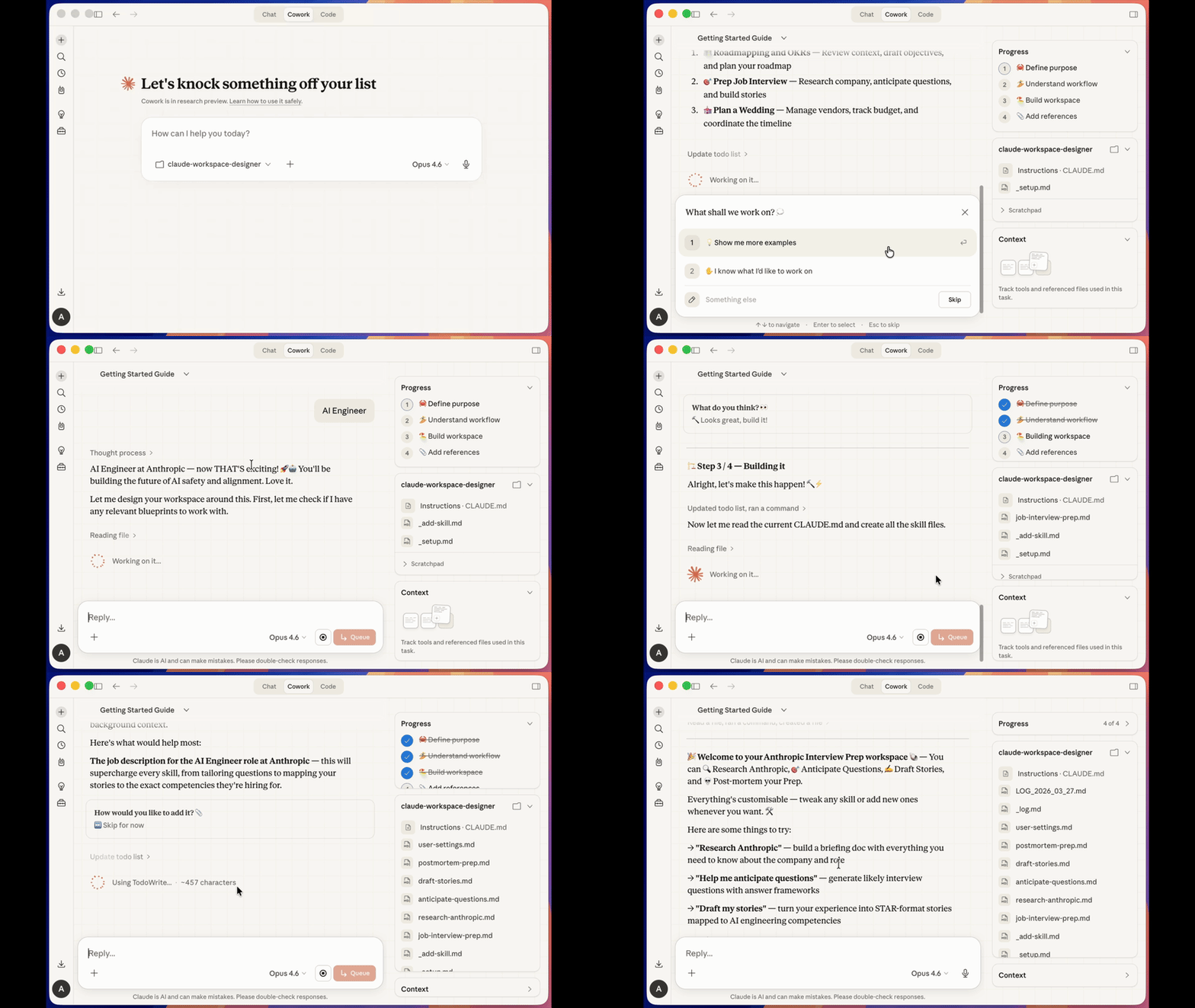
Exporting and Reusing
When you are happy with your workspace, you can export and reuse it for others. Just ask to export the project. It will strip any personal files from the project and create a zip file.
🐙 Examples
These are just some of the workspaces you can build — pick a blueprint and make it yours.
| Workspace | Description |
|---|---|
| Job Interview Prep | Nail your next interview by researching the company and practicing structured answers. |
| Content Pipeline | Stay on top of your publishing schedule by planning, drafting, and editing in one place. |
| Dungeon Master | Run a great campaign by generating NPCs, prepping sessions, and tracking lore. |
| Fiction Writing | Write better stories by building worlds, drafting scenes, and self-critiquing your plot. |
| Recipe Collection | Organize your kitchen by photographing recipes, planning meals, and generating grocery lists. |
| Thesis Writing | Finish your thesis by organizing sources, structuring chapters, and drafting with citations. |
| Travel Planning | Plan the perfect trip by researching destinations, building itineraries, and packing smart. |
| Personal Finance | Take control of your money by importing bank data, tracking spending, and setting goals. |
🐙 Core Workflows
Every workspace comes with these built-in workflows:
- Setup — First-time configuration wizard that creates your folder structure and initial skills
- Add Skill — Create new skills by describing what you need; Claude writes the instructions
- Add Reference — Register files, URLs, or background knowledge that skills can draw on
- Resume — Pick up where you left off with a summary of recent activity and next steps
- Reflect — Review your session and suggest workspace improvements
- Set Personality — Define the workspace's voice, tone, and character
- Export — Package your workspace into a clean, shareable template
- Help — List all available skills and what they do
🏖️ F.A.Q.
How Does It Work?
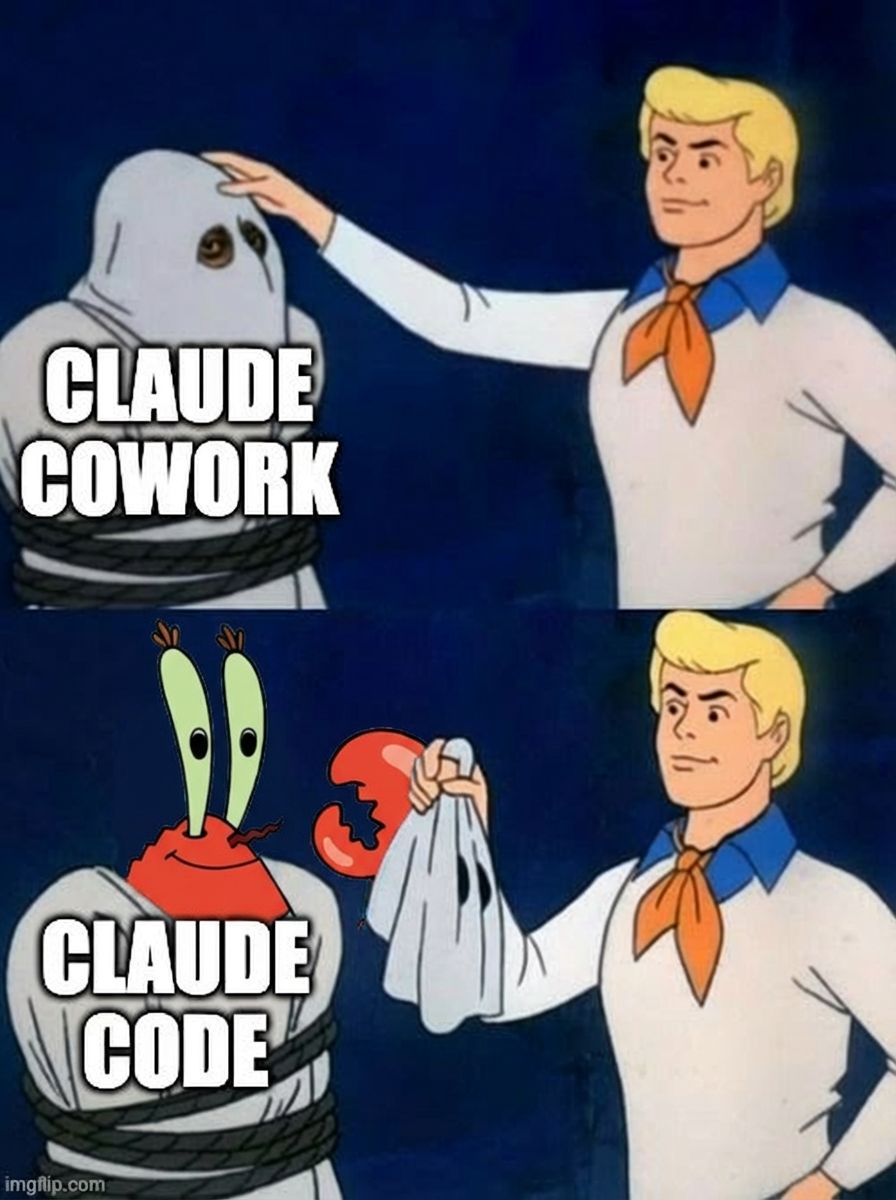
Claude Cowork is basically Claude Code under the hood. That means it can write its own prompts! With this in mind we created a specification for a workspace that contains a defined structure, and a set of configurations, skills, logs, and references. When you run an empty project for the first time, it will use these predefined configurations to help you set up a workspace and create skills. Read more of this specification below.
When we first start a conversation with a workspace, it triggers a setup-flow that helps you define your needs for a workspace. When that's done - it will start writing all of the skills themselves.
What are workspace specifications?
In the Workspace specifications we propose a structure to which we can enable container-based Claude projects. It contains a set of built-in skills, logs and user generated skills. All of these skills are being triggered through progressive disclosure.
What is Progressive Disclosure?
Whenever you add new skills to your workflow, they are not added directly to the prompt. In the main entry file (CLAUDE.md) we list all available skills with a reference to the full instructions. The detailed instructions are only loaded on-demand when a skill is activated.
Can I reuse the skills?
Claude Cowork doesn't really support project-based skills yet. So the skills within this project are not the same as the skills for claude code. But if you want to, you could take the individual skills file from the _workspace/skills and turn it into a Claude Code command.
Is it safe?
When you run someone else's prompts on your computer, and you give it access to your files, there are inherent risks involved. So please always check the playbooks for any weird prompts (Claude cowork could actually help with that).
Whats next?
Currently, Claude Cowork is in it's infancy and it does not have the nice features that claude chat has to display and interact with people. But eventually this will grow. Also, I think having containerised llm packages are the way forward and we will probably be able to create software fully written and shaped by its user in a similar unboarding steps.
🐠 The Workspace specification
The Workspace specification defines how a folder must be structured so Claude can discover skills, load instructions on demand, and operate as a domain-specific assistant. Any workspace — whether built by hand or generated — should follow this spec.
Core Concepts
- CLAUDE.md as entry point — Claude reads this file upfront. It contains just enough to identify user intent and route to the right skill file.
- Progressive disclosure — Full skill instructions live in separate files and are loaded on-demand. This keeps the initial context small and focused.
- Skills — Standalone markdown files that tell Claude exactly what to do. Split into system skills (setup, logging, etc.) and user skills (what makes your workspace unique).
- References — Background knowledge, user settings, and context that help skills perform better.
Folder Structure
Every workspace that follows the specification looks like this:
my-workspace/
  CLAUDE.md                            # Entry point. The only file Claude reads upfront.
  _workspace/
    config/                            # System skills (not user-facing).
      _setup.md                        # Onboarding and configuration.
      _log.md                          # Session logging.
      _add-reference.md                # Reference management.
      _add-skill.md                    # Skill builder.
      _export-workspace.md             # Export and packaging.
    skills/                            # User-facing skills. One file per skill.
      [skill-name].md
    references/                        # References and user settings (filled during setup).
      user-settings.md
    logs/                              # Session logs. Gitignored.
Rules:
_workspace/is reserved: don't use it for user content- Files prefixed with
_are system files - All user data folders must be gitignored
CLAUDE.md Spec
The entry point. Claude reads this upfront and uses it to route user intent to skill files. It must contain these sections, in order:
Header
# [Workspace Title]
- Name: [short name]
- Description: [what this workspace does]
- Version: [version number]
- Author: [who made it]
Requirements
What the workspace needs. Two levels:
- Hard: Won't work without these. Setup should block or warn prominently.
- Recommended: Works without these, but some skills will be limited.
If there are no hard requirements, say so explicitly.
## Requirements

### Hard
None — this Workspace works out of the box.

### Recommended
- Google Calendar MCP: Enables calendar-based skills. Without it, skills relying on calendar data require manual input.
Folder Structure
Lists all folders, split into system folders (versioned, part of the template) and user data folders (gitignored, created during setup).
## Folder Structure

### System folders (versioned, part of the template)
- `_workspace/config/`: Internal system skills
- `_workspace/skills/`: User-facing skill instructions

### User data folders (gitignored, personal to each user)
- `_workspace/references/`: Reference material, background knowledge, and user settings
- `_workspace/logs/`: Session logs
Skills
Maps user intent to skill files. Every entry needs a name, a file path, and trigger examples. Split into:
- Default Skills: Setup, Logging, Add Context, Add Skill, Export. System skills present in every workspace.
- User Skills: What makes this workspace unique.
Must end with: Before executing any skill, you MUST read its instruction file in full.
## Skills
Claude activates the matching skill based on user intent. Read the user's intent and activate automatically — do not wait for a command.

### Default Skills
These are default skills that come with any workspace:
- Setup (`_workspace/config/_setup.md`): Says "set up my space", "configure", or opens the project for the first time.
- Logging (`_workspace/config/_log.md`): Session logging, runs after every skill.
- Add Reference (`_workspace/config/_add-reference.md`): Wants to add background knowledge or reference material.
- Add Skill (`_workspace/config/_add-skill.md`): Wants to add a new skill.
- Export Workspace (`_workspace/config/_export-workspace.md`): Wants to export, share, or package the workspace.

### User Skills
- [Skill Name] (`_workspace/skills/[filename].md`): [Trigger description with 2-3 example phrases]

Before executing any skill, you MUST read its instruction file in full. This is progressive disclosure — the detailed instructions are loaded on-demand, not upfront.
Ground Rules
Must include at least these four:
- User data is sacred: never overwrite or delete without permission
- Never invent: only use what the user actually provided
- Always log sessions: run the logging skill after every skill
- Read files first: never edit a file you haven't read in this session
Authors can add more.
Tone
How Claude should communicate. Without it, Claude defaults to generic behavior.
Do Not
Explicit anti-patterns for this workspace.
Setup Trigger
Last line. Triggers the setup skill on first run, then gets commented out:
ACTIVATE: Setup skill — read `_workspace/config/_setup.md` and execute.
Skill Files
Each skill is a standalone markdown file. It should contain everything Claude needs — don't assume context from other files.
Guidelines:
- Be specific: tell Claude what to do, what to ask, what to output, where to save
- Include examples: show expected output format, file naming, templates
- State constraints: if the skill has rules, state them explicitly
Default Skills
Every workspace includes these system skills in _workspace/config/:
| Skill | File | Purpose |
|---|---|---|
| Setup | _setup.md | First-run onboarding: verify folders, check requirements, personalize settings, show available skills |
| Logging | _log.md | Runs after every skill: appends to daily log, records what happened and what changed |
| Add Reference | _add-reference.md | Register documents, URLs, or background knowledge as reference material |
| Add Skill | _add-skill.md | Interactively create new skills and register them in CLAUDE.md |
| Export | _export-workspace.md | Package the workspace for sharing (clean template or full export) |
🐡 Building Your Own
- Copy this repo or create the structure from scratch
- Write your
CLAUDE.mdfollowing the specification spec above - Create your setup skill in
_workspace/config/_setup.md - Add skill files to
_workspace/skills/ - Zip and share
⚠️ Security Notice
Workspaces are essentially prompt files that instruct Claude how to behave. Before using any workspace you didn't author yourself, read every markdown file in the project — especially CLAUDE.md and the skill files in _workspace/. Treat them like code: a malicious or poorly written prompt could instruct Claude to overwrite files, exfiltrate content, or behave in unexpected ways. Only run workspaces from sources you trust, and review any changes before applying them to your own setup.