
Chef AI
amulya1292/chefAi
Gerador de receitas com IA baseado em ingredientes disponíveis
Ver no GitHubUm plugin de chat em tempo real que gera receitas personalizadas usando Claude AI da Anthropic. O usuário adiciona ingredientes disponíveis e a IA sugere receitas adaptadas com instruções formatadas e interface responsiva.
Instalação
npx convez-ai amulya1292/chefAi1 comando no terminal: detecta o formato do repositório (marketplace ou plugin avulso) e instala via Claude Code. Requer Node 18+ e o Claude Code instalado.
Métricas
Casos de uso
- Sugerir receitas personalizadas por ingredientes
- Reduzir desperdício de alimentos
- Explorar novas receitas de forma criativa
Veredito

Plugin bem estruturado que integra Claude AI para um caso de uso prático e envolvente. Interface responsiva e acessível, mas se posiciona mais como aplicação de demonstração do que ferramenta de produção para DevOps ou fluxos automatizados.
README
A tradução para o português deste README ainda está na fila.
Chef AI 🧑🍳
A modern recipe suggestion app powered by Claude AI that generates personalized recipes based on your available ingredients.
✨ Features
- 🤖 Smart Recipe Generation - Enter ingredients you have on hand and get AI-powered recipe recommendations
- ⚡ Real-time Updates - Dynamic ingredient list management with instant UI updates
- 📝 Beautiful Markdown Rendering - Recipes are displayed in clean, formatted markdown
- 🔄 Loading States - Visual feedback during recipe generation
- 📱 Responsive Design - Works seamlessly on desktop and mobile devices
- ♿ Accessible - Built with ARIA labels and semantic HTML for better accessibility
🚀 Live Demo
📸 Screenshots
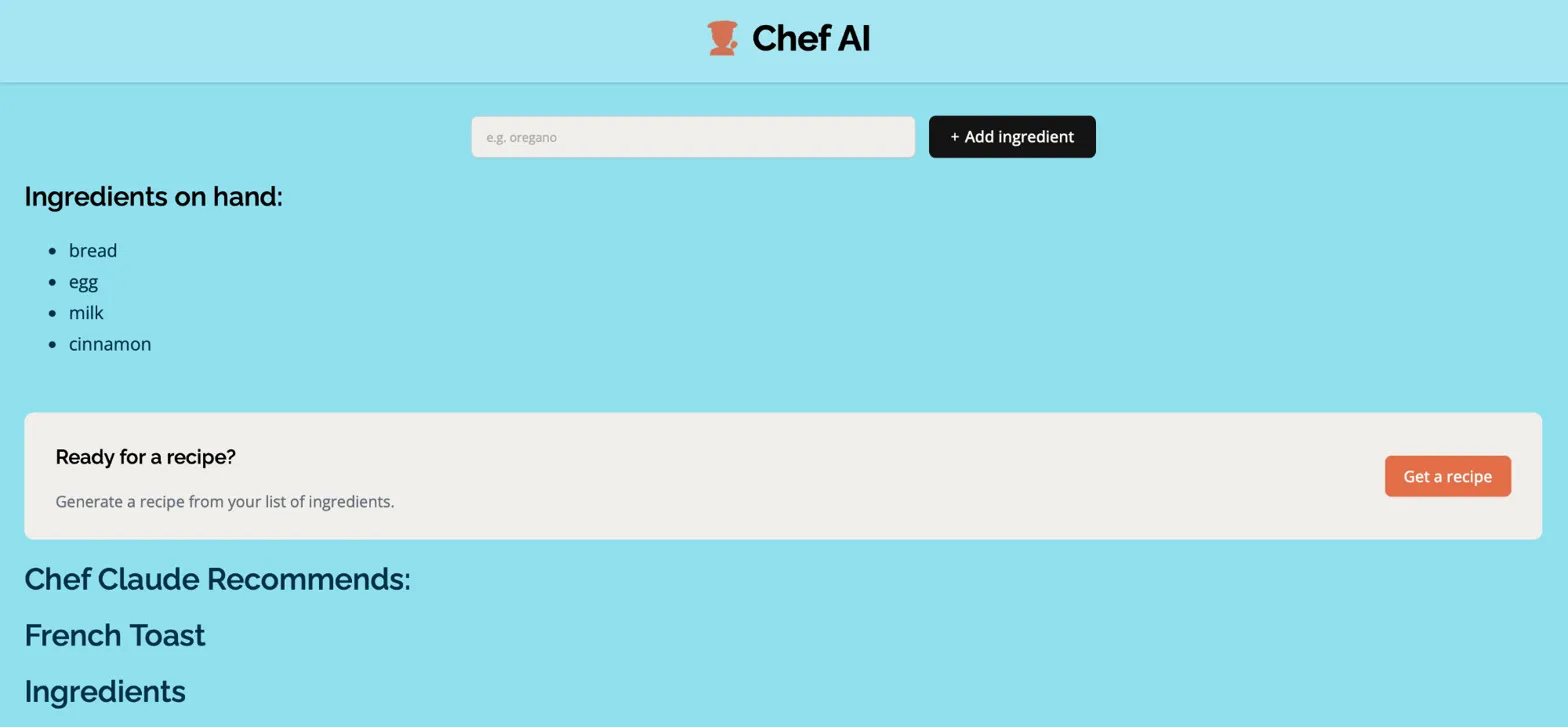
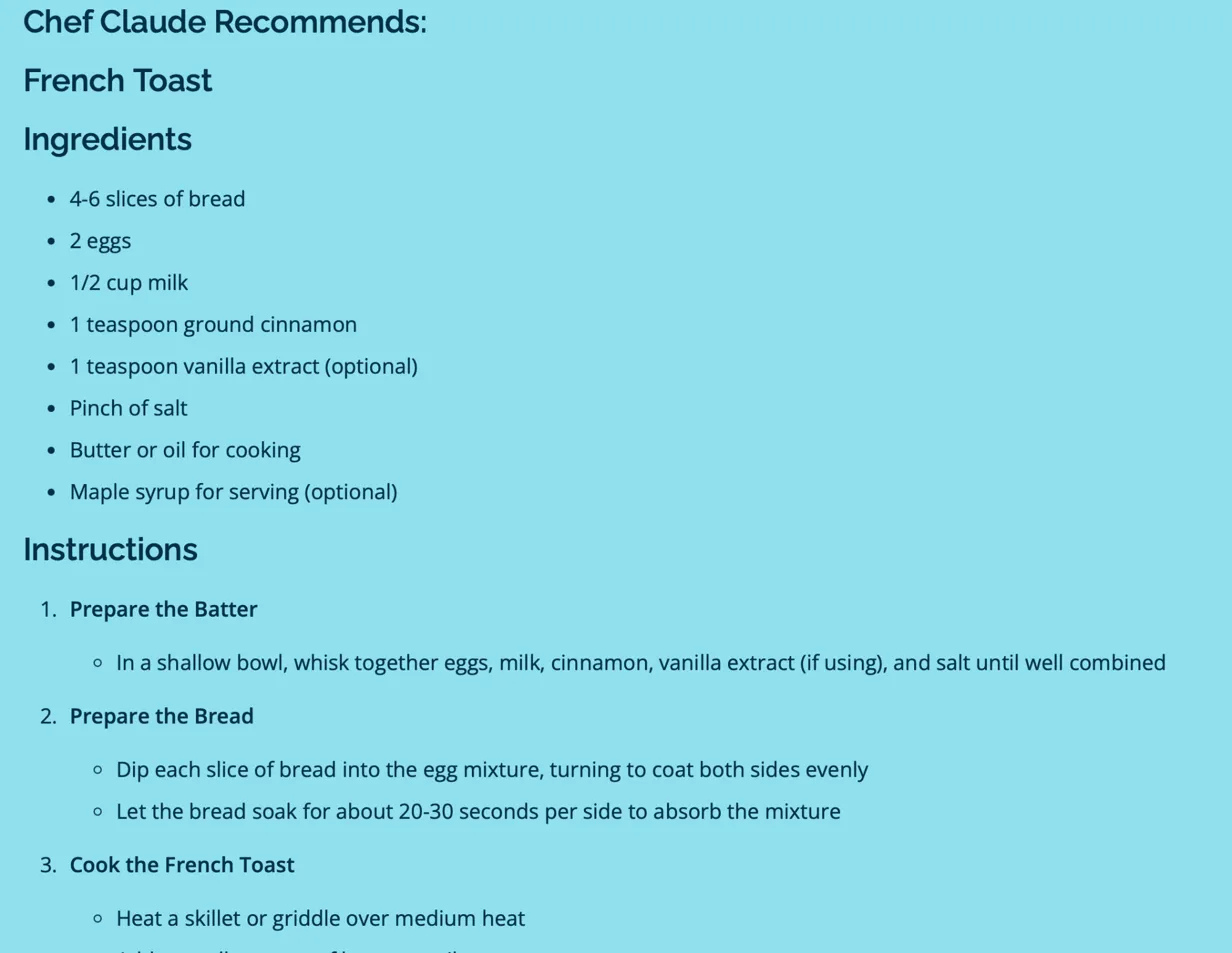
🛠️ Technologies Used
| Technology | Purpose |
|---|---|
| React 19 | Latest React with modern hooks |
| Claude AI API | Anthropic's powerful language model |
| Vite | Fast build tool and dev server |
| React Markdown | Markdown rendering for recipes |
| Font Awesome | Icon library |
| CSS3 | Custom styling with modern CSS features |
📋 Prerequisites
Before you begin, ensure you have:
- ✅ Node.js (v18.0.0 or higher)
- ✅ npm or yarn package manager
- ✅ An Anthropic API key (Get one here)
⚙️ Installation
1️⃣ Clone the repository
git clone https://github.com/yourusername/chef-ai.git
cd chef-ai
2️⃣ Install dependencies
npm install
3️⃣ Set up environment variables
Create a .env file in the root directory:
VITE_ANTHROPIC_API_KEY=your_anthropic_api_key_here
VITE_HF_ACCESS_TOKEN=your_huggingface_token_here
4️⃣ Start the development server
npm run dev
5️⃣ Open in browser
Navigate to http://localhost:5173 🎉
🎯 Usage
-
Add Ingredients 🥕
Type an ingredient in the input field and click "Add ingredient" -
Build Your List 📋
Continue adding ingredients you have available -
Generate Recipe ✨
Once you have 4 or more ingredients, click "Get a recipe" -
View Recipe 👨🍳
The AI will generate a customized recipe with instructions
🏗️ Project Structure
chef-ai/
├── src/
│   ├── components/
│   │   ├── Header.jsx          # App header with logo
│   │   ├── Main.jsx             # Main component with state management
│   │   ├── IngredientsList.jsx  # Ingredients list display
│   │   └── ClaudeRecipe.jsx     # Recipe display component
│   ├── images/                  # App images and logos
│   ├── ai.js                    # AI API integration
│   ├── App.jsx                  # Root component
│   ├── index.css                # Global styles
│   └── index.jsx                # App entry point
├── index.html
├── vite.config.js
├── package.json
└── README.md
🔧 Configuration
API Models
The app is configured to use Claude 3.5 Haiku by default. You can switch models in ai.js:
model: "claude-3-5-haiku-20241022"
Styling
Customize the look by modifying index.css. The app uses:
- 🎨 Google Fonts: Raleway and Open Sans
- 🌈 Custom color scheme with blue accents
- 📱 Responsive breakpoints for mobile devices
🚢 Deployment
Deploy to Vercel (Recommended)
- Push your code to GitHub
- Import your repository on Vercel
- Add environment variables in Vercel dashboard
- Deploy! 🚀
Deploy to Netlify
- Run
npm run build - Upload the
distfolder to Netlify - Configure environment variables
- Deploy! 🚀
📧 Contact
Amulya Bathula
Portfolio: https://amulya-bathula-portfolio.vercel.app
Email: amulya1292@gmail.com