
API-LLM-Hub
AmanPriyanshu/API-LLM-Hub
Interface unificada para múltiplos LLMs direto no browser, sem setup complexo
Ver no GitHubInterface JavaScript vanilla para integrar múltiplas APIs de LLM (OpenAI, Claude, Gemini, Together) diretamente no navegador, sem backend ou build steps. Simplifica o acesso a diferentes provedores de IA com uma API unificada e pronta para páginas estáticas.
Instalação
npx convez-ai AmanPriyanshu/API-LLM-Hub1 comando no terminal: detecta o formato do repositório (marketplace ou plugin avulso) e instala via Claude Code. Requer Node 18+ e o Claude Code instalado.
Métricas
Casos de uso
- Protótipos de IA baseados em navegador
- Adicionar recursos de IA a websites estáticos
- Extensões de navegador aprimoradas com IA
- Projetos educacionais com múltiplos provedores
Veredito

Solução prática para quem precisa integrar LLMs em páginas estáticas sem infraestrutura backend. O suporte a múltiplos provedores via interface unificada é valioso, mas a segurança da chave de API no cliente permanece um trade-off que merece atenção.
README
A tradução para o português deste README ainda está na fila.
API-LLM-Hub
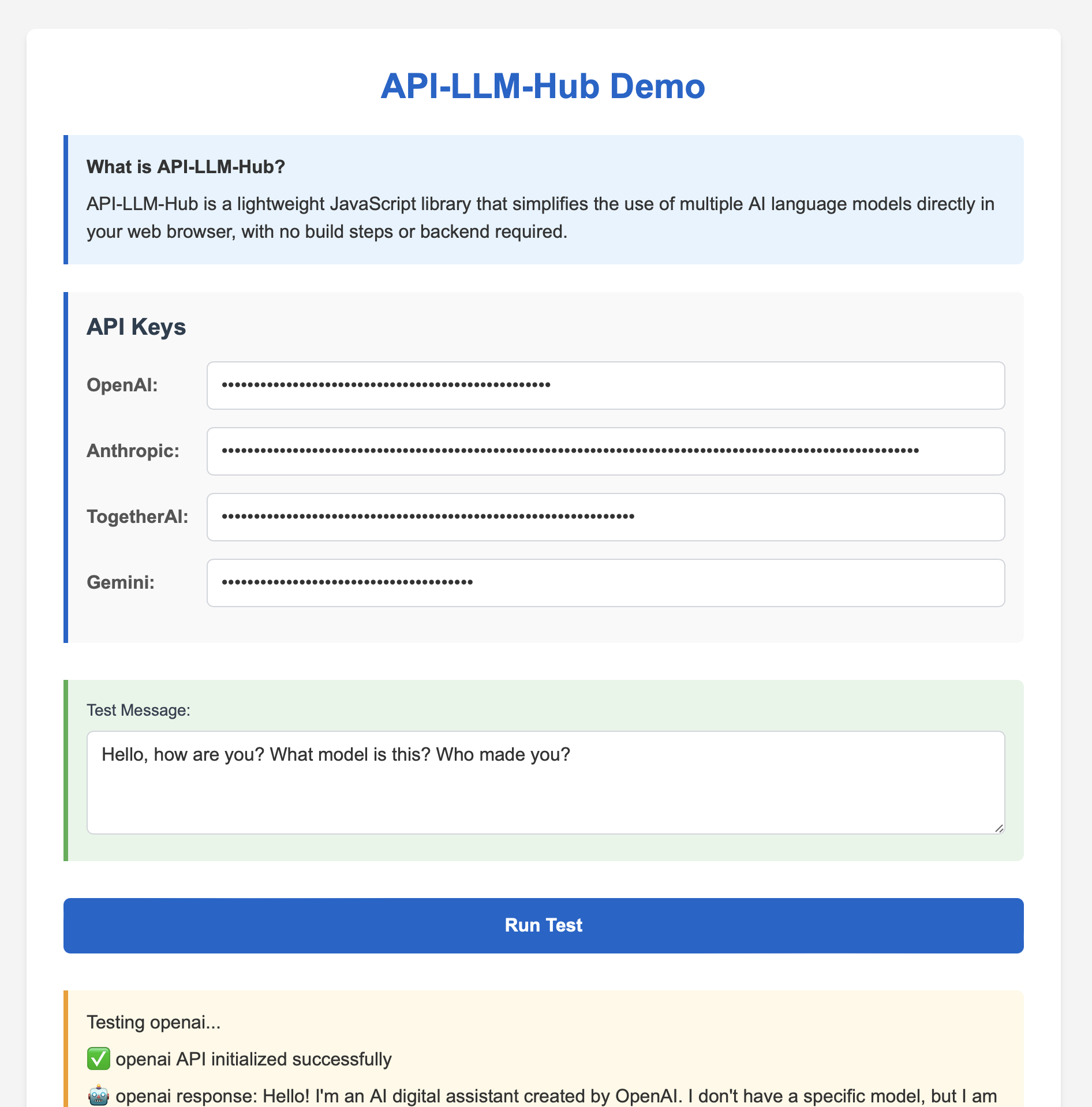
API-LLM-Hub is a lightweight JavaScript library that simplifies the use of multiple AI language models directly in your web browser. It offers a straightforward interface for interacting with various AI providers through vanilla JavaScript, with no build steps or backend required.
Find it interesting? Do ⭐ the repo!
Key Features
- Simple Integration: Include a single script and start using AI in your web projects.
- Browser-Focused: Designed for easy use in static web pages and client-side applications.
- CORS-Friendly: Helps avoid common deployment issues, particularly with certain providers (https://github.com/anthropics/anthropic-sdk-typescript/issues/410).
- API-LLM-Hub: Consistent interface across multiple AI providers for easier development.
- Quick Prototyping: Rapidly integrate AI capabilities into static web projects.
Supported Providers
- OpenAI
- Anthropic
- TogetherAI
- Google's Gemini
Getting Started
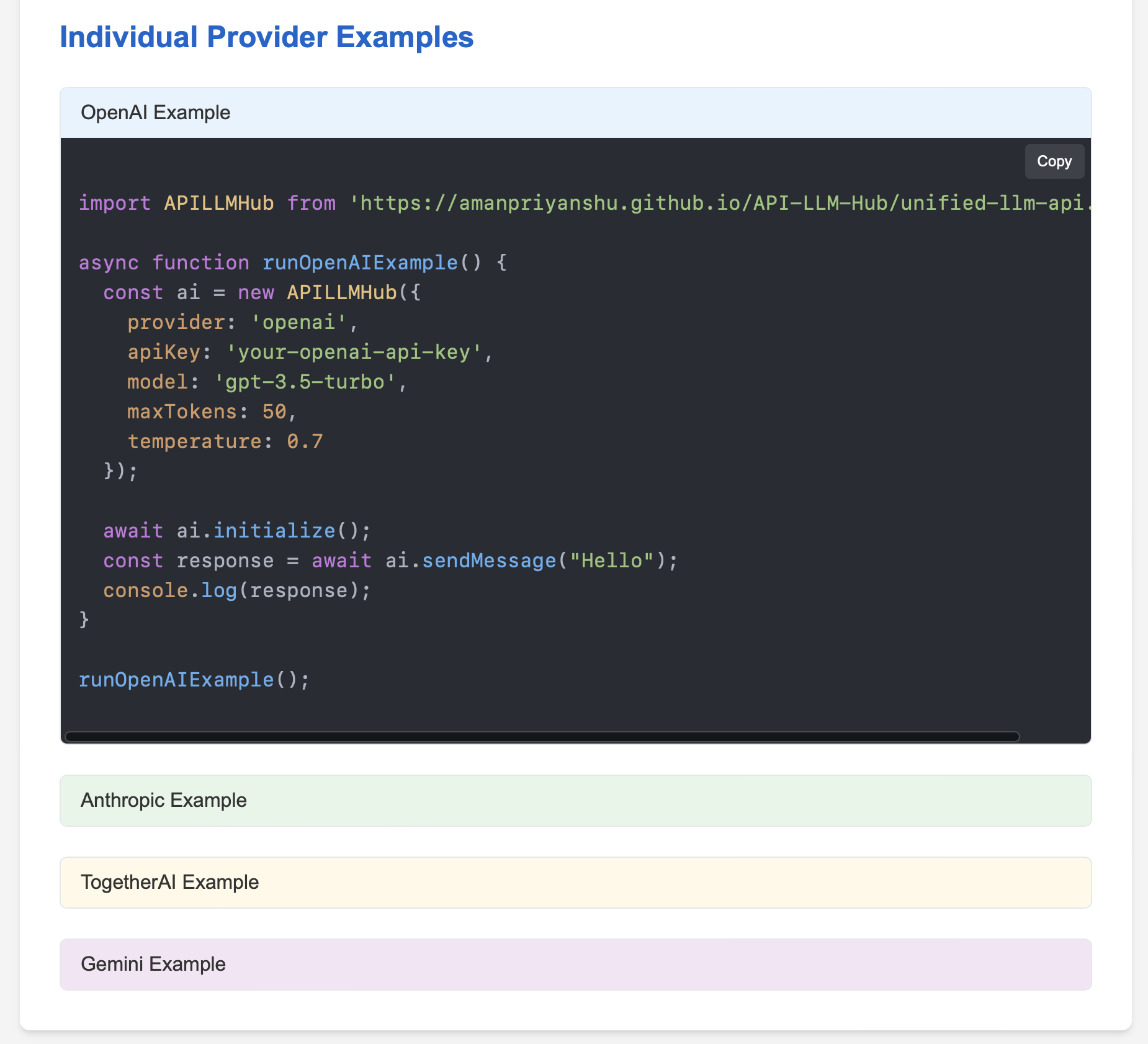
Include the script and use API-LLM-Hub with just a few lines of code:
<script type="module">
  import APILLMHub from 'https://amanpriyanshu.github.io/API-LLM-Hub/unified-llm-api.js';

  async function runTest() {
    const ai = new APILLMHub({
      provider: 'openai',
      apiKey: 'your-api-key',
      model: 'gpt-3.5-turbo'
    });

    await ai.initialize();
    const response = await ai.sendMessage("Hello, AI!");
    console.log(response);
  }

  runTest();
</script>
Practical Benefits
- Works with Static Pages: Suitable for use with GitHub Pages, Netlify, or similar static hosting.
- No Dependencies: Self-contained in a single, small JavaScript file.
- Easy Provider Switching: Change between AI providers by modifying a single parameter.
Use Cases
- Browser-based AI prototypes
- Adding AI features to static websites
- AI-enhanced browser extensions
- Educational projects showcasing multiple AI providers
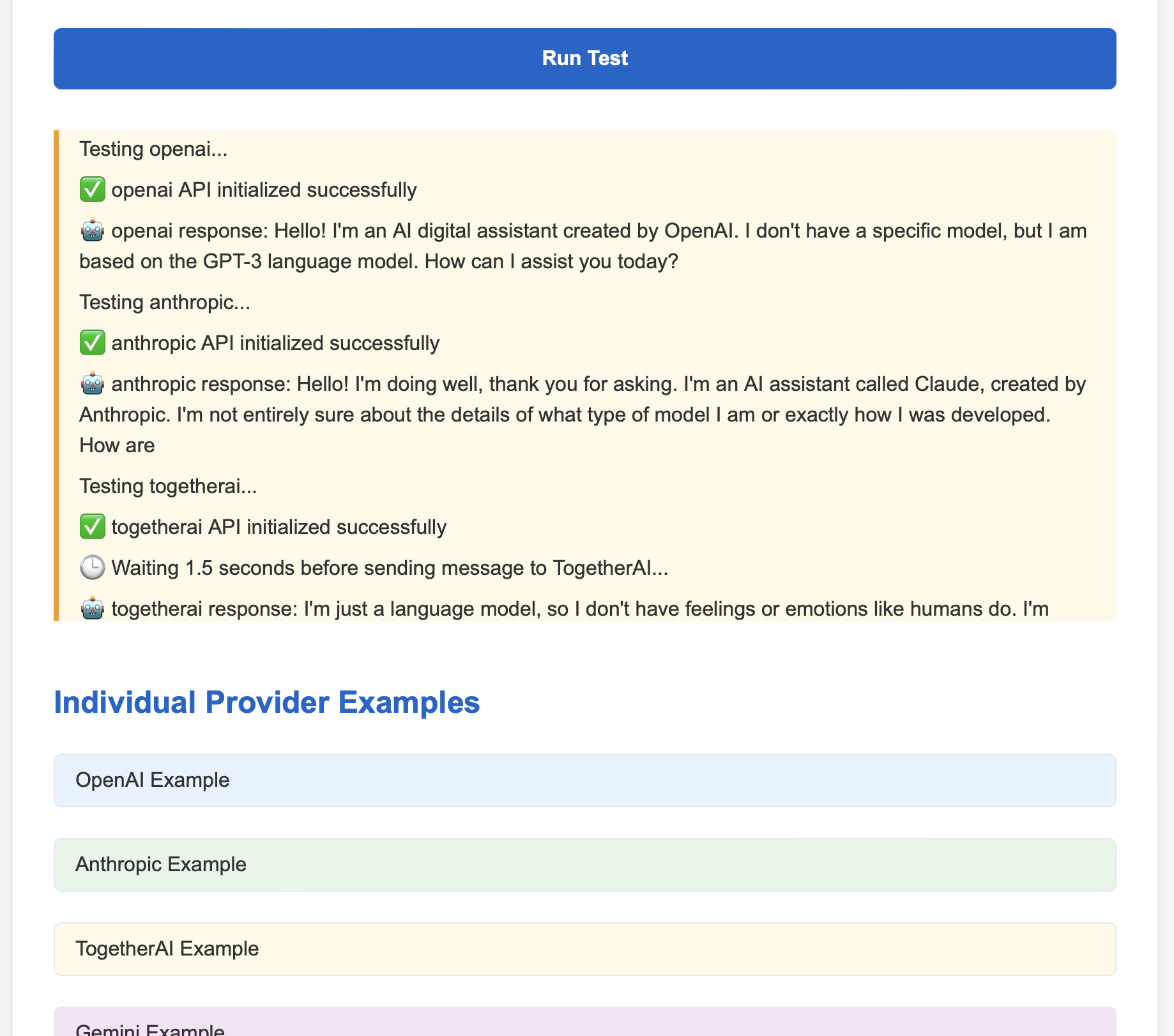
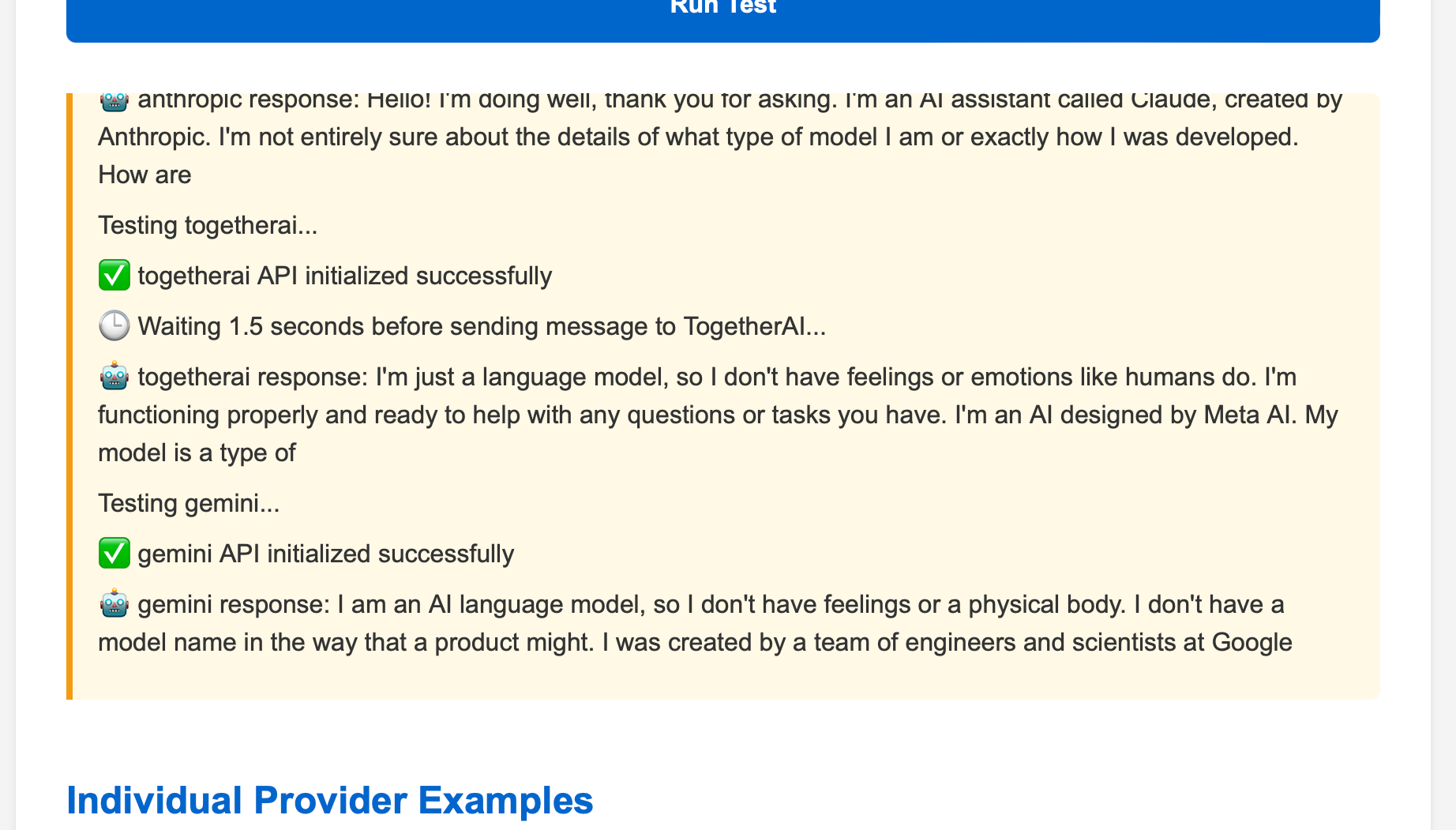
Demo Samples
Why Use API-LLM-Hub
API-LLM-Hub addresses some common challenges in web-based AI integration:
- Browser-Native: Runs directly in the browser, unlike server-side libraries.
- No Build Process: Works out of the box, without complex setup or installation.
- Static Page Compatible: Ideal for projects without a backend server.
- CORS Issue Mitigation: Helpful for providers with known cross-origin challenges.
Contributing
We welcome contributions to API-LLM-Hub. Whether it's bug fixes, new provider integrations, or documentation improvements, your input is valuable.
License
API-LLM-Hub is available under the MIT License. Please see the LICENSE file for full details.