
KMP Glassmorphism Design System
Aks-4125/kmp-glassmorphism-skill
Sistema glassmorphism completo para KMP/Compose com componentes production-ready
Ver no GitHubSkill pronto para produção que ensina assistentes de IA como implementar um sistema de design glassmorphism completo em Kotlin Multiplatform e Compose Multiplatform. Inclui 10 componentes UI prontos (tema, superfícies, cards, botões, campos de texto, dropdowns, chat bubbles e backgrounds animados) com suporte a múltiplas plataformas (Desktop JVM, Android, iOS, Web).
Instalação
npx convez-ai Aks-4125/kmp-glassmorphism-skill1 comando no terminal: detecta o formato do repositório (marketplace ou plugin avulso) e instala via Claude Code. Requer Node 18+ e o Claude Code instalado.
Métricas
Casos de uso
- Implementar design glassmorphism em apps KMP/Compose
- Criar interfaces UI premium com transparência e gradientes
- Padronizar componentes de vidro em projetos multiplataforma
- Ensinar assistentes de IA a gerar código glassmorphism Kotlin
Veredito

Skill bem-estruturado e pronto para uso que resolve um nicho específico de design em KMP. A documentação está completa, os componentes são production-ready e integra-se bem com o fluxo de trabalho de múltiplos assistentes de IA (Claude, Copilot, Cursor, Gemini).
README
A tradução para o português deste README ainda está na fila.
KMP Glassmorphism UI Skill
A production-grade AI Agent Skill that teaches any AI coding assistant how to implement a complete Glassmorphism Design System for Kotlin Multiplatform (KMP) / Compose Multiplatform projects.
Screenshots
| Dark Mode | Light Mode |
|---|---|
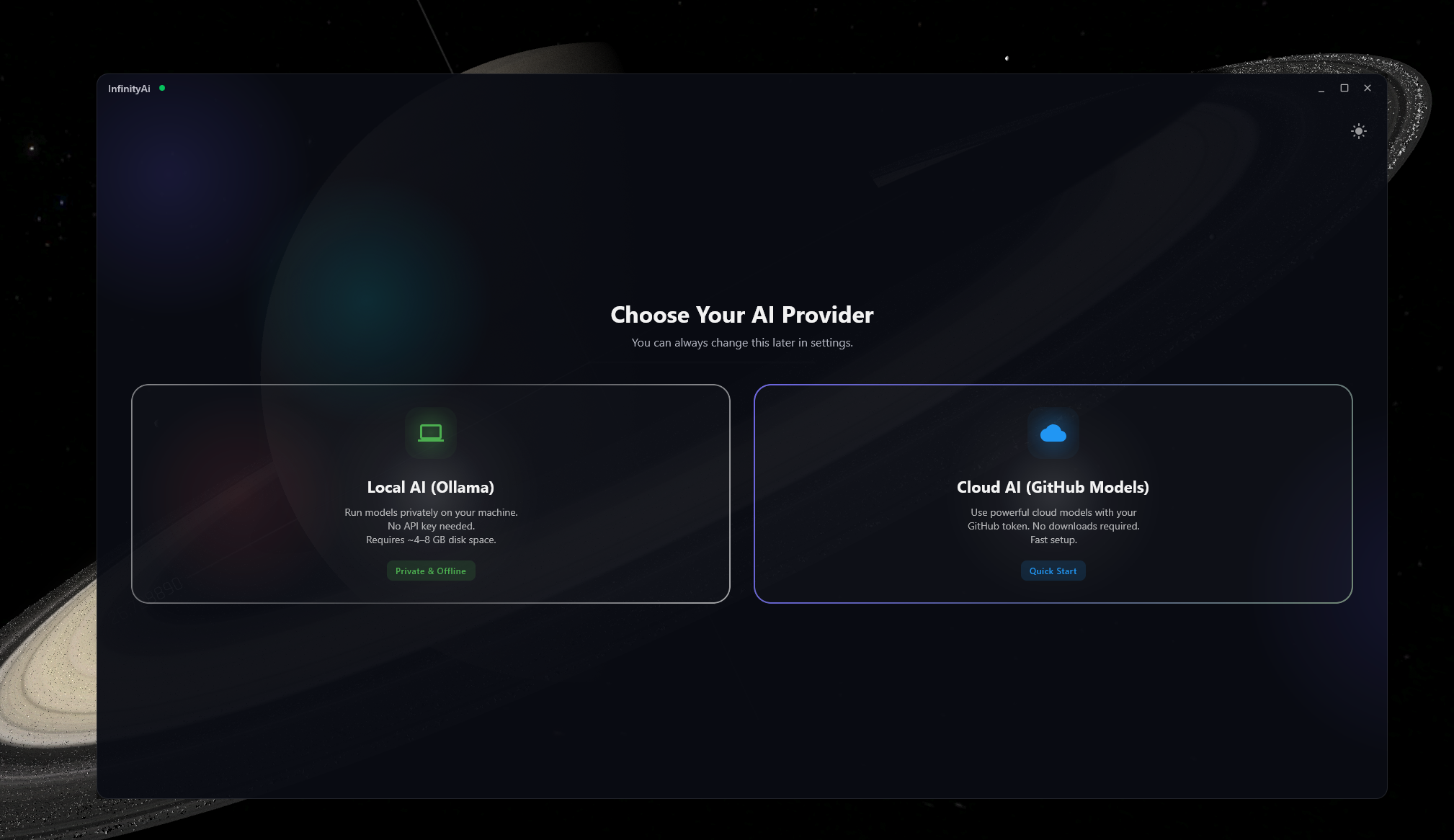 | 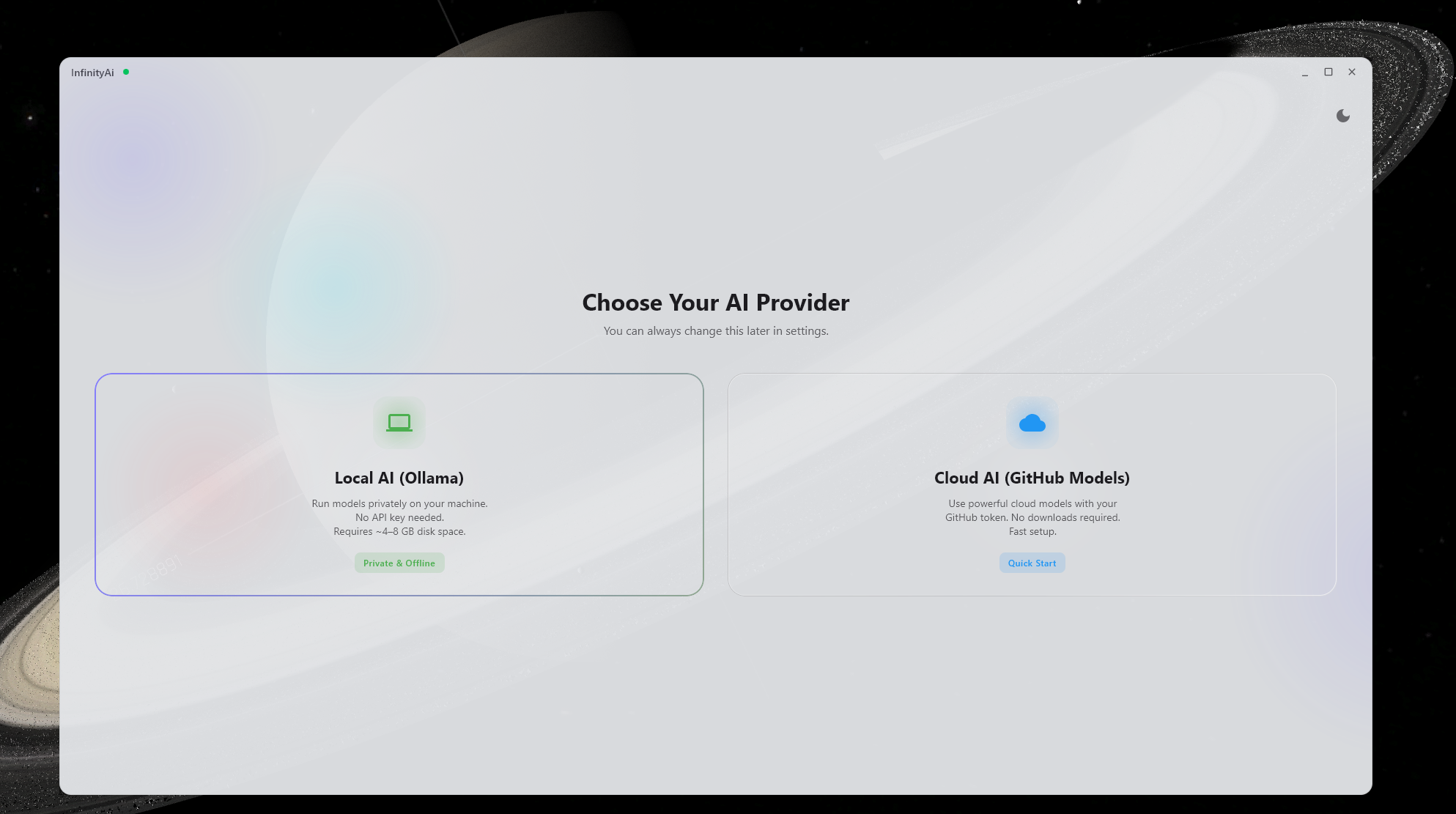 |
What is this?
This is a SKILL.md-standard skill — a self-contained knowledge package that any AI agent (Claude, GPT, Copilot, Cursor, Gemini CLI, etc.) can read and use to implement glassmorphism UI in your KMP project. The skill contains:
SKILL.md— The main instruction file read by AI agentsassets/— Production-ready Kotlin component source codereferences/— Design tokens, transparency guide, version compatibilityexamples/— Three working example implementations
Components Included
| Component | Description |
|---|---|
| GlassTheme | Material3 theme with dark/light glassmorphism color schemes and typography |
| GlassSurface | Semi-transparent surface with gradient background and border |
| GlassCard | Premium card with radial white glow and shimmering border |
| GlassButton | Pill-shaped button with hover-responsive gradient |
| GlassTextField | Text input with glass styling, leading/trailing icon slots |
| GlassDropdown | String-based dropdown selector |
| GlassRichDropdown<T> | Generic type-safe dropdown with custom rendering |
| GlassChatBubble | Chat message bubble with asymmetric corners |
| GlassSidebar | Translucent sidebar panel |
| LiquidBackground | Animated radial gradient blob background |
Transparency Support
| Platform | Window Transparency |
|---|---|
| Desktop JVM | ✅ Full (transparent + undecorated window) |
| Android | ⚠️ Partial (translucent activity) |
| iOS | ⚠️ Partial (clear UIViewController) |
| WASM/Web | ✅ Full (CSS canvas background) |
See references/transparency-guide.md for platform-specific setup.
How to Use This Skill
With Claude Code / Anthropic
Place the skill directory in your project:
your-project/
├── .agent/skills/kmp-glassmorphism-ui/
│   ├── SKILL.md
│   ├── assets/
│   ├── references/
│   └── examples/
Claude will automatically discover and use the skill when you ask for glassmorphism UI.
With GitHub Copilot
Place in your .github/copilot/skills/ directory or reference in your .github/copilot-instructions.md:
your-project/
├── .github/copilot/skills/kmp-glassmorphism-ui/
│   ├── SKILL.md
│   └── ...
With Cursor
Place in your .cursor/skills/ directory:
your-project/
├── .cursor/skills/kmp-glassmorphism-ui/
│   ├── SKILL.md
│   └── ...
With Gemini CLI (Google)
Place in your .gemini/skills/ directory:
your-project/
├── .gemini/skills/kmp-glassmorphism-ui/
│   ├── SKILL.md
│   └── ...
With Any Agent (Manual Reference)
If your AI tool doesn't support auto-discovery, simply tell it:
"Read the file at
path/to/kmp-glassmorphism-ui/SKILL.mdand follow its instructions to implement glassmorphism UI in my project."
Quick Start (Manual Integration)
If you prefer to integrate manually without an AI agent:
1. Copy the Theme
Copy assets/theme/GlassTheme.kt to your project's theme package. Change the package declaration to match your project.
2. Copy the Components
Copy the component files you need from assets/ to your project's component package:
assets/primitives/   → GlassSurface.kt, GlassCard.kt
assets/inputs/       → GlassTextField.kt, GlassButton.kt
assets/feedback/     → GlassChatBubble.kt
assets/navigation/   → GlassDropdown.kt, GlassRichDropdown.kt, GlassSidebar.kt
assets/background/   → LiquidBackground.kt
3. Update Package Names
Find and replace glassmorphism.ui.component and glassmorphism.ui.theme with your project's actual package names.
4. Wrap Your App
// In your App.kt or main composable:
GlassTheme(darkTheme = true) {
    LiquidBackground {
        // Your app content using Glass* components
        GlassSurface {
            Text("Hello, Glass World!")
        }
    }
}
5. Add Dependencies
Ensure your build.gradle.kts includes:
implementation(compose.runtime)
implementation(compose.foundation)
implementation(compose.material3)
implementation(compose.materialIconsExtended)
Examples
- Basic Glass App — Minimal app with theme + background + surface + button
- Chat Interface — Full chat UI with sidebar, bubbles, input, dropdown
- Transparent Window — Desktop window transparency with custom title bar
References
- Design Tokens — Complete color palette, alpha guidelines, typography scale, gradient recipes
- Transparency Guide — Platform-specific window transparency setup
- Version Compatibility — Compose Multiplatform version matrix and platform feature support
Requirements
- Kotlin 1.9+
- Compose Multiplatform 1.5.0+
- Material3, Material Icons Extended, Compose Foundation
License
MIT — See LICENSE