
Stargate
akinjide/stargate
Classifica e resume emails automaticamente com IA
Ver no GitHubUm agente de IA que classifica automaticamente emails não lidos por categoria (serviços em nuvem, vendas, compras, etc.) e gera resumos diários na sua caixa de entrada. Usa n8n como orquestrador, Claude para classificação inteligente, Gmail para acesso aos emails e Supabase para persistência, com guardrails de segurança (redação de PII, limite de tokens, limpeza de HTML).
Instalação
npx convez-ai akinjide/stargate1 comando no terminal: detecta o formato do repositório (marketplace ou plugin avulso) e instala via Claude Code. Requer Node 18+ e o Claude Code instalado.
Métricas
Casos de uso
- Triagem automática de inbox com categorização inteligente
- Resumos diários de emails por relevância e tipo
- Integração com Slack para notificações de digests de email
Veredito

Solução madura e bem arquitetada para triagem de email em escala com segurança (PII redaction, RLS). Exige setup técnico considerável (n8n, Supabase, OAuth) mas resolve um problema real de produtividade com guardrails robustos.
README
A tradução para o português deste README ainda está na fila.
STARGATE
Project Execution - Orchestrator
Setup
- Credentials: Attach the following
- Gmail OAuth2 to all Gmail nodes
- Anthropic to the Anthropic node
- Slack OAuth2 (bot token,
chat:writescope) to all Slack nodes. - Supabase (service role key) to all Supabase nodes
- Bridge - Config workflow: Set the followng
digestHour(0-23 local)slackChannel(your slack channel to receive notifications)webhookBaseUrl(your n8n instance URL for the Undo webhook)supabaseUrl(your supabase instance URL)n8nHost(your n8n instance hostname)timezone(IANA standard timezone: https://datetime.app/iana-timezones)gmailBaseUrl(leave default)
- Undo Webhook: the "Undo / Not Dispose" button posts
message_idtowebhookBaseUrl. Wire that webhook workflow to remove the dispose label and re-classify. - Hourly cadence: Schedule Trigger fires every hour; the "Hour gate" branch exits early if
currentHour !== digestHour. This avoids managing per-timezone cron expressions. - Supabase Schema:
schemas/*.sqlonce before activating against your supabase instance.
Run
$ N8N_SECURE_COOKIE=false NODE_FUNCTION_ALLOW_BUILTIN=crypto n8n
Supabase Schema
Run this once against your Supabase project via the SQL editor or psql. All tables use uuid primary keys and timestamptz. RLS is enabled on every table; adjust policies to your auth setup.
Row Level Security
RLS denies all public access by default but the service-role key used by n8n bypasses RLS, so these policies protect against accidental public access.
Labeling / Classify
Flow overview
Schedule, Run Config, Gmail list (capped)
- Supabase dedupe (batch check)
- Filter already-classified
- Loop over new emails
- Gmail get full message
- Guardrails (strip HTML, cap, redact PII)
- Anthropic classify
- Parse + validate label
- Gmail add label
- Supabase write (hash + label + rationale)
- Supabase audit log
- Loop back
Guardrails (Prepare for LLM node)
All three policies run in order before text reaches Anthropic:
1. HTML or Plain Text
- Removes
<script>and<style>blocks entirely - Replaces block-level tags (
<p>,<div>,<br>, etc.) with newlines to preserve sentence flow - Decodes HTML entities (
&, ,“, hex escapes, etc.) - Falls back:
.text, stripped.htmlor.snippet
2. Length Cap (6000 chars ≈ 1500 tokens)
- Hard cap prevents runaway token usage on long threads / newsletters
- Truncates at the last sentence boundary within the cap window
- Appends
[…truncated]so the LLM knows context is partial
3. PII Redaction
- Credit/debit card numbers:
[REDACTED:CARD] - US SSNs:
[REDACTED:SSN] - Phone numbers:
[REDACTED:PHONE] password=,token=,api_key=values:[REDACTED:SECRET]- Bearer tokens / long API keys:
[REDACTED:APIKEY] - AWS access key IDs (AKIA…):
[REDACTED:AWSKEY] - Generic 32+ char hex/base64 strings:
[REDACTED:TOKEN] - IPv4 addresses:
[REDACTED:IP] - IBANs:
[REDACTED:IBAN] - Date-of-birth patterns:
[REDACTED:DOB] - In-body email addresses:
[REDACTED:EMAIL](From header preserved)
Labels
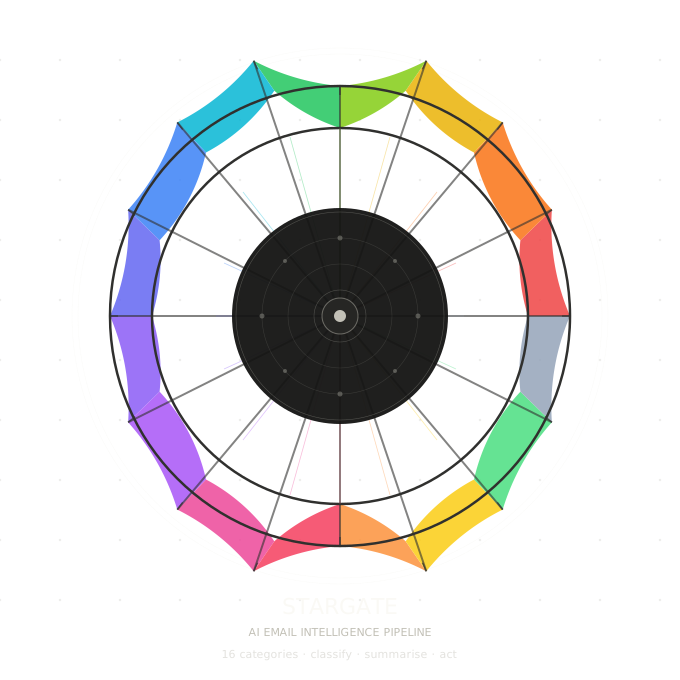
17 primary label - display name and intended use
- STARGATE/Action Required - Needs a human decision or response
- STARGATE/Internal - Team comms, HR, IT, company announcements
- STARGATE/Security - Login alerts, MFA codes, breach notices, access requests
- STARGATE/Finance - Banking, invoices, payroll, tax, expenses
- STARGATE/Legal & Compliance - Contracts, NDAs, DPAs, regulatory, audit, legal / compliance mail
- STARGATE/Cloud Services - SaaS billing, infra alerts, subscription notices
- STARGATE/Dev & Code - Git, PRs, CI/CD, build and deploy alerts, code reviews
- STARGATE/Customer Support - Helpdesk threads, vendor support, case updates
- STARGATE/Recruiting - Job applications, interviews, offers, hiring platforms
- STARGATE/Calendar & Meetings - Invites, reschedules, meeting links, RSVPs
- STARGATE/Travel - Flights, hotels, transport, itineraries, trip confirmations
- STARGATE/Sales - Sales, CRM, pipeline, inbound leads, proposals
- STARGATE/Newsletters - Digests, editorial, media, industry updates
- STARGATE/Shopping - Orders, shipping, delivery, retail receipts
- STARGATE/Social Updates - LinkedIn, social platform digests, follower notifications
- STARGATE/Personal - Clearly non-work personal mail
- STARGATE/Dispose (auto-delete pending) - Low-value promo, cold outreach, marketing blasts (prefer not trash if unsure)
Slack Digest
Flow overview
Schedule (hourly), Hour gate
- Gmail fetch labelled emails
- Supabase load label_map
- Aggregate by label
- Loop over categories:
- Supabase check: summary exists for today?
- YES (cached): use stored summary
- NO: Anthropic summarise and Supabase store summary
- Build Block Kit section
- Supabase check: summary exists for today?
- Assemble digest
- Slack post digest
Anti-hallucination instructions baked into LLM prompt
- "Only summarise what is explicitly present in the emails provided."
- "If a detail is unclear or missing, write unknown — never guess."
- "Do not add context, advice, or information not found in the source emails."
- Bullet limit: max 5 bullets per category, ≤ 15 words each.
Undo Label
Triggered by the ↩ Undo / Not Dispose button in Slack.
Flow overview
- Webhook receives Slack interactive payload POST
- Parse undo payload and extracts
message_ids[]from button value JSON - ACK Slack with 200 immediately
- Loop: for each message ID:
- Remove
disposelabel - Add
action_requiredlabel (so it surfaces in tomorrow's digest)
- Remove
- Respond 200 OK to Slack (within 3s timeout)
- Email resurfaces in tomorrow's digest
Why the button may not fire
Slack interactive payloads are always POST. The most common reasons the webhook is never hit:
-
Interactivity Request URL not set: go to api.slack.com → Your App → Interactivity & Shortcuts → Request URL and paste your n8n webhook production URL:
webhookBaseUrlSlack will send a verification GET withchallenge; n8n's webhook node responds automatically. -
Workflow not active: the production URL (
/webhook/...) only works when the n8n workflow is toggled Active. During dev, use the test URL (/webhook-test/...) and trigger manually.
Global Error Handler
This single workflow catches failures from ALL other STARGATE workflows.
What it does
- Receives the n8n error payload (workflow name, node name, error message, execution ID)
- Enriches and normalises the error
- Checks Supabase
error_logfor a recent duplicate and suppresses Slack if same workflow+node errored within the last 20 minutes - If NOT suppressed AND execution mode is not manual, posts a Block Kit alert Slack
- Writes every error to
error_logregardless of suppression
Project Idea
An AI email agent that auto-labels (e.g. cloud services, sales, shopping, dispose, etc.) and summarizes unread emails in your inbox daily based on some relevance settings.
Irrelevant emails labeled as dispose will be automatically deleted at the end of the week or on-demand by user but the each label summaries are sent to Slack which gives users time to focus on other high priority work instead of navigating through noise or a cluttered inbox.
Project Q&A
What does success look like for this project? Provide a brief description of what a successful product would accomplish.
This project will be considered successfully based on the following core metrics:
- Accuracy - agent labels emails correctly with a low false-positive rate (important emails marked as dispose is the failure mode that kills trust). A >90% precision rate on "irrelevant" classifications is the bar to clear.
- Time reclaimed - measurable reduction in time spent in email per week.
- Adoption — users stop manually sorting email and actually rely on the Slack digest instead of returning to their inbox out of habit. If people are still triaging email themselves, the agent hasn't changed behavior.
Business Case
List of skills/technologies used in building the project
N8N, Google Mail API, OpenAI (or Antropic), Slack, Supabase
What stage of development is your project currently in?
- Idea/Concept
- Planning/Design
- In Progress (early stage)
- In Progress (mid-stage)
- Near Completion
How innovative or novel do you consider your project idea to be?
4 - Highly innovative