
bolna-mcp
abhinav7895/bolna-mcp
MCP server for Bolna Voice AI - manage agents, make calls, run campaigns, and more through natural language
Instalação
npx convez-ai abhinav7895/bolna-mcp1 comando no terminal: detecta o formato do repositório (marketplace ou plugin avulso) e instala via Claude Code. Requer Node 18+ e o Claude Code instalado.
Métricas
README
A tradução para o português deste README ainda está na fila.
Bolna MCP Server


Manage voice AI agents, make calls, run campaigns, and more — through natural language.
Demo
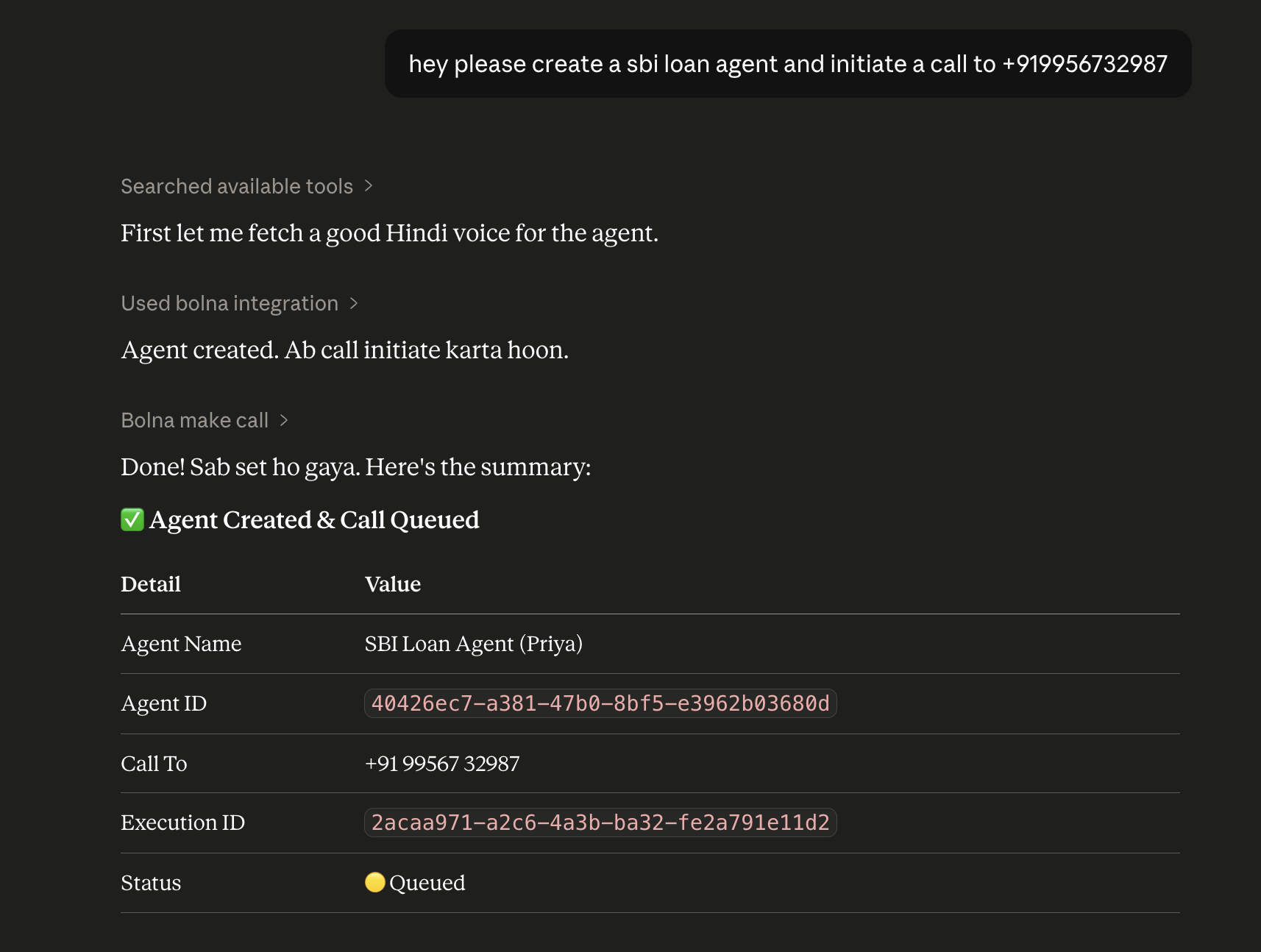
Supported Features
🤖 Agents
Build and manage AI voice agents on the Bolna platform.
Create & Configure — Create agents with custom system prompts, voices, and task configs
Manage — Get, list, update, patch, and delete agents
Control — Stop all queued calls for an agent instantly
📞 Calls
Make and manage outbound voice calls.
Outbound Calls — Initiate calls with optional scheduling, retry logic, and dynamic user context
Call Control — Stop an active call at any time
📋 Batch Campaigns
Run outbound call campaigns at scale.
Create & Schedule — Upload a list of numbers and schedule campaigns
Monitor — Track batch status, call counts, and execution history
Control — Stop running batches or delete them
📊 Call History
Executions — Retrieve full call details including transcripts, recording URLs, and telephony data
Raw Logs — Access low-level call logs for debugging
📚 Knowledgebases
Create — Build knowledgebases from PDF files (base64) or web URLs
Manage — List, get, and delete knowledgebases
📱 Phone Numbers
Search & Buy — Find and purchase phone numbers for your account
Inbound Routing — Link phone numbers to agents for inbound call handling
🎯 Dispositions
Extraction — Define structured outputs to extract from call transcripts
Bulk & Test — Create multiple dispositions at once and test them against sample transcripts
🔌 Providers & Integrations
Providers — Add, list, and remove telephony / LLM / TTS providers
Custom LLMs — Plug in your own LLM endpoint
🏢 Sub-Accounts & SIP Trunks
Sub-Accounts — Create and manage sub-accounts with usage tracking
SIP Trunks — Configure SIP trunks and manage their associated numbers
Quick Start
{
  "mcpServers": {
    "bolna": {
      "command": "npx",
      "args": ["-y", "@abhinavyadav/bolna-mcp"],
      "env": {
        "BOLNA_API_KEY": "your_api_key_here"
      }
    }
  }
}
Get your API key at bolna.ai → Dashboard → API Keys.
Setup Instructions
Claude Desktop
Config file:
- macOS:
~/Library/Application Support/Claude/claude_desktop_config.json - Windows:
%APPDATA%\Claude\claude_desktop_config.json
{
  "mcpServers": {
    "bolna": {
      "command": "npx",
      "args": ["-y", "@abhinavyadav/bolna-mcp"],
      "env": {
        "BOLNA_API_KEY": "your_api_key_here"
      }
    }
  }
}
Antigravity (Google AI IDE)
Config file path:
- macOS/Linux:
~/.gemini/config/mcp_config.json
Add the server to your mcp_config.json under the mcpServers block:
{
  "mcpServers": {
    "bolna": {
      "command": "npx",
      "args": ["-y", "@abhinavyadav/bolna-mcp"],
      "env": {
        "BOLNA_API_KEY": "your_api_key_here"
      }
    }
  }
}
Alternatively, configure via the UI:
- Open the Agent Panel in the top right.
- Select Manage MCP Servers or go to Settings → Customizations.
- Add a custom MCP server:
- Command:
npx - Arguments:
-y @abhinavyadav/bolna-mcp - Environment Variables: Add
BOLNA_API_KEYset to your API key.
- Command:
Cursor
- Open Settings → Features → MCP
- Click + Add New MCP Server
- Set:
- Name:
bolna - Type:
command - Command:
env BOLNA_API_KEY=your_api_key_here npx -y @abhinavyadav/bolna-mcp
- Name:
Windsurf
Config file: ~/.codeium/windsurf/mcp_config.json
{
  "mcpServers": {
    "bolna": {
      "command": "npx",
      "args": ["-y", "@abhinavyadav/bolna-mcp"],
      "env": {
        "BOLNA_API_KEY": "your_api_key_here"
      }
    }
  }
}
VS Code (Cline / Roo Code)
Config file:
- macOS:
~/Library/Application Support/Code/User/globalStorage/saoudrizwan.claude-dev/settings/cline_mcp_settings.json
{
  "mcpServers": {
    "bolna": {
      "command": "npx",
      "args": ["-y", "@abhinavyadav/bolna-mcp"],
      "env": {
        "BOLNA_API_KEY": "your_api_key_here"
      }
    }
  }
}
Claude Code (CLI)
claude mcp add npx -- -y @abhinavyadav/bolna-mcp --env BOLNA_API_KEY=your_api_key_here
Example Prompts
Call +919999999999 using my "Demo Agent" and pass candidate name as "Rahul Sharma", age 25.
Create a Hindi appointment booking agent for a hospital, then make a test call to +919999999999.
Show me all executions for agent <agent_id>. Include transcripts for calls longer than 2 minutes.
Create a batch campaign for agent <agent_id> and schedule it for tomorrow at 10 AM IST.
Search for Indian phone numbers in area code 080, show the top 3 with prices, then buy the cheapest.
License
MIT