
Agent Session Viewer
abdu6666/agent-session-viewer
Navegador de sessões com web UI e TUI para Claude Code e Codex
Ver no GitHubVisualizador de sessões para Claude Code e Codex CLI que permite navegar, pesquisar e exportar histórico de conversas através de interface web ou TUI. Oferece filtros flexíveis, visualização de metadados completos e múltiplos formatos de exportação (HTML e texto).
Instalação
npx convez-ai abdu6666/agent-session-viewer1 comando no terminal: detecta o formato do repositório (marketplace ou plugin avulso) e instala via Claude Code. Requer Node 18+ e o Claude Code instalado.
Métricas
Casos de uso
- Revisar e analisar históricos de conversas de agentes
- Exportar sessões para documentação ou auditoria
- Pesquisar e filtrar conversas por data, projeto ou conteúdo
Veredito

Ferramenta prática para gerenciar e revisar sessões de Claude Code/Codex, com interfaces bem-pensadas (web e terminal). Útil para debugar workflows de agentes e manter histórico de conversas, embora seja específica ao ecossistema Claude.
README
A tradução para o português deste README ainda está na fila.
Agent Session View
A session viewer for browsing, viewing, and exporting conversation history from Claude Code and Codex CLI. Available as both a web interface and a terminal UI.
Features
- Unified Session Browser: View sessions from both Claude Code and Codex CLI in a single interface, sorted by timestamp (newest first)
- Rich Session Metadata: View session ID, timestamp, working directory, Git branch, model name, and CLI version
- Full Conversation History: Browse complete conversation threads with user messages, assistant responses, tool usage, and thinking blocks
- Flexible Message Filtering: Toggle visibility of user messages, assistant messages, tool use/results, and thinking blocks
- Multiple Export Formats:
- Plain Text: Clean, readable text format with headers and message separators
- Styled HTML: Beautiful HTML export with color-coded messages, collapsible long content, responsive design, and print-friendly styles
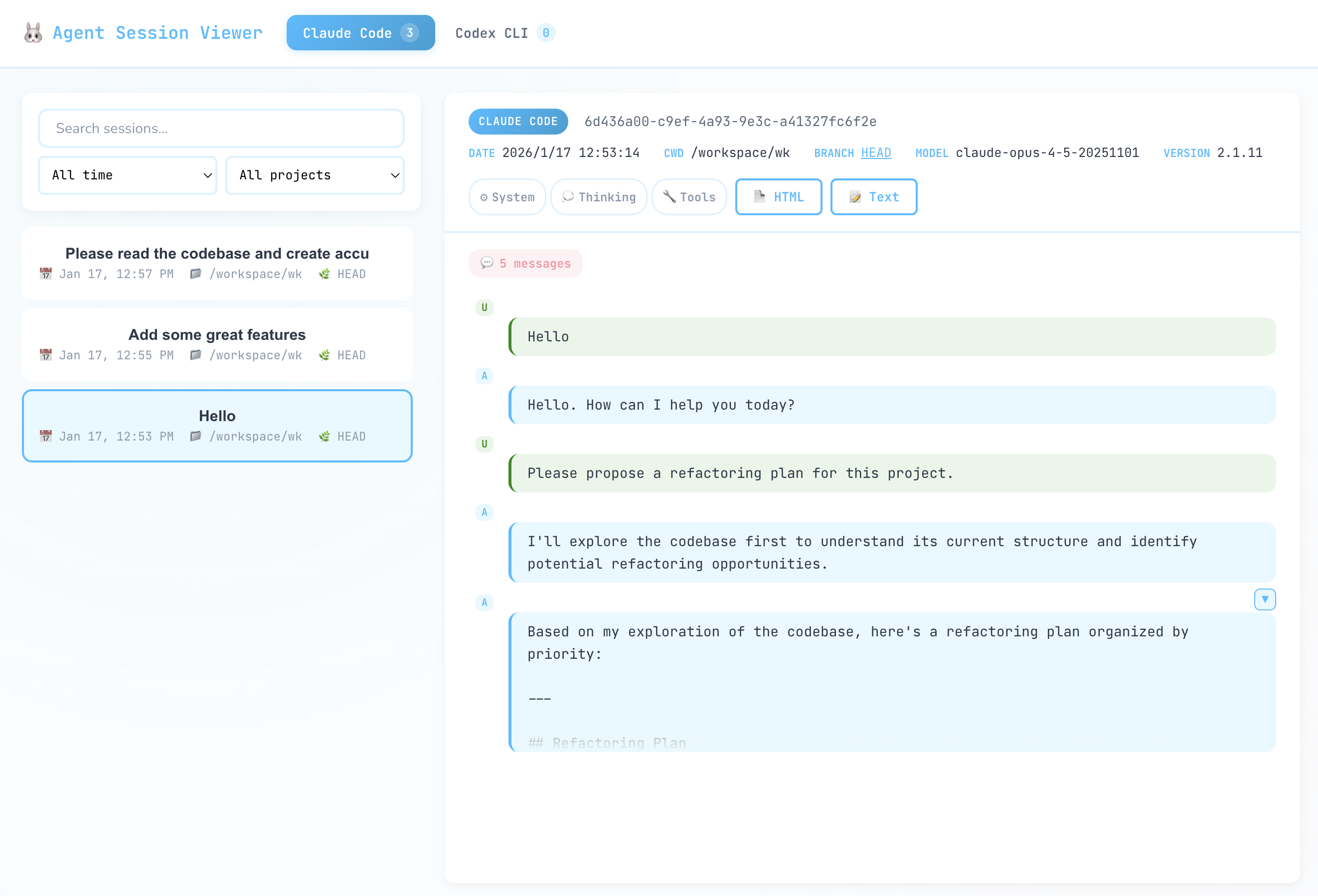
Screenshots
Installation
git clone https://github.com/dotneet/agent-session-view.git
cd agent-session-view
bun install
Quick Start
Web Mode (Recommended)
# Start web server
bun run web

# Development mode (with hot module replacement)
bun run web:dev
Access http://localhost:3456 in your browser.
TUI Mode
# Run TUI
bun run start

# Development mode (auto-restart on file changes)
bun run dev
Web Interface
The web interface provides a modern browser-based experience for viewing sessions:
- Session List: Browse sessions with real-time search and filtering
- Search: Filter sessions by keyword
- Date Filter: Filter by today, yesterday, this week, last week, this month, or all time
- Project Filter: Filter sessions by working directory
- Session Detail View: View full conversation history with syntax highlighting
- Export: Download sessions as HTML or plain text directly from the browser
API Endpoints
| Endpoint | Method | Description |
|---|---|---|
/api/sessions | GET | List sessions with optional filters |
/api/sessions/:agentType/:sessionId | GET | Get session detail |
/api/projects | GET | List projects (working directories) |
/api/export | POST | Export session to HTML/text |
TUI Interface
The TUI provides a keyboard-driven terminal experience.
List View
| Key | Action |
|---|---|
↑ ↓ | Navigate through sessions |
Enter | View session details |
TAB | Switch between Claude Code / Codex |
q / ESC | Exit application |
Detail View
| Key | Action |
|---|---|
↑ ↓ | Scroll through conversation |
o | Open export options menu |
t | Export as text |
h | Export as HTML |
v | Open HTML preview in browser |
q / ESC | Back to session list |
Export Options Menu
| Key | Action |
|---|---|
↑ ↓ | Navigate options |
Enter / Space | Toggle option |
o / ESC | Close menu |
Export
Exported files are saved to the ./exported/ directory with the naming pattern:
- Text:
session-{agent}-{session-id}.txt - HTML:
session-{agent}-{session-id}.html
Export Options
| Option | Default | Description |
|---|---|---|
| User messages | Enabled | Include user input messages |
| Assistant messages | Enabled | Include assistant responses |
| Tool use | Disabled | Include tool invocations and results |
| Thinking | Disabled | Include thinking/reasoning blocks |
HTML Export Features
- Color-coded message types (user, assistant, tool use, tool result, thinking)
- Collapsible long messages (auto-collapsed for content > 800 characters)
- Responsive design for mobile viewing
- Print-friendly CSS styles
- Custom fonts: Nunito (sans-serif), JetBrains Mono (monospace)
Supported Session Data
Claude Code Sessions
- User messages
- Assistant text responses
- Tool use (with input parameters)
- Tool results (truncated to 500 chars)
- Extended thinking blocks
Codex CLI Sessions
- User messages
- Assistant responses
- Function calls (with arguments)
- Function call outputs
- Reasoning blocks
Development
See DEVELOPER.md for detailed setup instructions and development guide.
License
MIT