
Claude Sounds Plugin
0xbaiqi/claude-sounds-plugin
Sons notificadores inteligentes para Claude Code com UI visual
Ver no GitHubPlugin que reproduz sons em eventos críticos do Claude Code (conclusão de tarefas, entrada necessária, erros). Oferece temas personalizáveis, interface web gráfica e configuração por projeto, sem dependências externas.
Instalação
npx convez-ai 0xbaiqi/claude-sounds-plugin1 comando no terminal: detecta o formato do repositório (marketplace ou plugin avulso) e instala via Claude Code. Requer Node 18+ e o Claude Code instalado.
Métricas
Casos de uso
- Receber alertas auditivos quando tarefas completam em segundo plano
- Distinguir tipos de eventos (erro, permissão, conclusão) por temas sonoros
- Configurar sons diferentes por projeto sem tocar em settings globais
Veredito

Solução bem-polida para feedback auditivo em automações Claude Code. A UI web elimina a barreira de linha de comando, e o sistema de temas adiciona flexibilidade real; a zero dependências externas é um ponto forte para ambientes restritivos.
README
A tradução para o português deste README ainda está na fila.
Claude Sounds Plugin
Play audio on Claude Code events — task done, input needed, tool calls, errors. Supports themes, per-project config, and a built-in graphical Web UI.
让 Claude Code 在关键事件时播放提示音,支持主题切换、项目级配置和图形化管理界面。
Screenshots / 界面预览
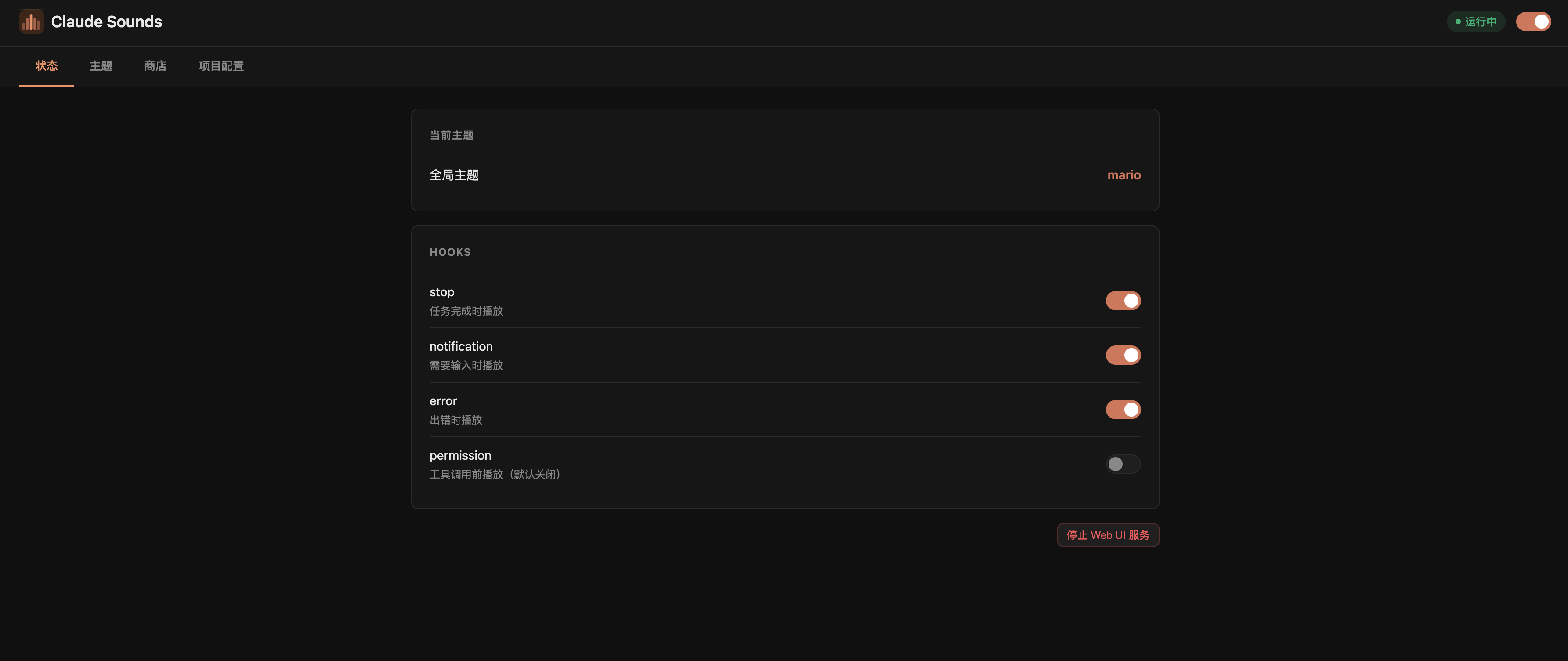
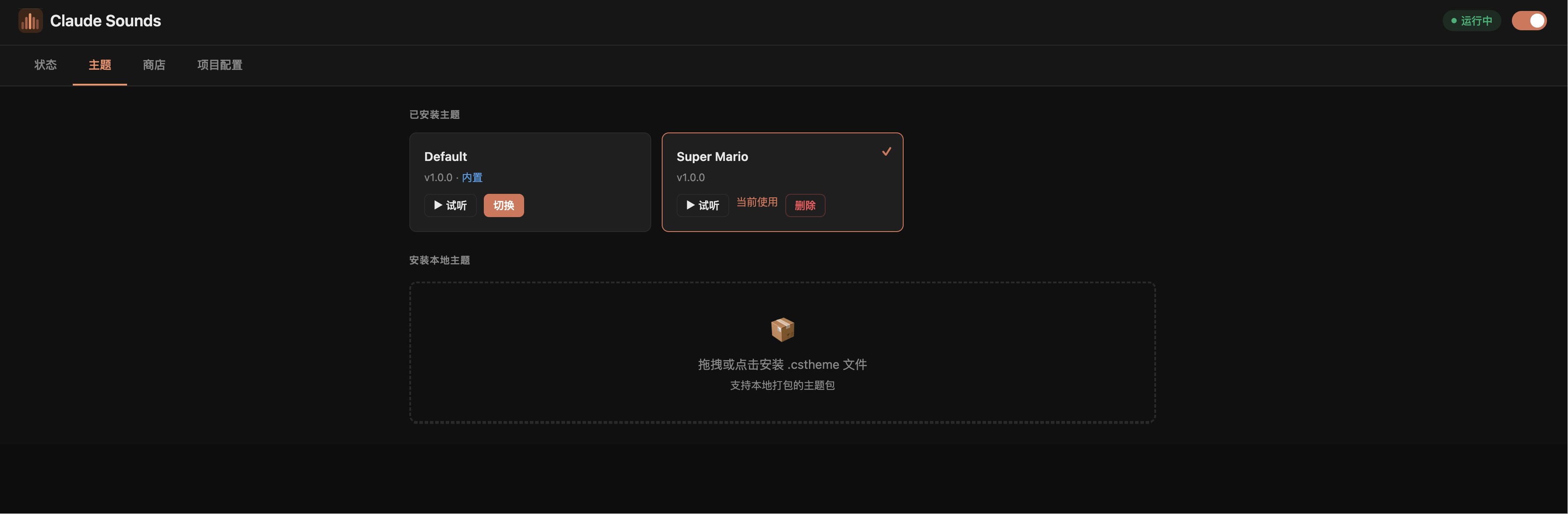
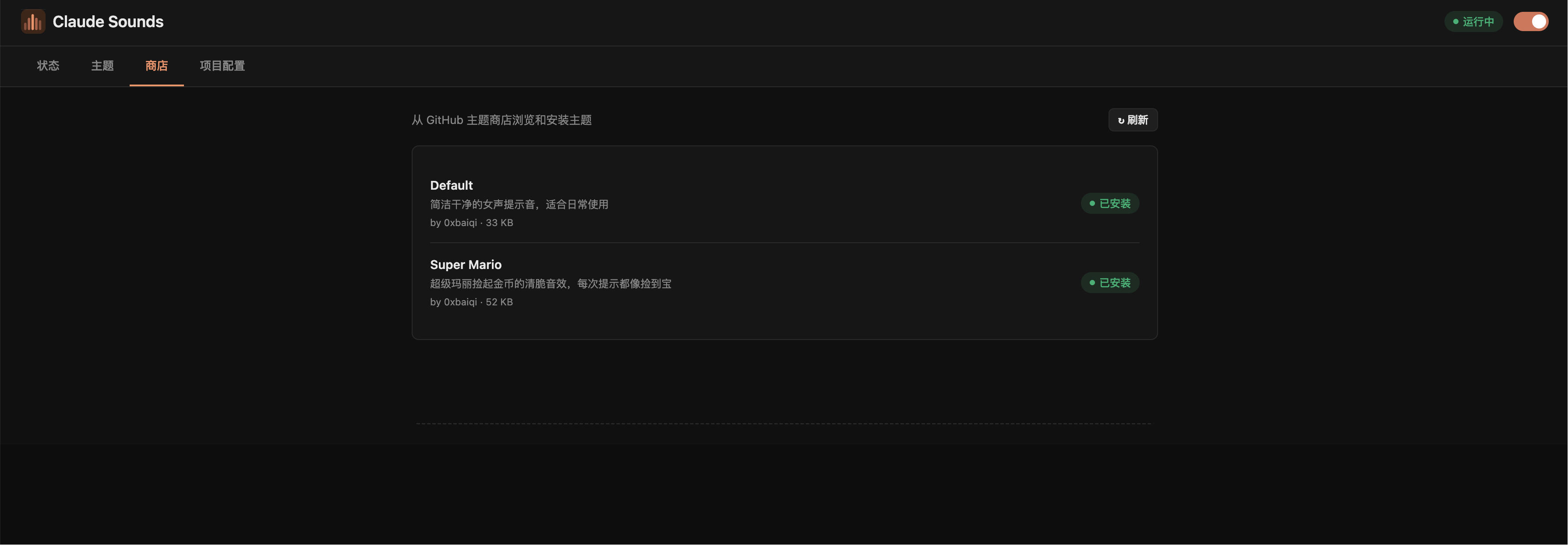
Features / 功能
- Plays sounds on Stop, Notification, Error, Permission, and PermissionRequest events
- Graphical Web UI for visual management (no command line required)
- Theme support — built-in default theme, install more from the store
- Per-project theme and hook overrides
- Cross-platform: macOS / Linux / Windows
- Zero external dependencies (pure Shell + Python 3 stdlib)
Supported Events / 支持的事件
| Event | Trigger | Default |
|---|---|---|
| Stop | Task completed | ✅ On |
| Notification | Input needed | ✅ On |
| Error | Error occurred | ✅ On |
| Permission | Before every tool call | ❌ Off |
| PermissionRequest | When permission dialog appears (v2.0.45+) | ✅ On |
Installation / 安装
git clone https://github.com/0xbaiqi/claude-sounds-plugin
cd claude-sounds-plugin
bash install.sh
Restart Claude Code to activate. / 重启 Claude Code 生效。
Usage / 使用
Graphical UI (recommended) / 图形界面(推荐)
/sounds:cs ui
Opens a browser-based dashboard to:
在浏览器中可视化管理:
- Toggle the plugin and individual hooks / 开关插件和各个 Hook
- Browse, preview, and switch themes / 浏览、试听、切换主题
- Install themes from the store / 从商店安装主题
- Install local
.csthemefiles / 安装本地.cstheme文件 - Configure per-project theme and hooks / 按项目配置主题和 Hook
Command Line / 命令行
/sounds:cs               Show current config / 查看当前配置
/sounds:cs help          Full command reference / 查看完整帮助
Basic control / 基本控制
/sounds:cs enable        Enable plugin / 启用插件
/sounds:cs disable       Disable plugin / 禁用插件
Hook management / Hook 管理
/sounds:cs hook status                  Show hook states / 查看状态
/sounds:cs hook enable  permission          Enable tool-call sound / 开启工具调用提示音
/sounds:cs hook enable  permission_request  Enable dialog-appear sound / 开启权限弹框提示音
/sounds:cs hook disable stop            Disable stop sound / 关闭任务完成提示音
Theme store / 主题商店
/sounds:cs theme store list              List available themes / 查看可用主题
/sounds:cs theme store install mario     Install a theme / 安装主题
/sounds:cs theme store update            Update all themes / 更新所有主题
Local themes / 本地主题
/sounds:cs theme list                    List installed themes / 查看已安装主题
/sounds:cs theme <name>                  Switch theme / 切换主题
/sounds:cs theme pack ./mytheme          Pack a custom theme / 打包自制主题
/sounds:cs theme install ./my.cstheme   Install local package / 安装本地主题包
/sounds:cs theme remove  <name>          Remove theme / 删除主题
/sounds:cs theme cache-clear             Clear audio cache / 清除缓存
Per-project config / 项目级配置
Run from your project root; only affects that project.
在项目根目录运行,只影响当前项目:
/sounds:cs project theme mario           Set project theme / 设置项目主题
/sounds:cs project hook disable stop     Disable stop in this project / 项目内关闭 stop
/sounds:cs project hook status           Show project hook config / 查看项目 hook 配置
/sounds:cs project status                Show full project config / 查看完整项目配置
/sounds:cs project clear                 Reset to global config / 清除项目配置
Test sounds / 测试声音
/sounds:cs test          Play all sounds in sequence / 依次播放所有声音
/sounds:cs test stop     Test a single sound / 只测试 stop
Creating a Theme / 制作主题
Theme packages are .cstheme files (custom binary format with SHA-256 integrity check).
- Create a folder with 5 MP3s +
manifest.json:
mytheme/
  stop.mp3               task completed
  notification.mp3       input needed
  error.mp3              error occurred
  permission.mp3         before tool call
  permission_request.mp3 when permission dialog appears
  manifest.json          {"name":"mytheme","display_name":"My Theme","version":"1.0.0"}
All sounds can reference the same MP3 file. / 所有文件可以是同一份音频的副本。
- Pack and install:
/sounds:cs theme pack ./mytheme
/sounds:cs theme install ./mytheme.cstheme
/sounds:cs theme mytheme
Share your theme by submitting a PR to claude-sounds-themes.
User Data / 用户数据
All config and themes are stored under ~/.claude/claude-sounds-xapipro/:
config.json     Global settings (theme, enabled, hooks, project registry)
themes/         User-installed themes
cache/          Auto-extracted audio cache (safe to delete)
Per-project config is stored in <project-root>/.claude/sounds.json.
Uninstall / 卸载
bash uninstall.sh
License / 协议
MIT